

Fixed recurring product coupons provide a flat monetary discount on each billing cycle of a subscription.
This type of coupon ensures that a specific amount is deducted from the customer’s recurring payment, making it predictable and easy to communicate.
Features
- Flat discount amount: The same amount is applied to every billing cycle.
- Flexible application: Can be applied to the base subscription, signup fee, or both.
- Predictable savings: Customers know exactly how much they’ll save each cycle.
Creating a Fixed Recurring Subscription Coupon
Step 1: Navigate to the coupons section
Navigate to Marketing ⇒ Coupons and hit the “Add new coupon” button.
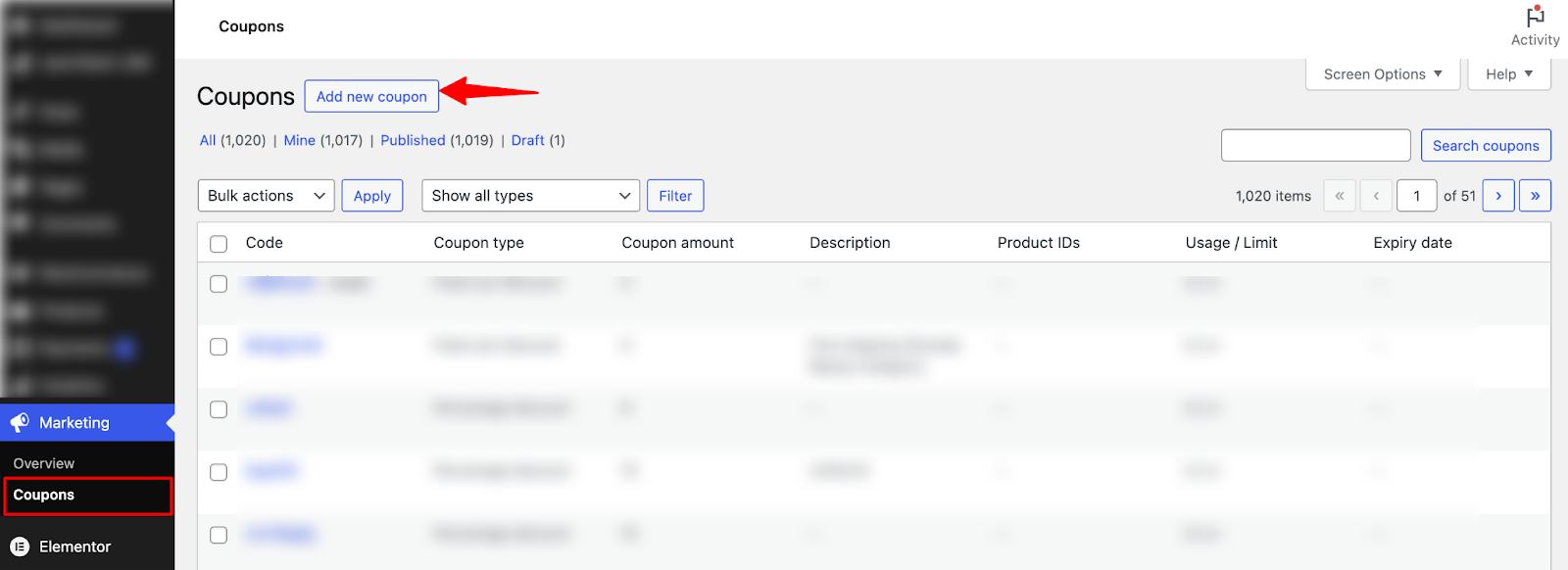
Step 2: Generate a Fixed Recurring Subscription Coupon
Next, you can hit “Generate Coupon Code” to generate a random coupon code or enter it manually. You can also add a description, but that’s optional.

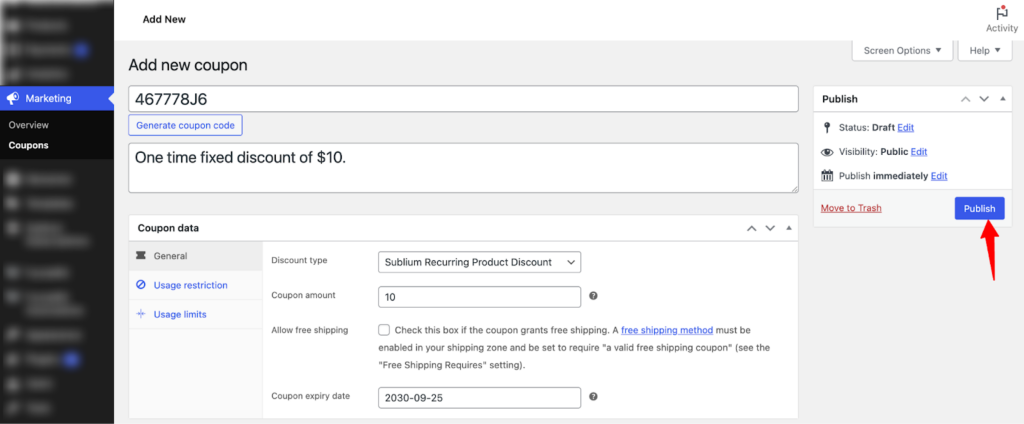
Next, set the following data to create a discount under the General tab:
- Discount Type: Choose the Sublium Recurring Product Discount.
- Coupon Amount: Enter a flat amount (e.g., $10) that your customers will receive
- Allow Free Shipping: Enable this option to offer free shipping alongside the subscription discount. For example, a monthly subscription offers $10 off on recurring renewals and free shipping.
- Coupon Expiry Date: Set an expiry date to create urgency, ensuring the coupon is only available for a limited time. Select the expiry date from the calendar picker.
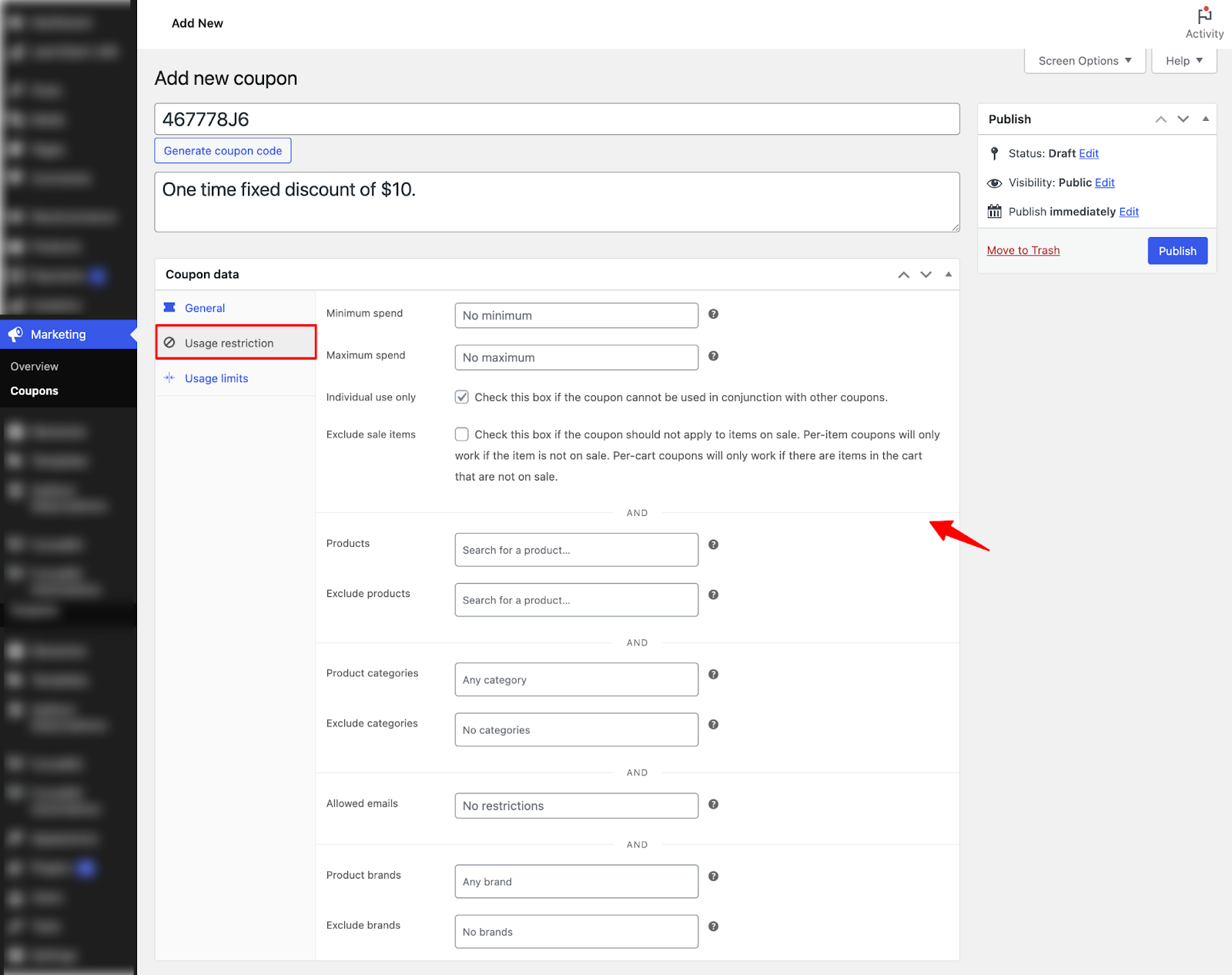
Step 3: Set the usage restrictions
Move to the Usage Restrictions form to set the following:
- Minimum spend: Enter the minimum order subtotal required to use the coupon, or leave it empty for no minimum.
- Maximum spend: Enter the maximum order subtotal allowed to use the coupon, or leave it empty for no maximum.
- Individual use only: Check this box to prevent the coupon from being used with other coupons.
- Exclude sale items: Check this box to prevent the coupon from applying to items that are on sale.
- Products: Select the products the coupon should apply to.
- Exclude products: Select the products that should not be eligible for the coupon.
- Product categories: Select the product categories the coupon should apply to.
- Exclude categories: Select the product categories that should be excluded from the coupon.
- Allowed emails: Add email addresses to restrict coupon usage, or leave it empty for no restrictions.
- Product brands: Select the brands the coupon should apply to.
- Exclude brands: Select the brands that should be excluded from the coupon.
Step 4: Set usage limits
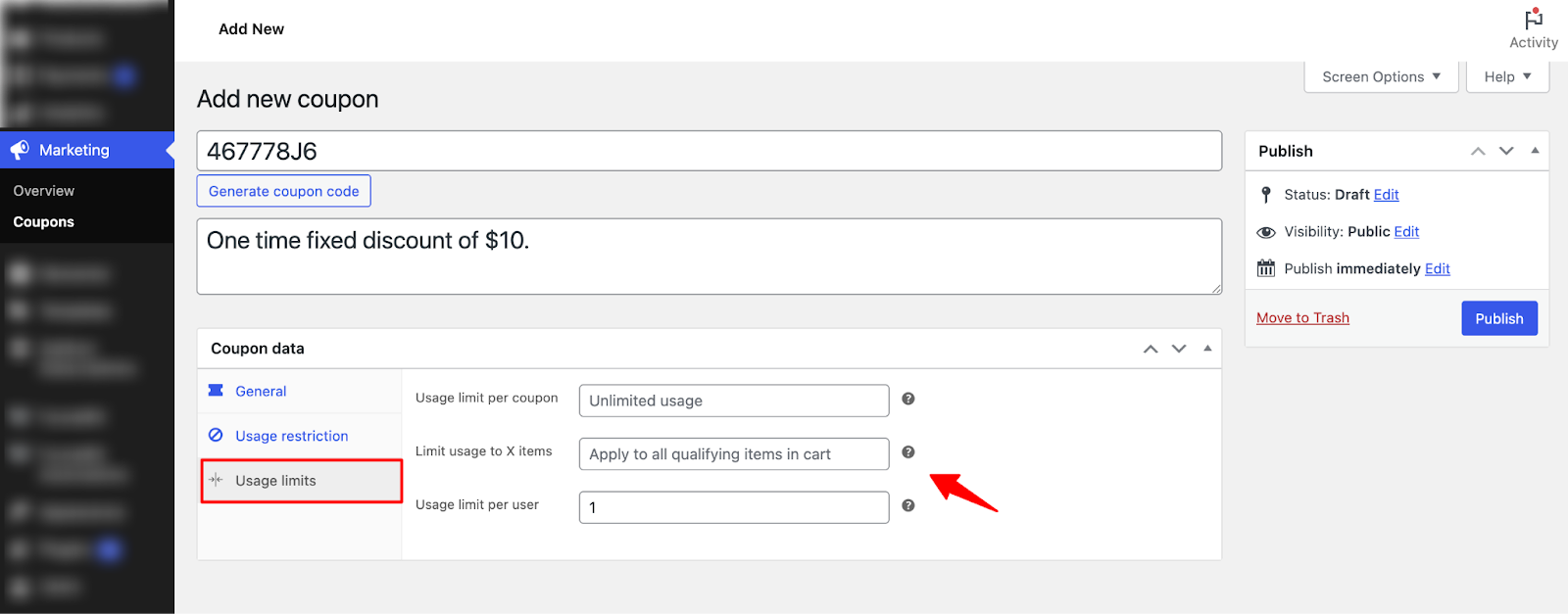
Move to the Usage Limits tab to configure the following options:
- Usage limit per coupon: Set the total number of times this coupon can be used, or leave it empty for unlimited usage.
- Limit usage to X items: Specify the number of items the coupon should apply to, or leave it empty to apply to all qualifying items in the cart.
- Usage limit per user: Set the maximum number of times a single user can use this coupon, or leave it empty for unlimited usage per user.
Step 5: Publish the Fixed Recurring Subscription Coupon
Once done, hit the Publish button to activate the subscription coupon on your WooCommerce store.
Applying the Fixed Rate Coupons to Recurring Subscriptions
Customers can apply subscription coupons during checkout. Here’s how it works:
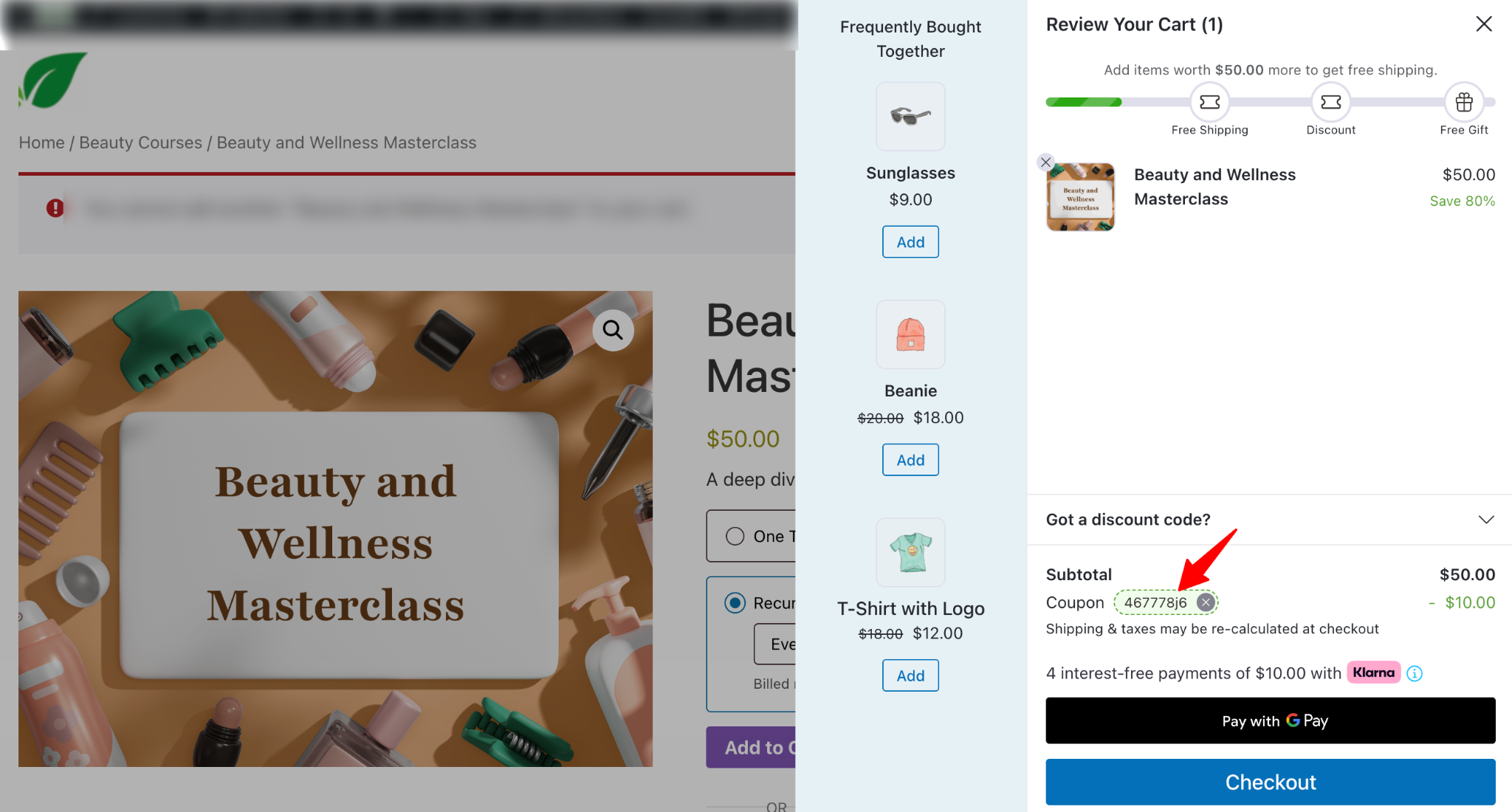
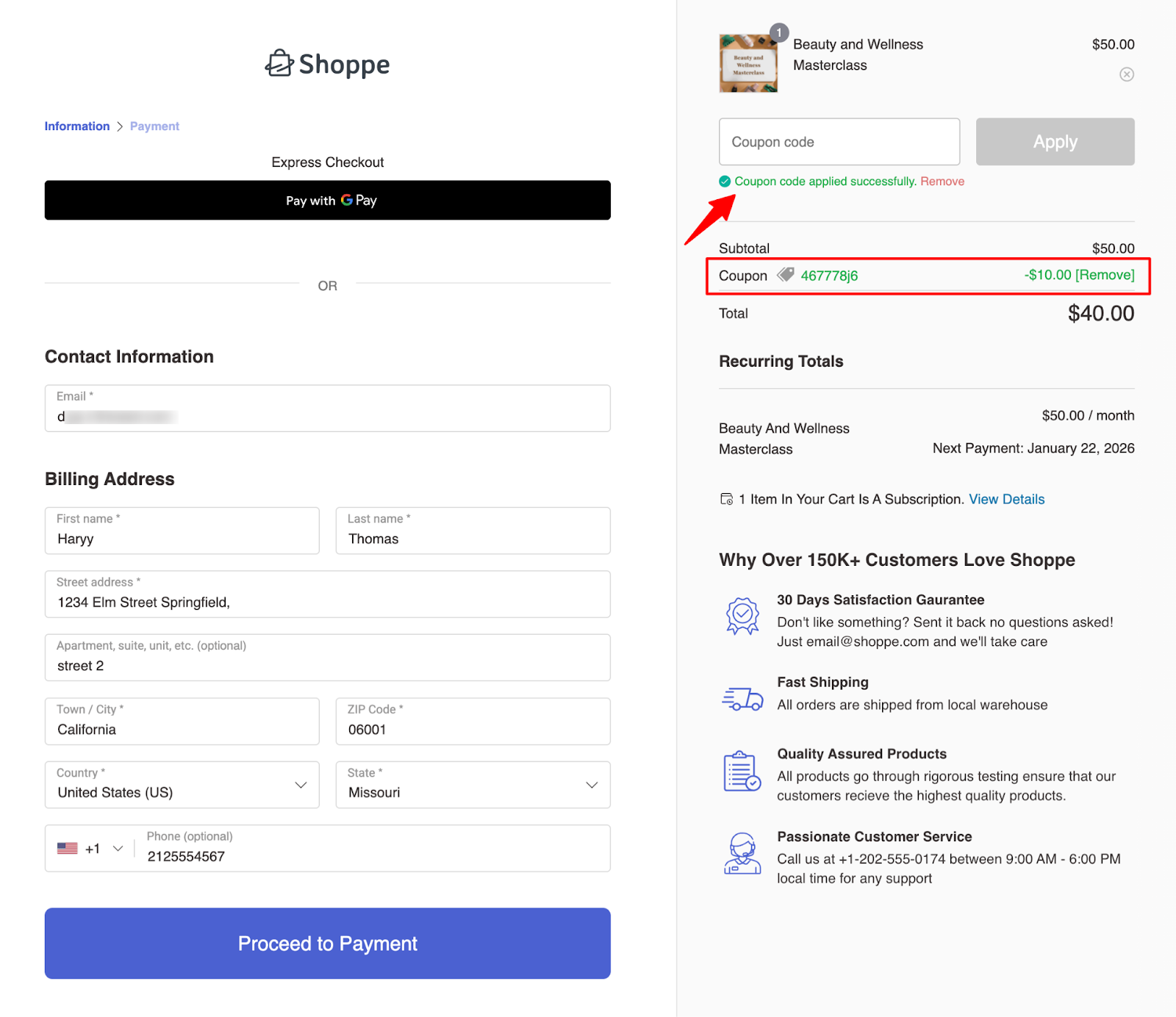
Customers can enter their subscription coupon code in the Apply Coupon field, either on the side cart or on the checkout page.
- Side Cart: Coupons entered here are immediately applied to the subscription.
Here, you can add a screenshot showing how it looks in FunnelKit Cart:
- Checkout Page: Coupons entered at checkout are automatically applied to the subscription.
Here, you can add a screenshot showing how it looks in FunnelKit Checkout:
Sublium Subscriptions then verifies the coupon’s validity, including usage limits, eligible products, and plan restrictions.
Use Cases
- Offer $5 discount on every renewal to encourage long-term subscriptions.
- Run a promotional campaign with “$10 off per month for the first year”.
This concludes the overview of fixed recurring subscription coupons in Sublium.


