

Save At-Risk Subscriptions with Smart Cancellation Prevention
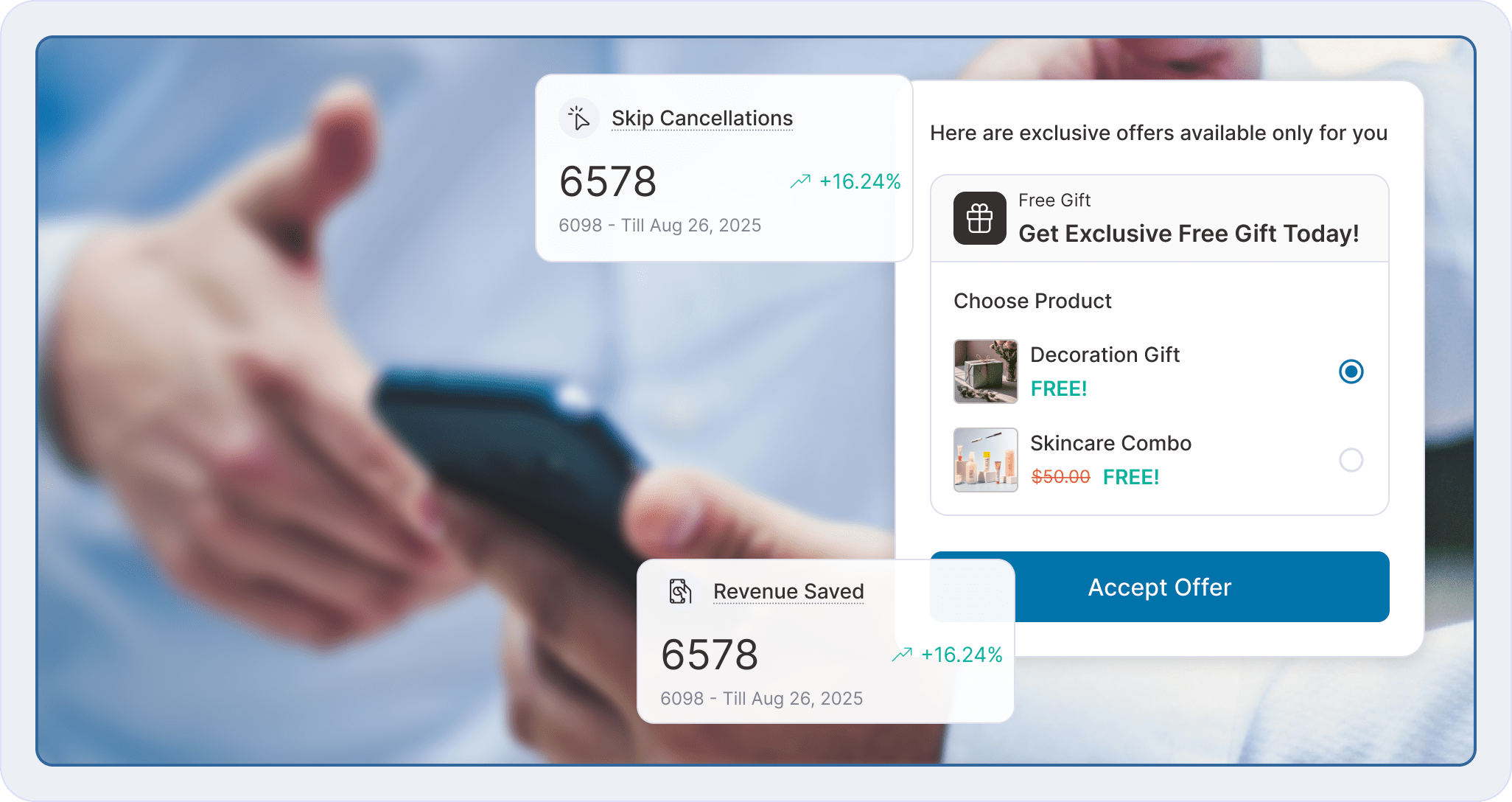
Turn Churn Into Your Competitive Advantage
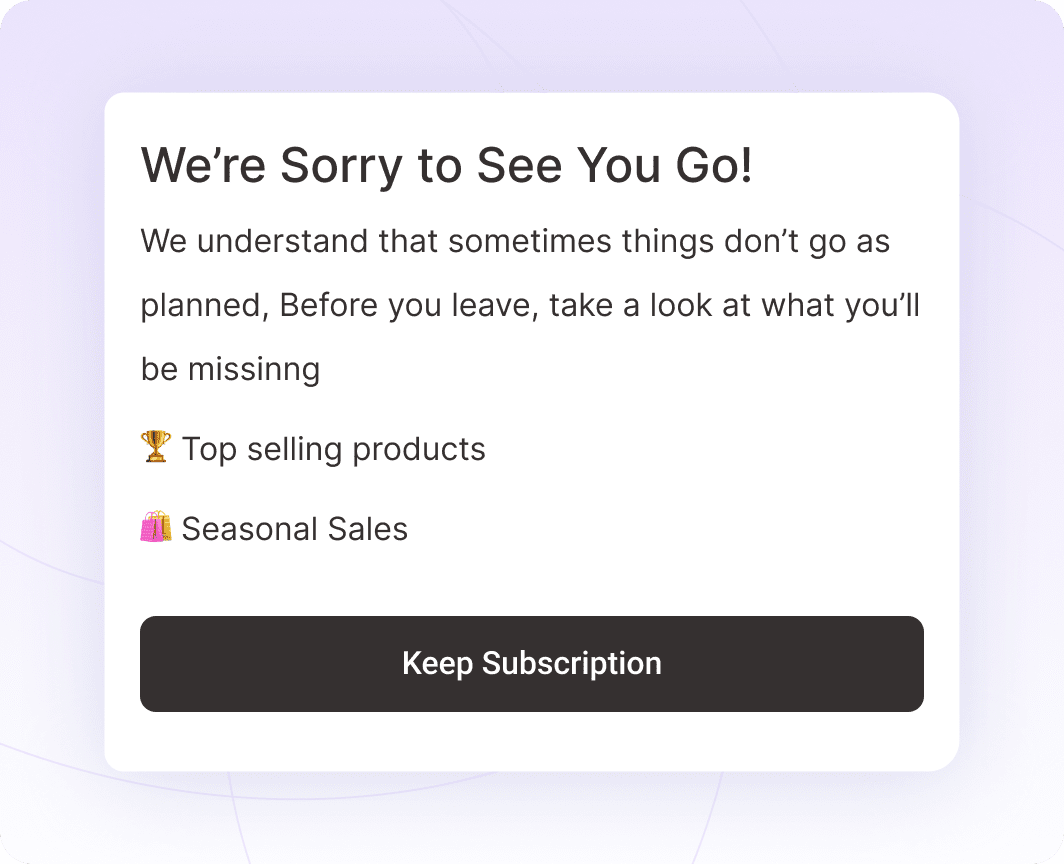
Benefit Pages That Reaffirm Their Decision
Benefit Pages That Reaffirm Their Decision
Capture the “Why” With Cancellation Reasons
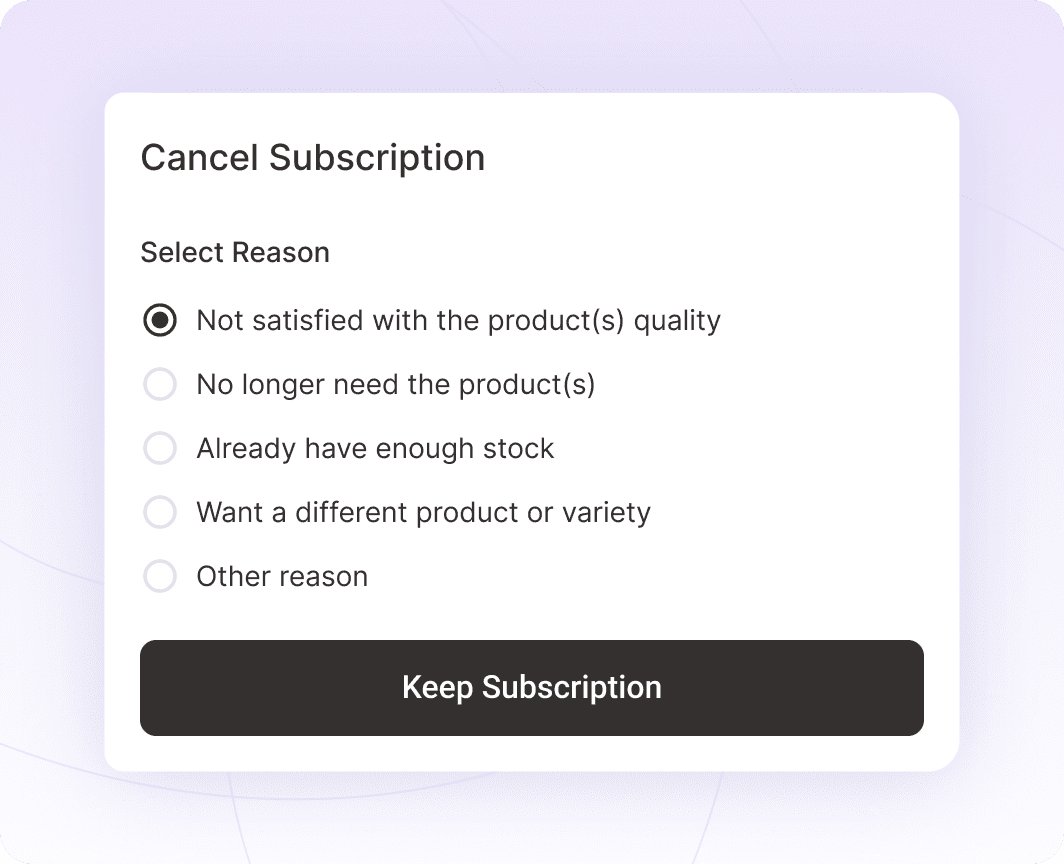
Capture the “Why” With Cancellation Reasons
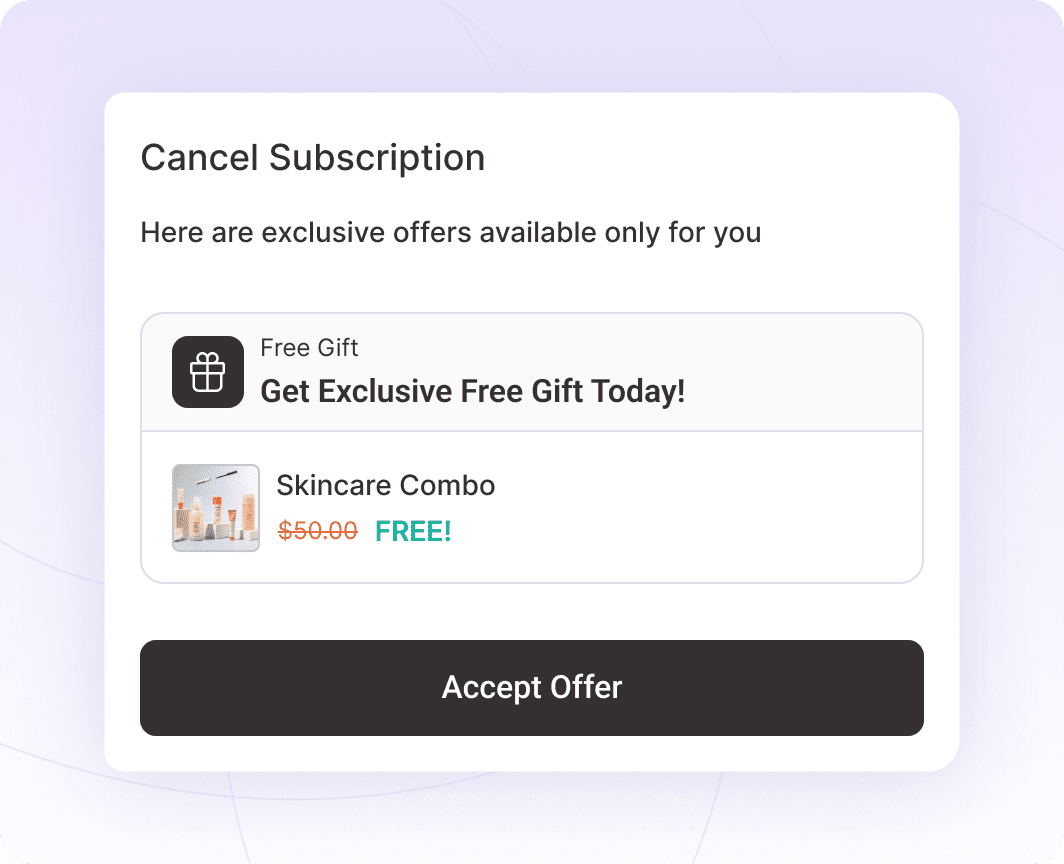
Make Them an Offer They Can’t Refuse
Make Them an Offer They Can’t Refuse
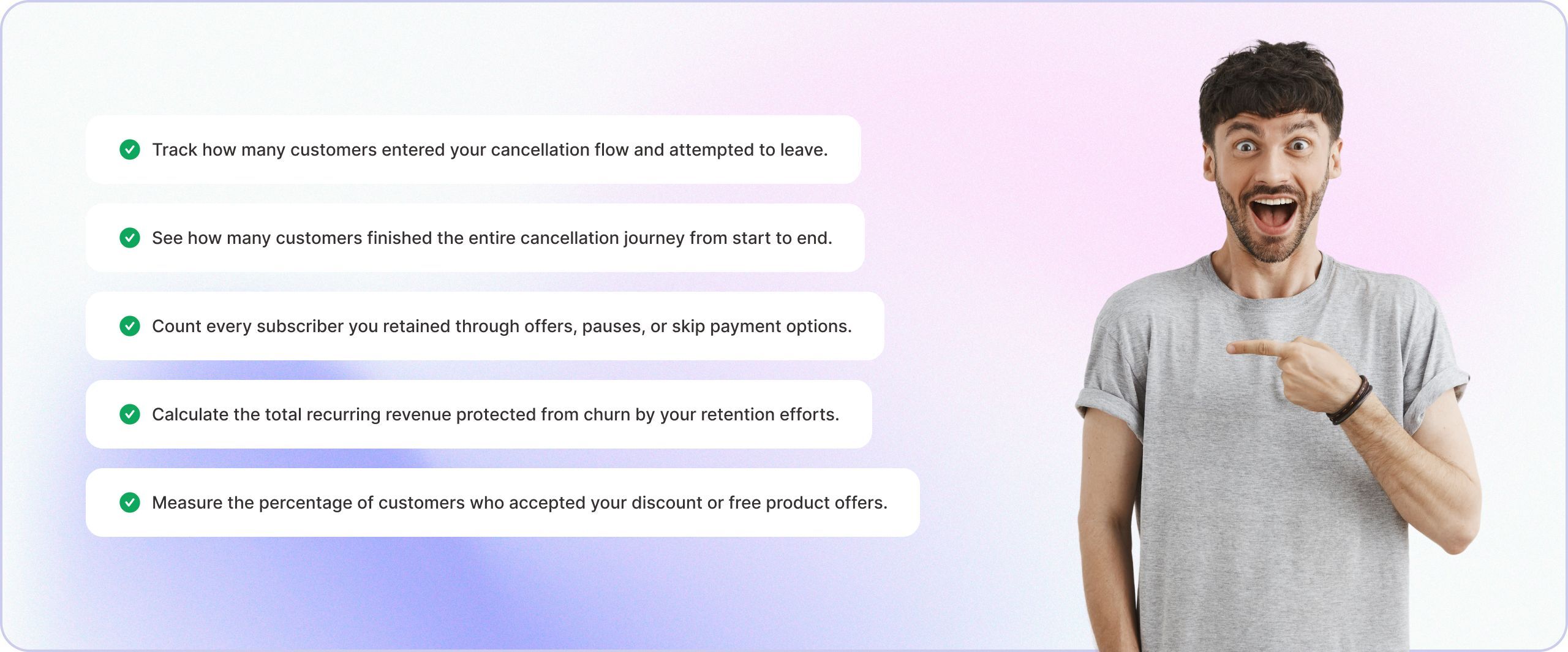
See What’s Working with Built-In Analytics
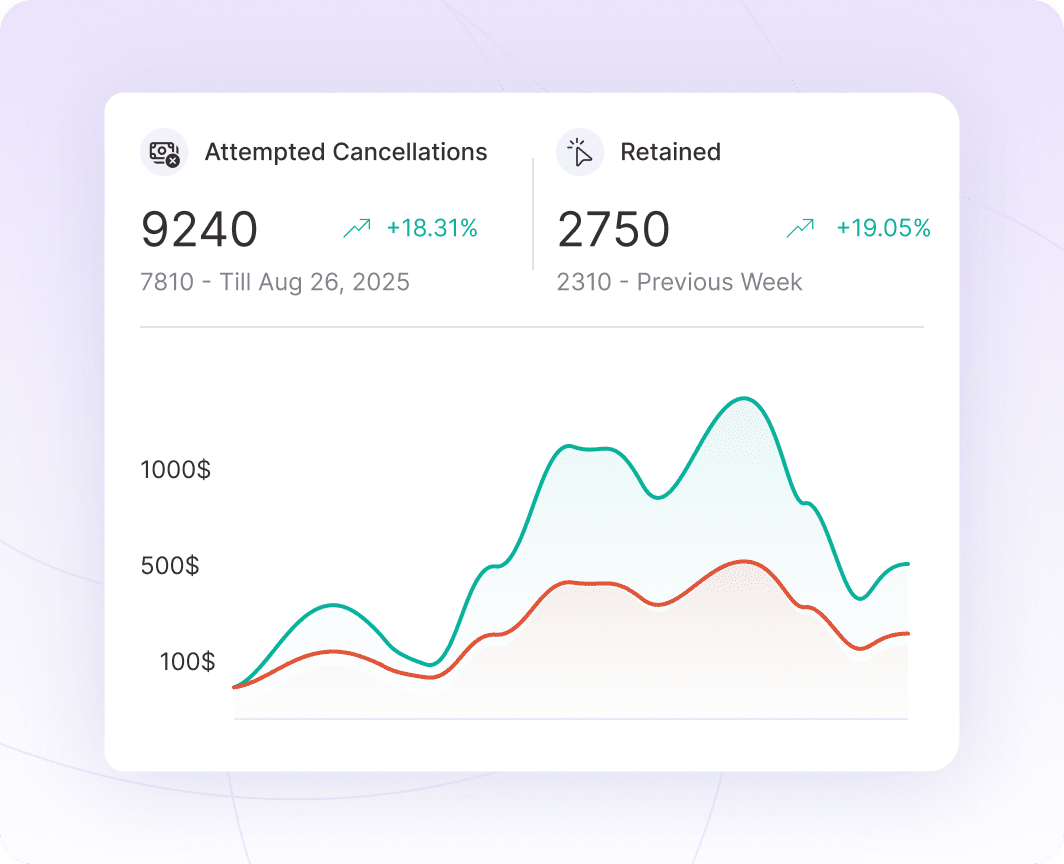
See What’s Working with Built-In Analytics
Why Store Owners Love Sublium’s Cancellation Flow

Always-On Retention

Boost Monthly Revenue

No Developer Required

Flexible Win-Back Options

Pause Over Cancel
Data That Drives Decisions, Revenue That Grows

Integrate with Major Gateways for Recurring and One-Time Payments



Client Feedback That Speaks for Itself


I run a subscription-based WooCommerce business with over 1,200 active subscribers/subscriptions, so moving from WooCommerce Subscriptions to a new subscription platform was not something I took lightly. This was not a small test site — recurring renewals are a major part of my business, and protecting existing subscribers was my top priority.
The Sublium team handled the migration with a lot of care. They helped review my existing WooCommerce Subscriptions setup, worked through staging-site challenges, tested renewals, upgrades, failed-payment/dunning flows, Stripe, and PayPal, and made sure the migration was handled carefully before moving forward.
What impressed me most was the level of support. Sam, Pratik, and the migration team were responsive, patient, and willing to work through every concern I had. This was extremely important because my existing subscribers are the foundation of my business.
So far, I am very happy with the switch. The product feels like a real step forward for WooCommerce subscription stores, especially if recurring revenue and renewal recovery are important to your business.
Highly recommended for serious WooCommerce subscription businesses.
This plugin is fantastic. It’s a fraction of the cost of the other subscription payment plugins and it has every single feature that I could possibly need. It also has one of the absolute best support and development teams that I have ever encountered in a wordpress plugin. I have sent in a few integration requests and the team built them overnight and implemented them for me. It’s completely unheard of.
I have tried every subscription plugin… for some I have waited a week for support when things broke. I’m so appreciative of Sublium and the team behind it that I upgraded to a package that I don’t even need. This thing is awesome… it’s saving me money while making me money. I can’t recommend it highly enough.
Ready to Grow Faster?
Without Sublium
- Wasting time, increasing errors
- Just basic tools
- Frustrated customers
- No loyalty or engagement
- Poor retention features
Result:
Lose Time and Money

- Increase Repeat Purchases by 20%
With Sublium
- Boost retention
- Consistent growth
- Single powerful solution
- Skip, swap, and reschedule options
- Customer-first portal
Result:
Faster Business Growth
Got Questions? We've Got the Answers!
How does the WooCommerce subscription cancellation flow actually work?
When a WooCommerce customer clicks the cancel button, they’re automatically guided through a strategic multi-step retention flow.
First, they see a benefits page that reminds them of the value of your subscription.
Next, they select their reason for leaving from your pre-configured options.
Finally, they receive targeted retention offers (discounts, free products, pause options) based on their specific cancellation reason.
At any point in the flow, they can choose to stay subscribed. The entire process takes less than 60 seconds, feels natural to customers, and gives you multiple opportunities to save the subscription.
What WooCommerce subscription retention options can I offer customers?
Sublium gives you six powerful retention strategies: percentage discounts (like 10% off for set periods), fixed amount savings ($5 off next order), free product offers (add complementary items to next shipment), pause subscription (30-90 day breaks), skip next payment (delay one billing cycle), or continue with no changes.
Mix and match these options based on cancellation reasons to maximize retention. For example, if someone says “too expensive”, show them a 25% discount. If they say “not using enough”, offer a pause option instead.
Can I customize the cancellation flow and retention offers?
Absolutely. You have complete control over every element.
Customize your benefit page headlines, images, and descriptions. Add cancellation reasons that match your business.
Create specific retention offers for each reason with custom discount amounts, durations, and free product selections. Choose which options appear for different scenarios.
Brand everything to match your WooCommerce store’s design and voice without coding.
What analytics are available for tracking churn reduction?
Sublium’s cancellation flow analytics dashboard gives you complete visibility into your retention performance.
Track total cancellation attempts, completed flows, subscriptions saved, revenue retained (MRR), revenue lost, offer acceptance rates by type, top cancellation reasons, conversion rates at each flow step, and historical trends over time.
See which offers perform best, identify patterns in why customers leave, and calculate your exact ROI from retention efforts. Export all data to CSV for deeper analysis, custom reporting, or integration with your business intelligence tools.
Is the cancellation flow available on all Sublium plans?
Yes, the complete WooCommerce subscription cancellation flow is included in all Sublium plans at no additional cost, with no feature restrictions or usage limits.
Whether you’re on our Professional or Elite plan, you get full access to benefit pages, unlimited cancellation reasons, all retention offer types, pause functionality, skip payment options, and comprehensive analytics.
How quickly can I set up my first cancellation flow?
Most WooCommerce store owners have their first cancellation flow live in under 10 minutes. The setup process is straightforward.
Just install the Sublium plugin, activate the cancellation flow module, customize your benefit page (optional but recommended), add 3-5 cancellation reasons, create 2-3 retention offers, and publish. You can start with our proven templates and refine based on your analytics data. No developer, designer, or technical expertise required.
What if customers still want to cancel after seeing my offers?
That’s perfectly okay and expected. Not every cancellation can or should be saved. When customers decline all retention offers and complete the cancellation, Sublium processes it smoothly and professionally.
The key benefit is that you’ve:
1. Captured valuable feedback about why they’re leaving
2. Given them multiple chances to stay with compelling offers
3. Left a positive final impression that keeps the door open for future reactivation.
Plus, you’ll have data to prevent similar cancellations in the future.


Ready to Transform Your Subscriptions?
- Sell physical or digital products on recurring plans
- Offer flexible billing cycles, trials, and discounts
- Automate renewals and reduce churn with dunning management

