

One-Click Card Update enables subscription customers to update their payment method through a secure
link, no login required. The system saves the new card to all matching subscriptions and charges any
overdue payments automatically.
What Is One-Click Card Update?
When a customer’s payment fails, they receive an email containing a unique card update link. Clicking the
link opens a dedicated page where the customer enters new card details via Stripe or Square. The system
then:
- Saves the new payment method to the customer’s subscription
- Distribute the payment method to all other subscriptions using the same gateway
- Charges the primary subscription if it has overdue payments
- Schedules remaining overdue subscriptions for deferred charging
No password, no login session, and no account access is required. The link itself serves as authentication.
How It Works
The end-to-end flow:
- A subscription is created — a unique 64-character hash is generated and stored in the subscription metadata
- The hash link is embedded in dunning and payment recovery emails via the {{card_update_url}} merge tag
- The customer clicks the link and lands on the card update page
- The page validates the hash, loads subscription details, and renders the payment form
- The customer enters new card details and submits
- The system tokenizes the card and verifies it (3DS authentication if needed)
- The primary subscription is charged if overdue
- The new payment method is saved to all the same-gateway subscriptions for the customer
- Remaining overdue subscriptions are scheduled for deferred charging via a background process
- A success confirmation is displayed to the customer
Customer Experience
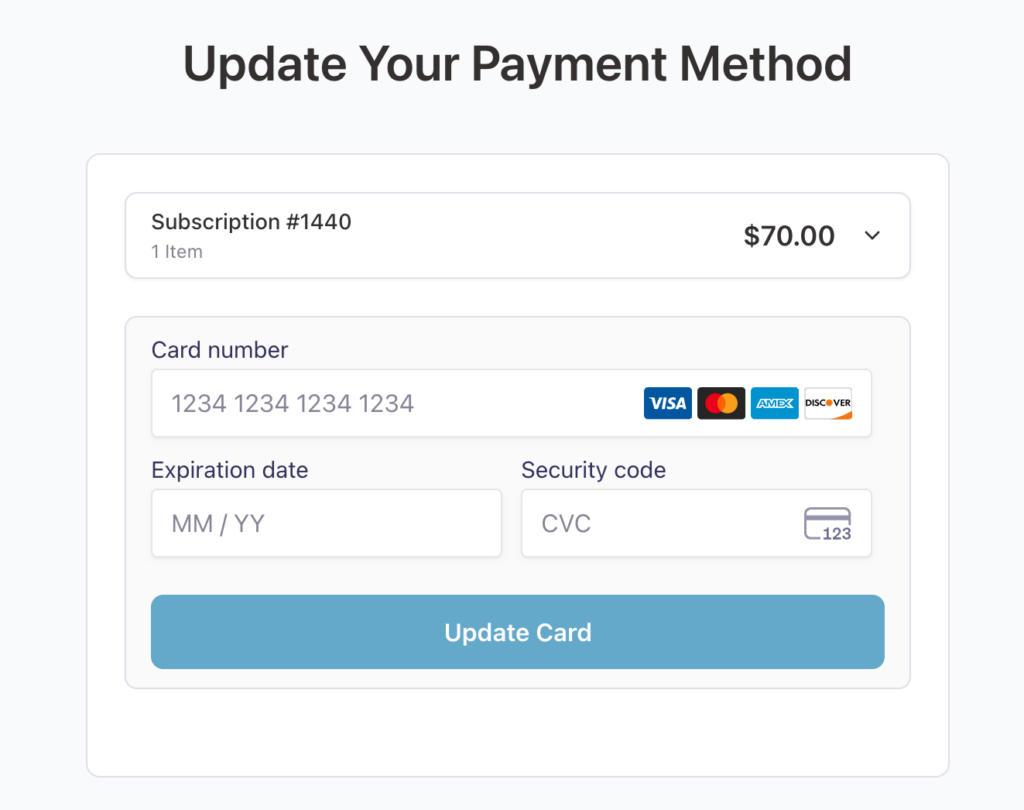
The card update page shows:
- A subscription accordion with product details, item count, prices, and overdue status
- A gateway-specific payment form (Stripe Payment Element or Square card form)
- A dynamic call-to-action button: Update Card for current subscriptions, or Pay and Update Card for overdue subscriptions
After a successful update, the customer sees a confirmation message with the outcome. If their subscription was overdue, theThe
message confirms that the payment was processed and the new card was saved
Supported Gateways
| Gateway | Payment Form | 3DS / SCA Support |
| Stripe (FunnelKit) | Stripe Payment Element | Yes (Native) |
| Square (FunnelKit) | Square Web Payments SDK | Yes (verifyBuyer) |
Both gateways support Strong Customer Authentication (SCA/3DS) for secure card verification. The feature
requires either FunnelKit Stripe or FunnelKit Square to be installed and configured.
Stripe Gateway IDs
- fkwcs_stripe
- fkwcs_stripe_sepa
- fkwcs_stripe_bancontact
- kwcs_stripe_p24
- fkwcs_stripe_ideal
- fkwcs_stripe_affirm
- fkwcs_stripe_klarna
- fkwcs_stripe_afterpay
Square Gateway IDs
- fkwcsq_square
- fkwcsq_apple_pay
- fkwcsq_google_pay
Key Concepts
Here are the key concepts related to Card updater:
Hash-Based Authentication
Each subscription receives a unique 64-character HMAC-SHA256 hash. The hash is generated using
cryptographically secure random bytes and the WordPress authentication salt. It serves as the sole
authenticator — the customer does not need to log in or provide a password. Links do not expire and can be
reused
Token Distribution
When a customer updates their card, the new payment method is automatically saved to all active subscriptions using the same payment gateway—not just the subscription accessed through the update link.
This ensures future renewals succeed across multiple subscriptions with a single update, reducing failed payments and support requests.
Subscription Status & Token Update Behavior
| Subscription Status | Receives New Token |
| Active | Yes |
| Overdue | Yes |
| Paused | Yes |
| Unpaid | Yes |
| Cancelled | No |
| Expired | No |
Scheduled Charging
If the customer has multiple overdue subscriptions, the system charges the primary subscription (from the update link) immediately after the card is updated. Remaining overdue subscriptions are charged via a background process after a configurable delay (default: 10 minutes). This staggered charging approach avoids overwhelming the payment gateway with simultaneous charge requests.
Anti-Carding Protection
The card update page does not render a payment form for invalid, expired, or cancelled subscription links. This prevents bad actors from using the page to test stolen card numbers and protects the gateway from card-testing abuse.
Admin Interface
The Card Updater settings page is located at Sublium Subscriptions → Retain → Card Updater.
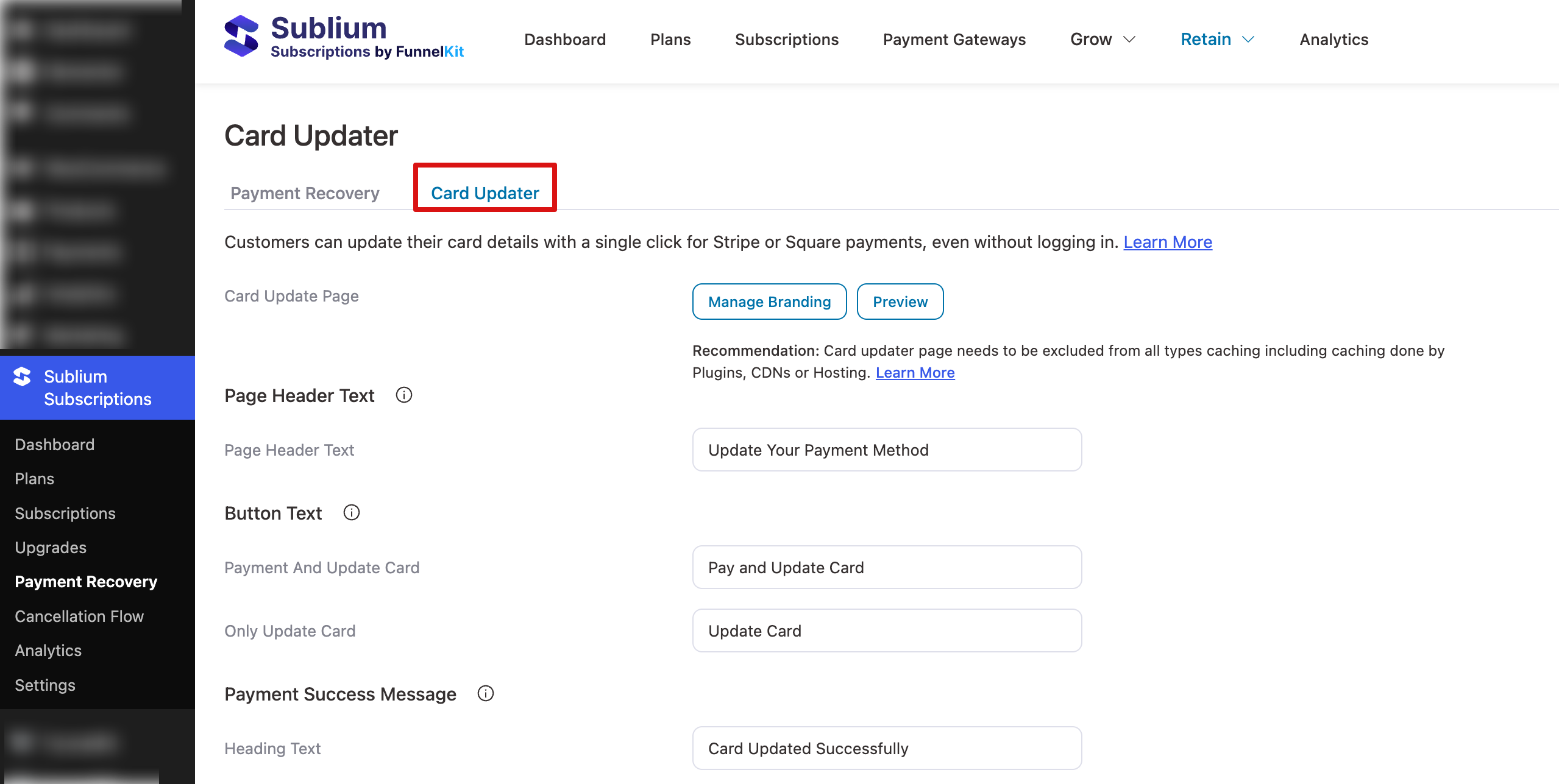
From this page, you can enable or disable the feature, select the WordPress page containing the shortcode, customize the page heading, button labels, success messages, and error messages, and configure the scheduled charge delay.
Here is a preview of the Card Updater screen:
Analytics
The Card Updater tracks the following metrics:
| Metric | Description |
| Page Views | Number of times the card update page was viewed |
| Cards Updated | Successful card updates |
| Payments Recovered | Overdue subscriptions charged during card update |
| Revenue Recovered | Total dollar value of recovered payments |
Daily statistics are stored for the last 90 days.


