The Churn dashboard tracks lost subscriptions and their impact on recurring revenue.
Monitoring churn is critical to understanding customer retention, spotting issues in your subscription lifecycle, and predicting revenue risks. This section goes beyond raw numbers to show how cancellations, failed payments, and paused subscriptions affect your business.
Time Period
You can select a period to analyze churn data. Options include:
- Today
- Yesterday
- This Week
- Last Week
- This Month
- Last Month
- Quarter to Date
- Last Quarter
- Year to Date
- Last Year
- Specific Date
- Custom Range
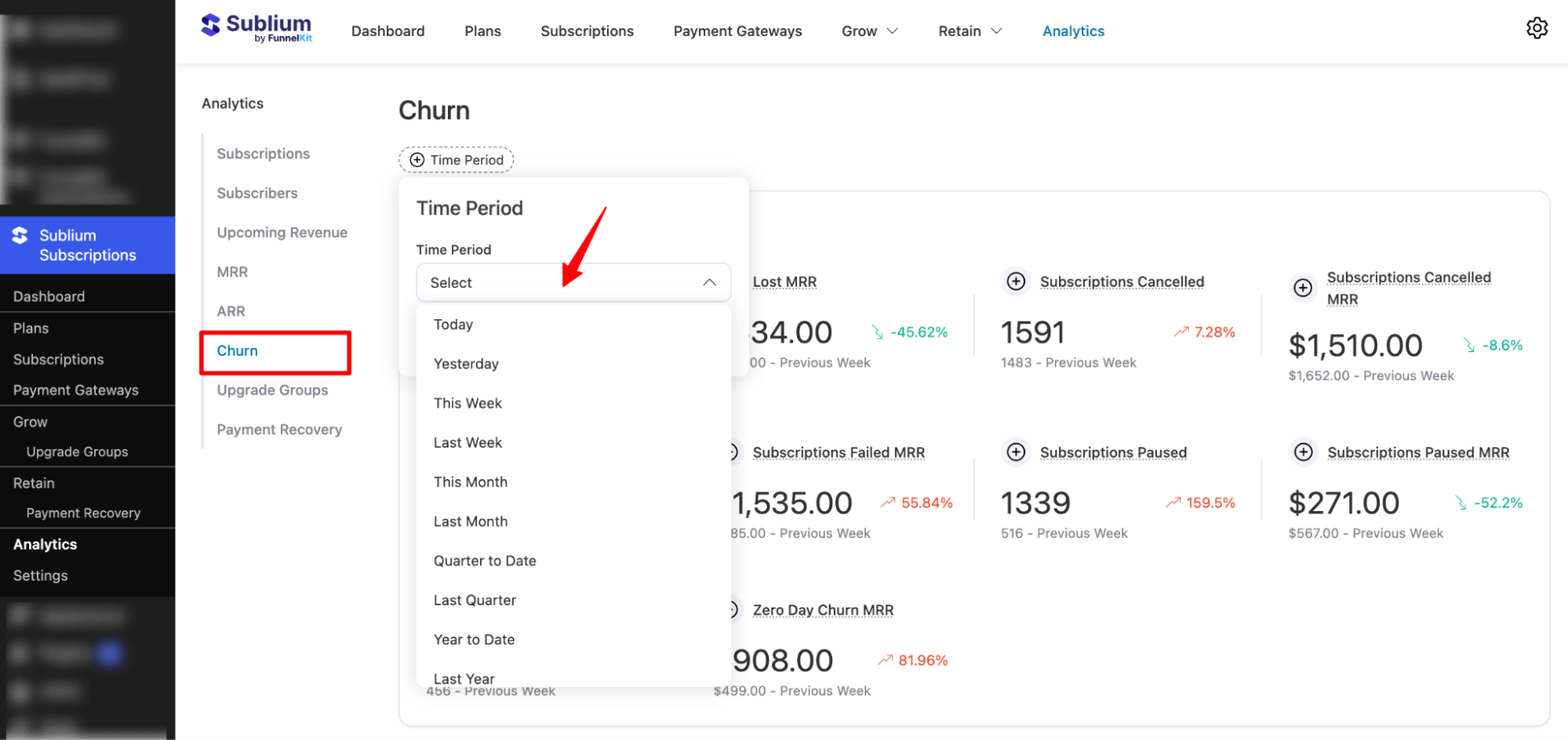
Note: You can compare Churn across two different periods, identify trends, and measure the effectiveness of retention strategies.
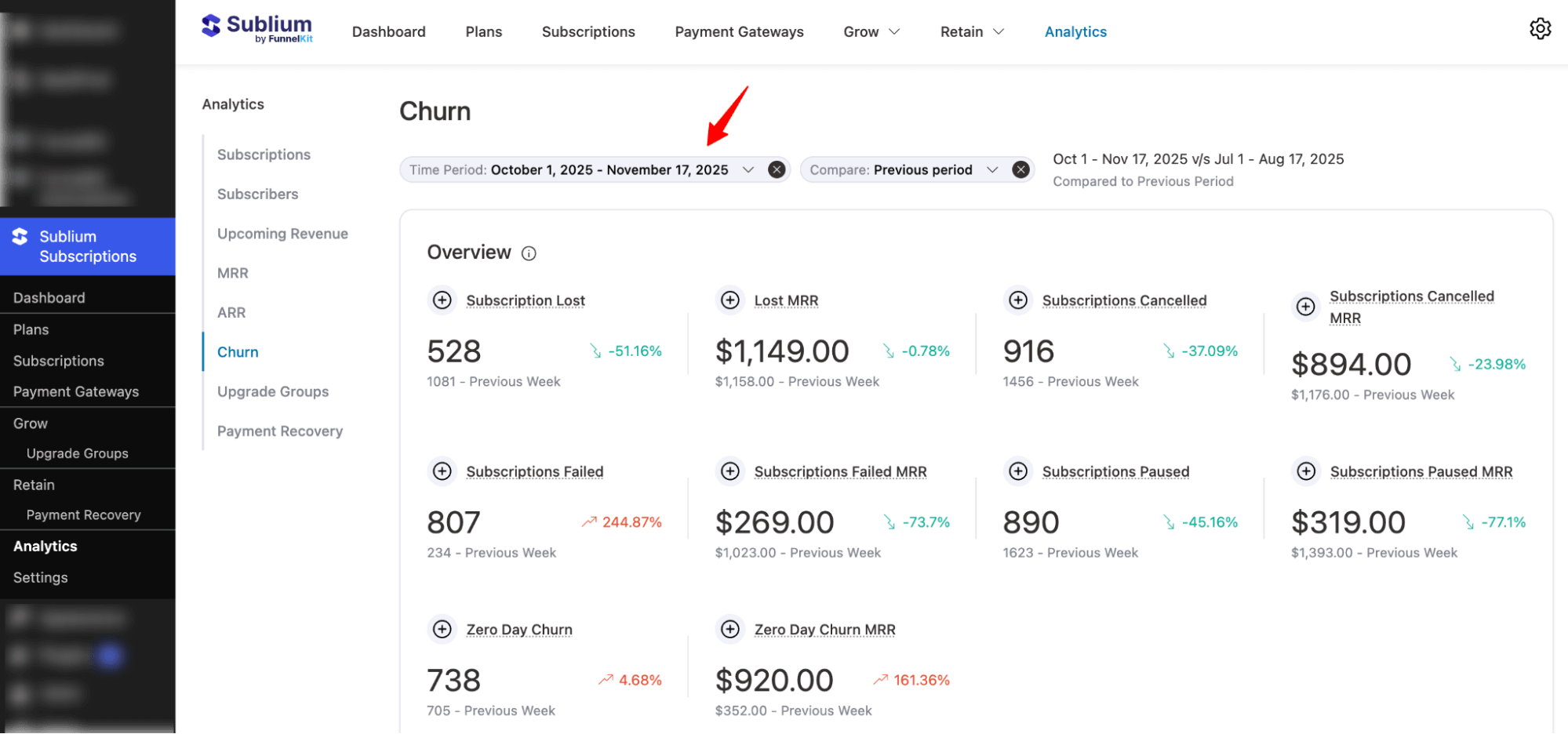
Overview
This section breaks down churn into actionable metrics:
- Subscriptions Lost: Total subscriptions that were lost, including cancellations, failures, and zero-day churn.
- Lost MRR: Monthly recurring revenue lost due to subscriptions ending.
- Subscriptions Cancelled: Customers who actively canceled their subscriptions.
- Subscriptions Cancelled MRR: MRR lost specifically from cancellations.
- Subscriptions Failed: Subscriptions that ended due to failed payments.
- Subscriptions Failed MRR: MRR lost from failed payment attempts.
- Subscriptions Paused: Subscriptions temporarily put on hold by customers.
- Subscriptions Paused MRR: MRR affected by paused subscriptions.
- Zero-Day Churn: Subscriptions canceled on the very day they were started.
- Zero-Day Churn MRR: MRR lost from these immediate cancellations.
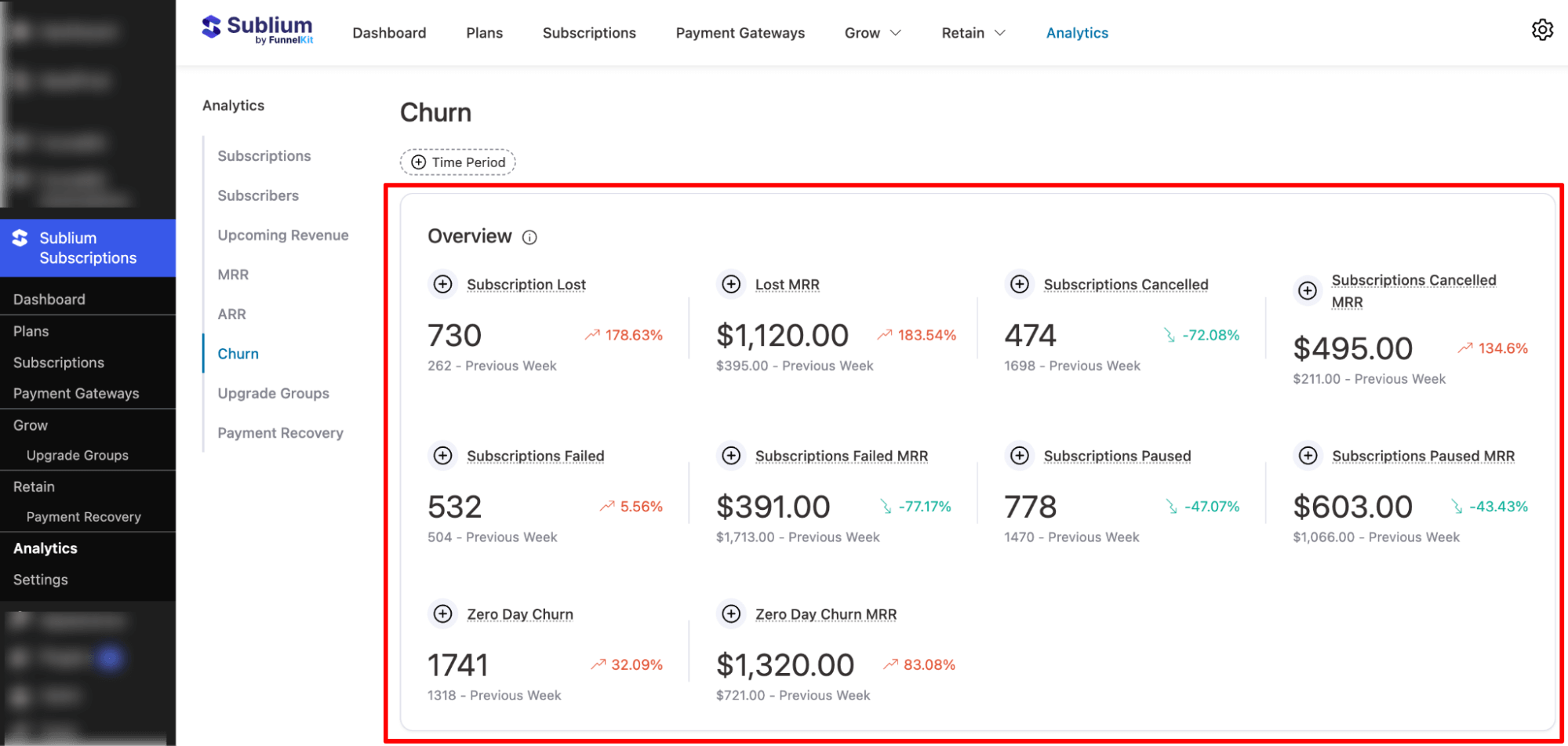
These metrics help you pinpoint the main reasons for revenue loss and focus retention efforts where they’ll have the biggest impact.
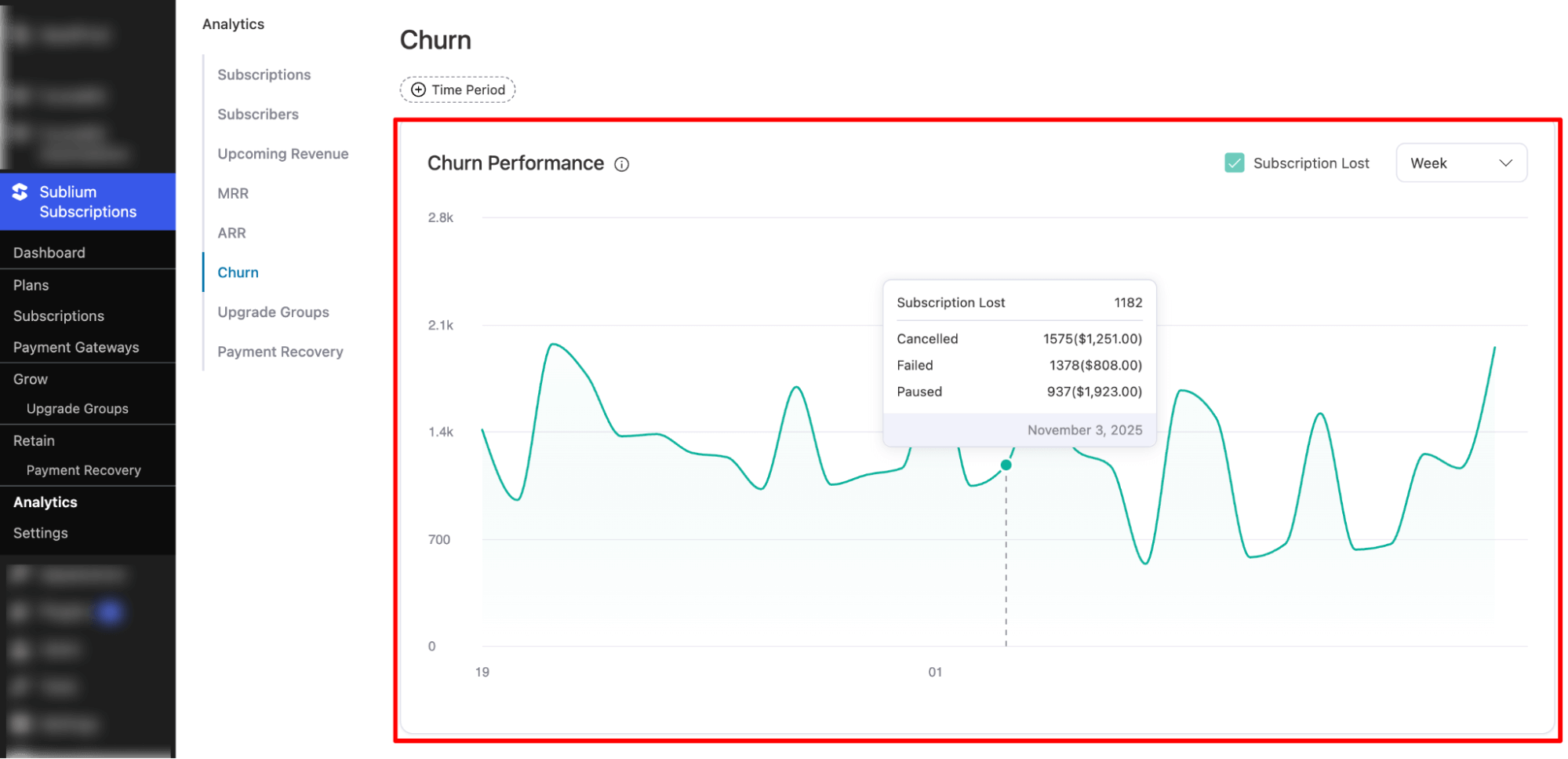
Churn Performance
This section provides a visual graph of churn trends over time. It helps you:
- Identify spikes in cancellations or failed payments
- See how churn affects MRR daily or weekly
- Monitor patterns in cancelled, failed, and paused subscriptions
You can hover over points to view exact values and switch between daily and weekly views to better analyze trends and take action.