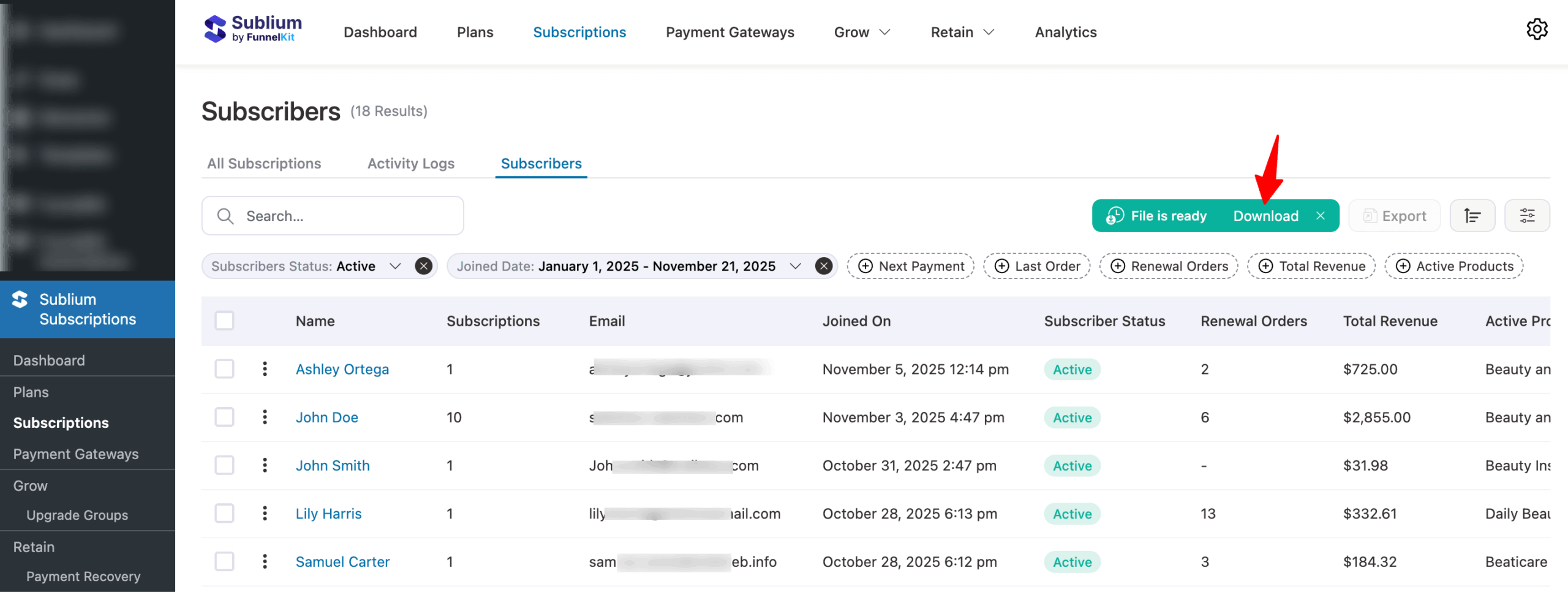
Sublium lets you easily export your subscriber information to a CSV file for reporting, record-keeping, or detailed analysis.
To export subscribers’ data, navigate to Sublium Subscriptions ⇒ Subscriptions and switch to Subscribers.
Export All Subscribers
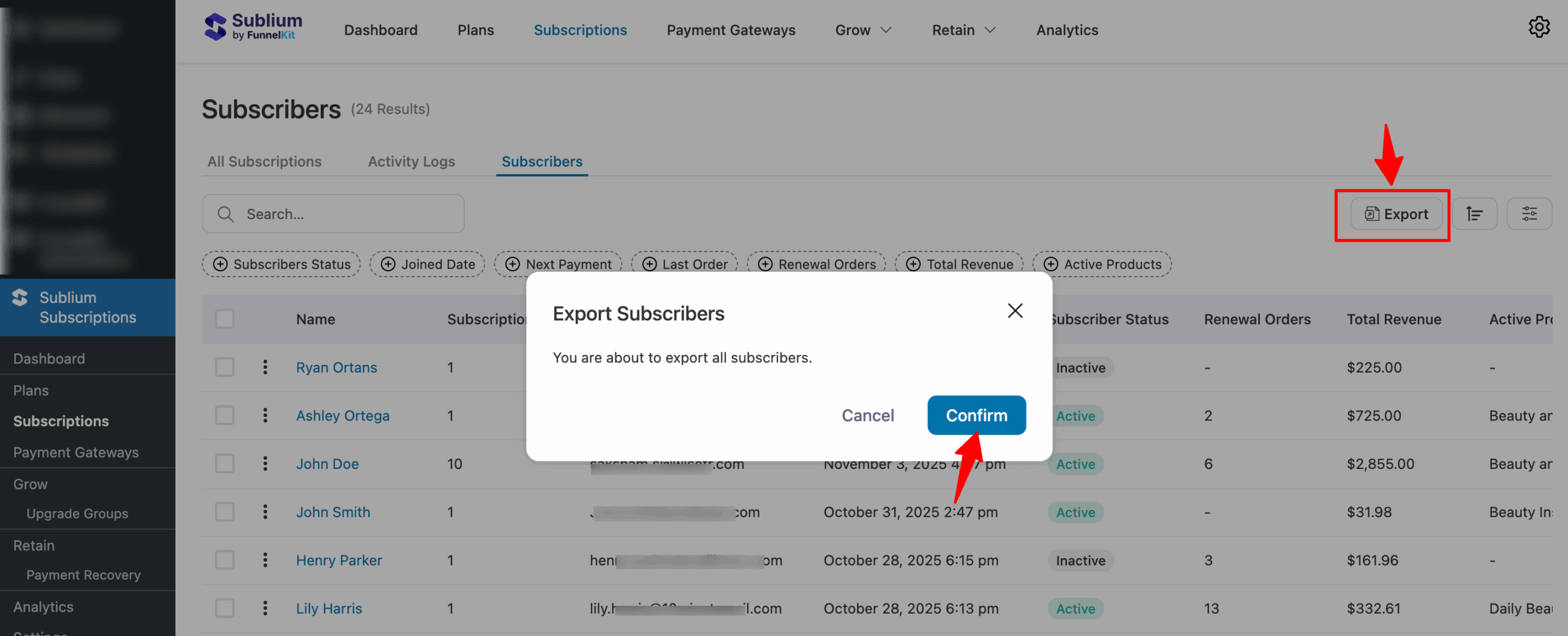
On the Subscribers page, click the Export button and then Confirm.
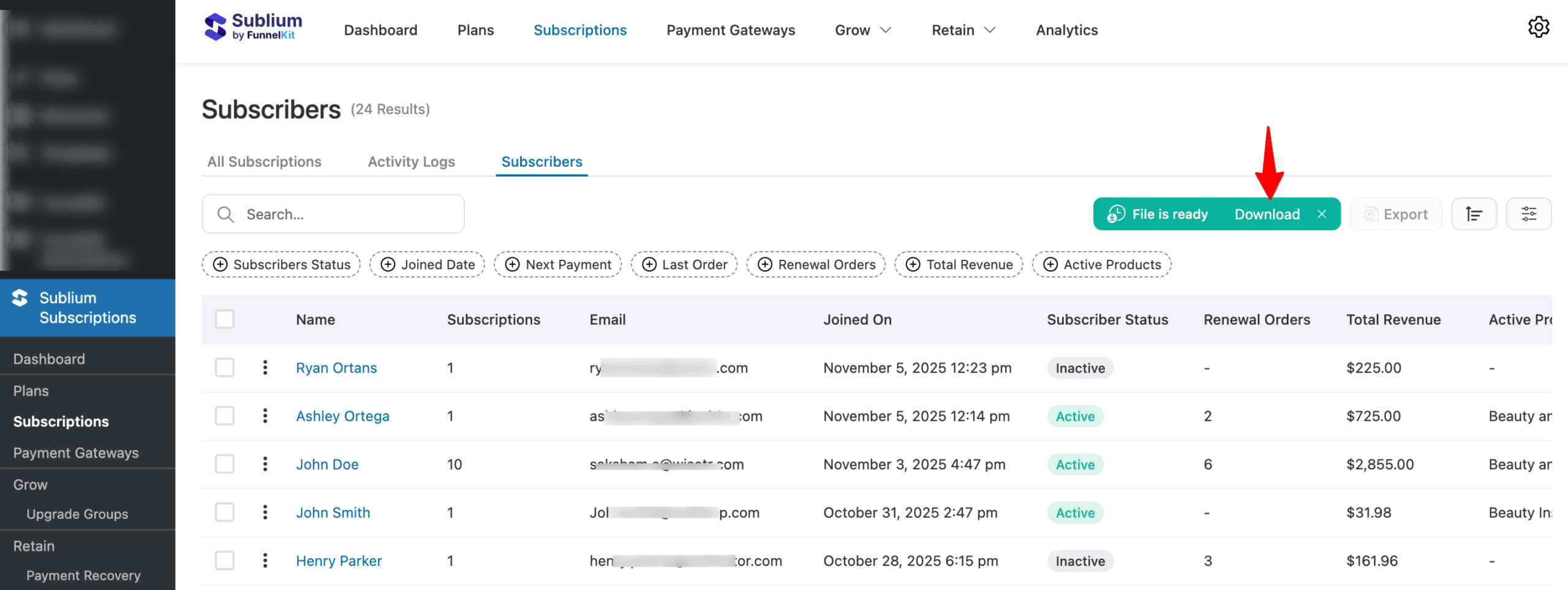
Sublium will generate a CSV file containing your subscriber details. Once the export is complete, click Download to save the file to your device.

Export Filtered Subscribers
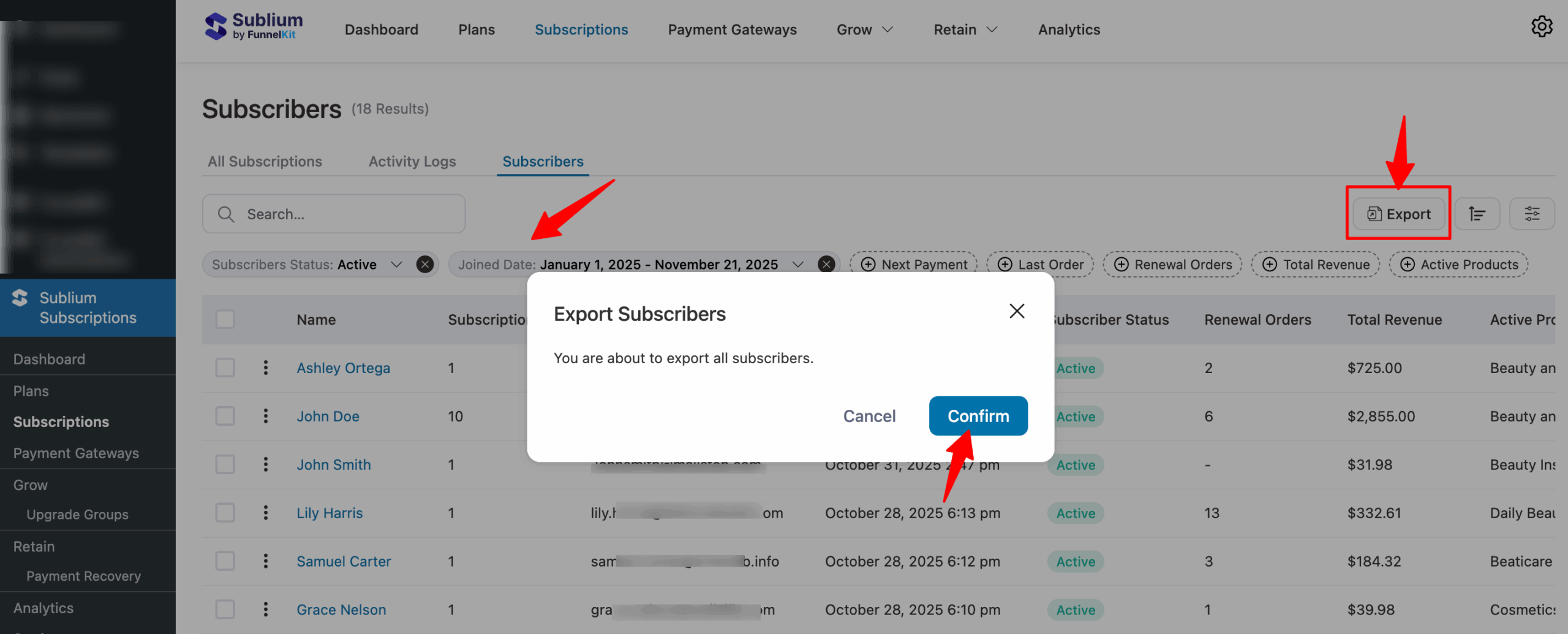
You can also filter subscribers and export only the filtered subscribers. To do so, first apply the filters, then click the Export button, and then Confirm.
Once the export is complete, click Download to save the file with the filtered subscribers to your device.