

Subscription Notifications inform customers about various subscription events via email.
To configure these notifications, go to Sublium Subscriptions → Settings → Notifications → Subscriptions.
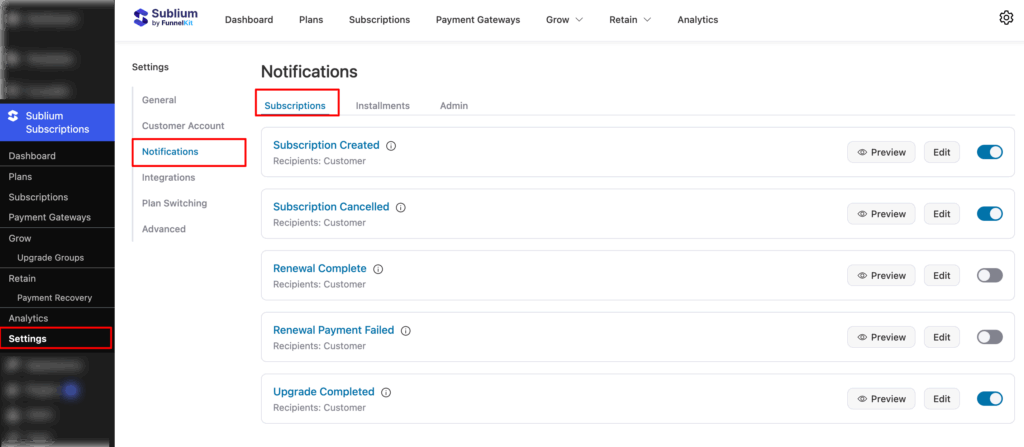
Overview
Here, you can configure email notifications for subscription-related events and specify the recipients.
- Subscription Created: Enable to notify the customer when a new subscription is created.
- Subscription Cancelled: Enable to notify the customer when a subscription is cancelled.
- Renewal Complete: Enable to notify the customer when a subscription renewal is successfully completed.
- Renewal Payment Failed: Enable notification to the customer when a subscription renewal payment fails.
- Upgrade Completed: Enable notifying the customer when a subscription upgrade is completed.
Note: For all the above notifications, the default recipient is Customer.


