

The Logs section in Sublium lets you monitor system activity, track subscription operations, and troubleshoot issues. Logs capture important events such as plugin updates, subscription events, and system calls, helping you maintain and debug your store efficiently.
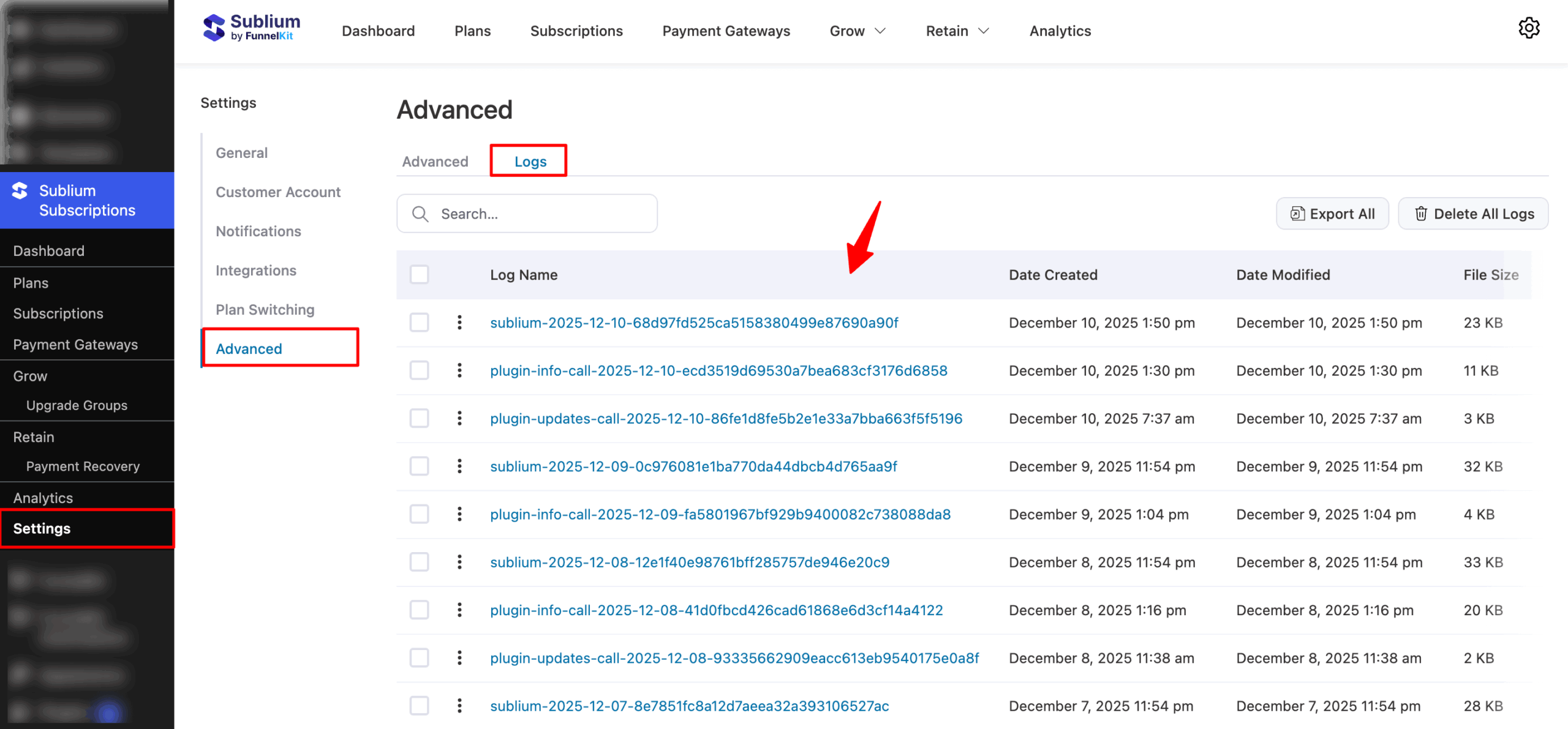
Navigate to Sublium Subscription → Settings → Advanced, then switch to Logs to find the All Logs tab:
Log Overview
The log table displays the following information for each log file:
- Log Name: The name of the log file.
- Date Created: When the log was created.
- Date Modified: When the log was last updated.
- File Size: Size of the log file.
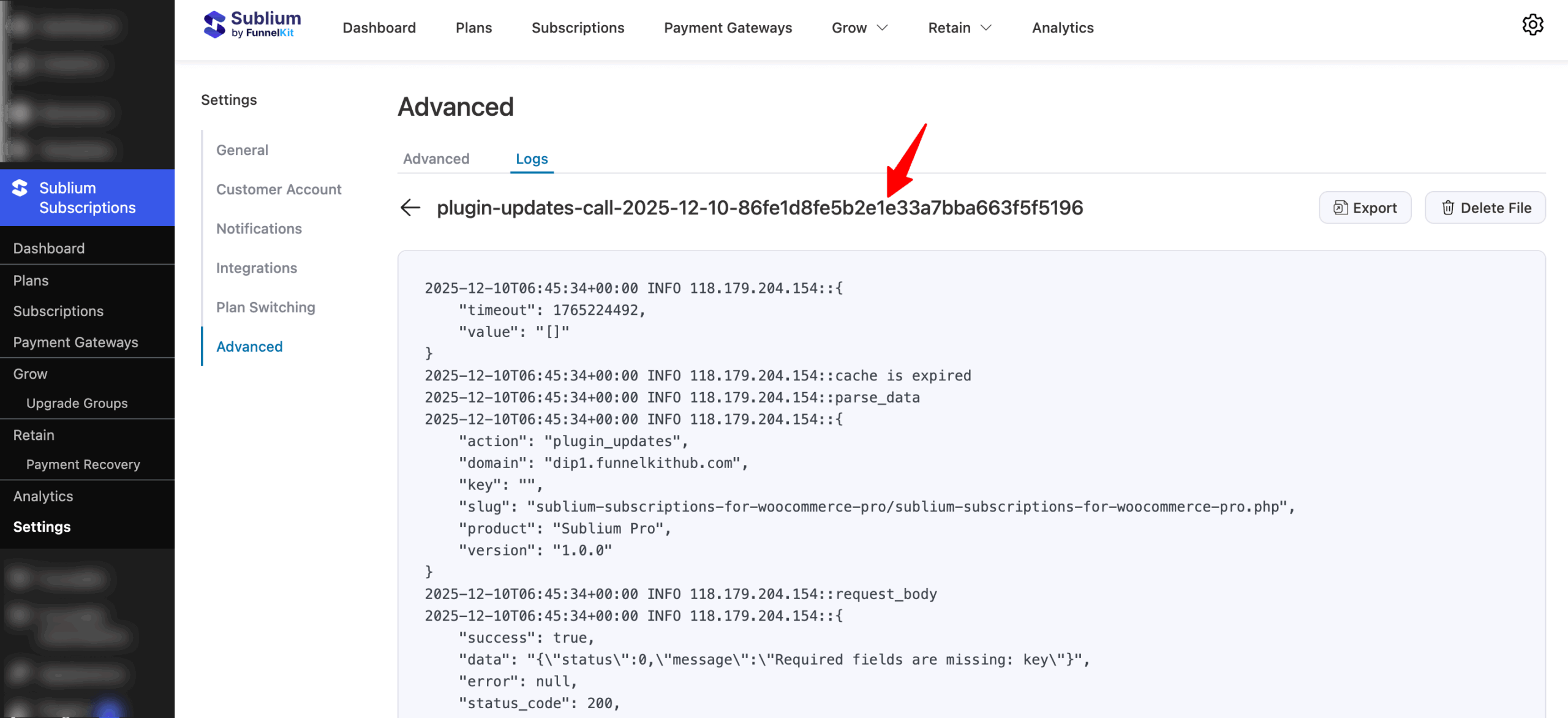
You can click on any of the logs to view details.
Search Logs
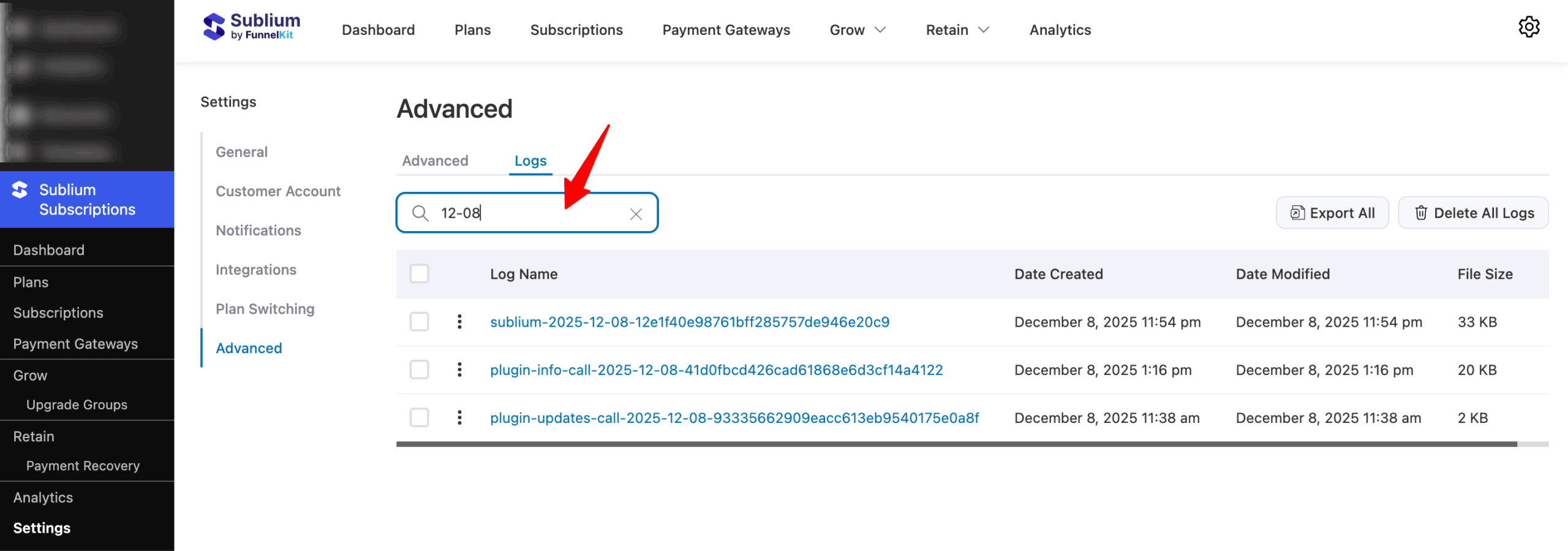
Use the Search… field to locate specific logs by name quickly.
Export Logs
You can export logs individually, selectively, or all at once.

Export Single Log
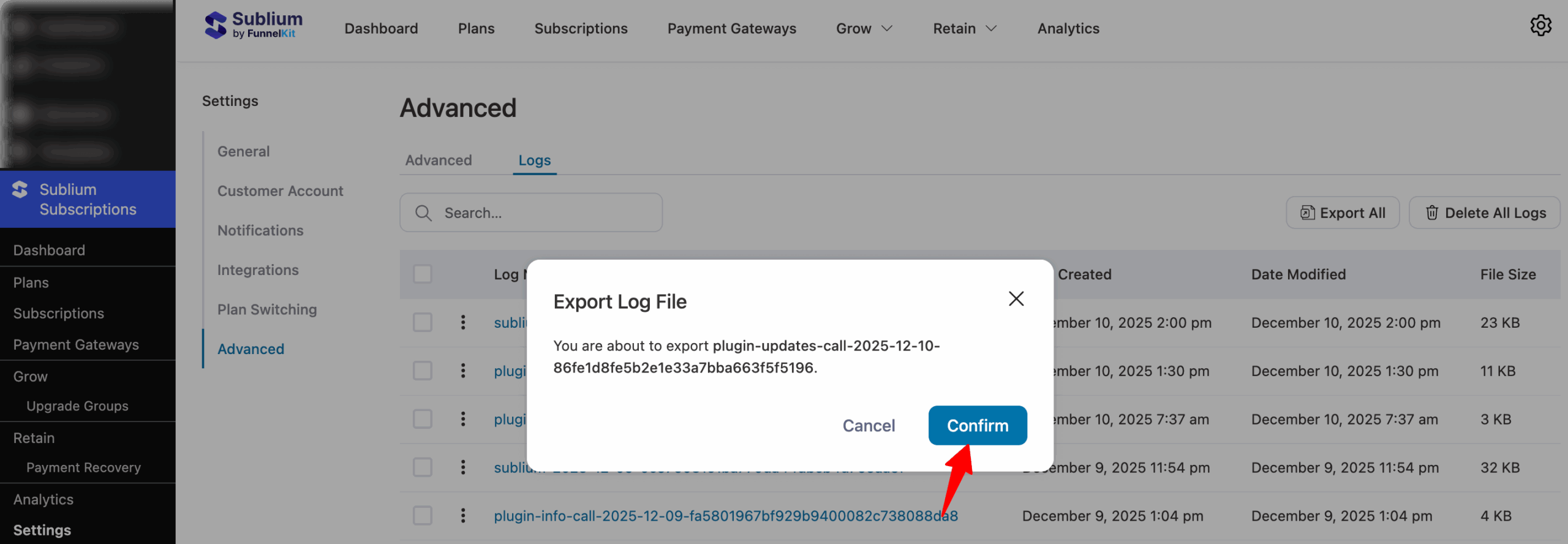
To export a single log, hit the ⋮ and select Export.
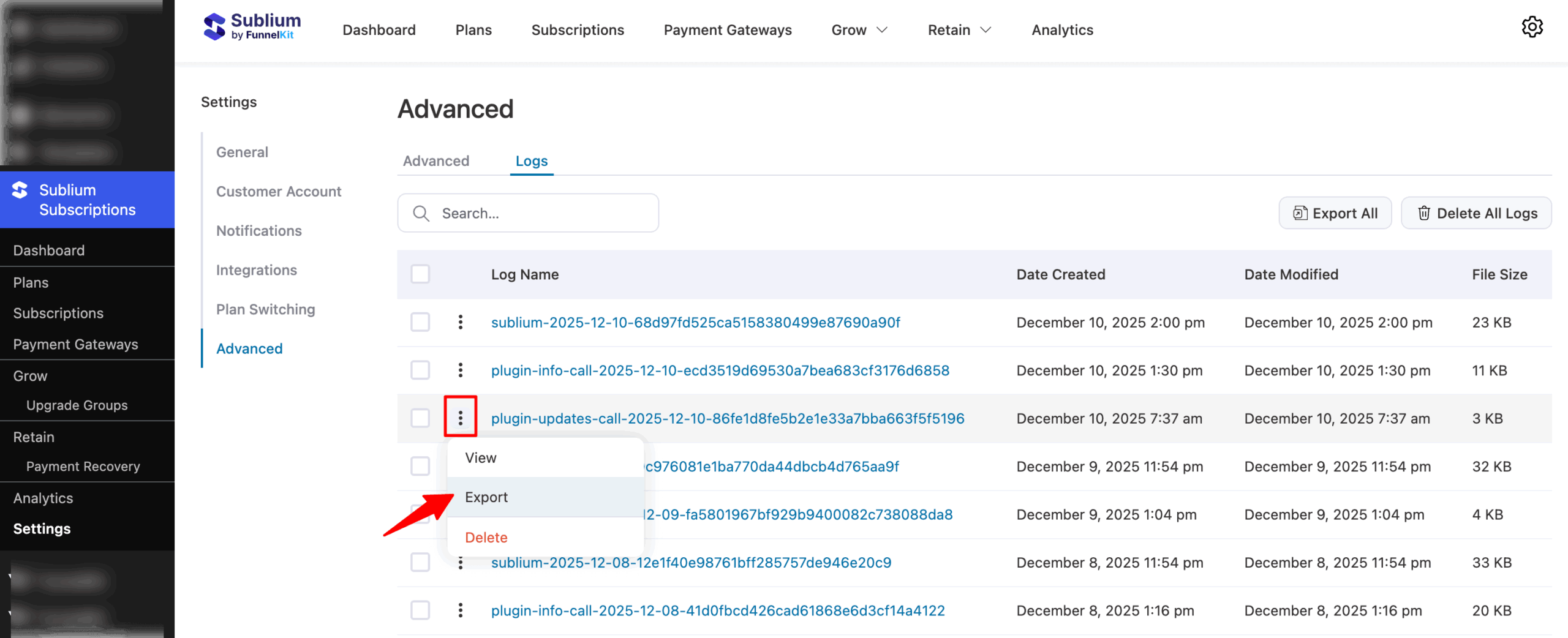
And, make sure to confirm.
Export Specific Logs
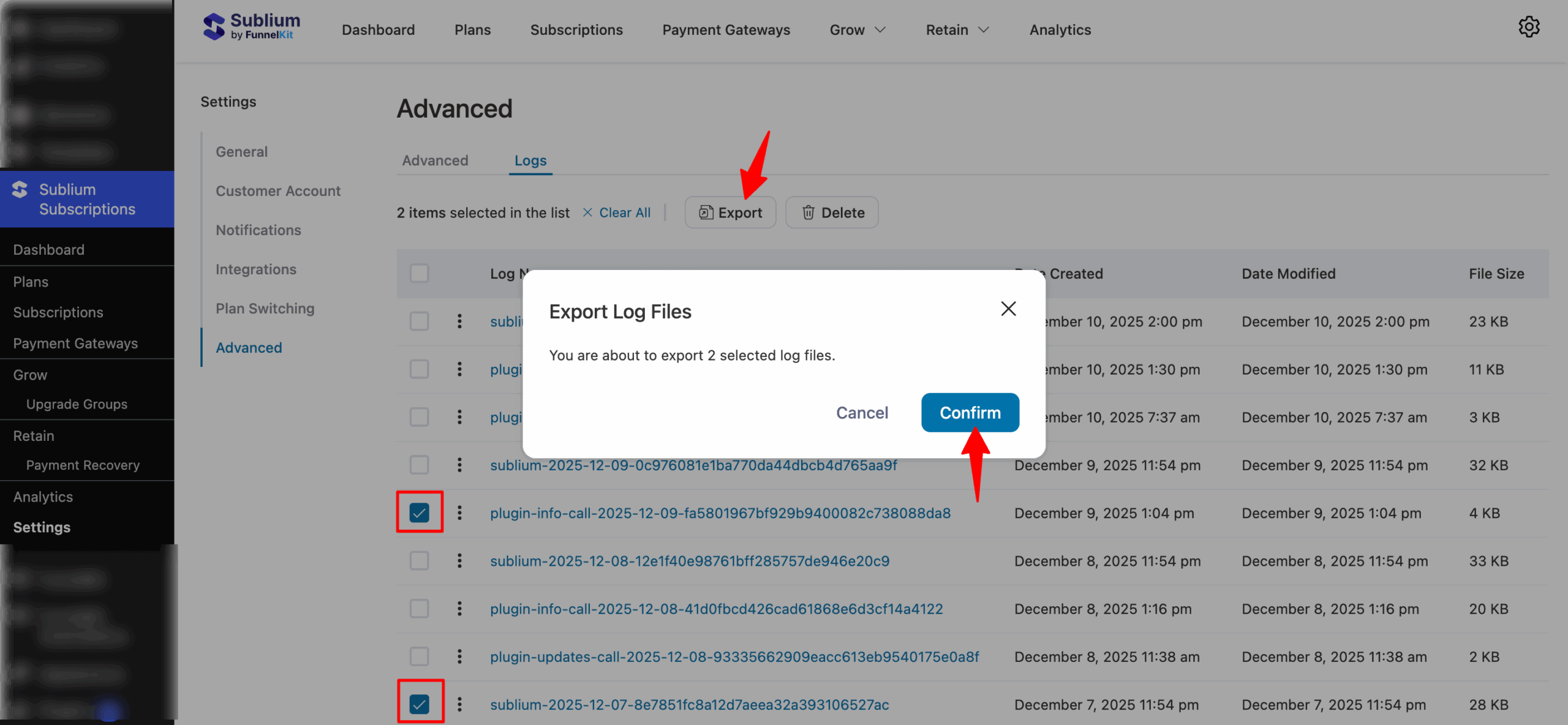
Check the logs you want to export, hit Export, and Confirm.
Export All Logs
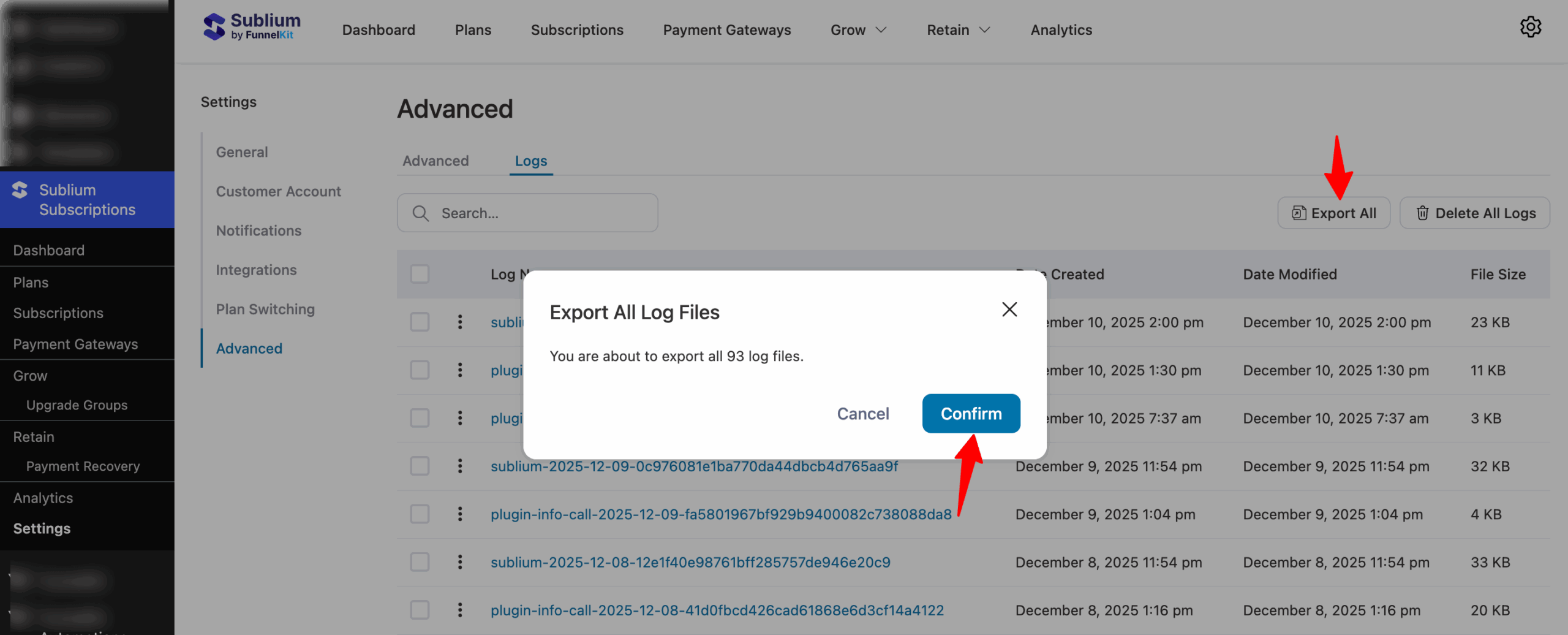
Click Export All and Confirm to download all logs as a ZIP file for backup or technical support purposes.
Delete Logs
You can delete logs individually, selectively, or all at once.
Delete Single Log
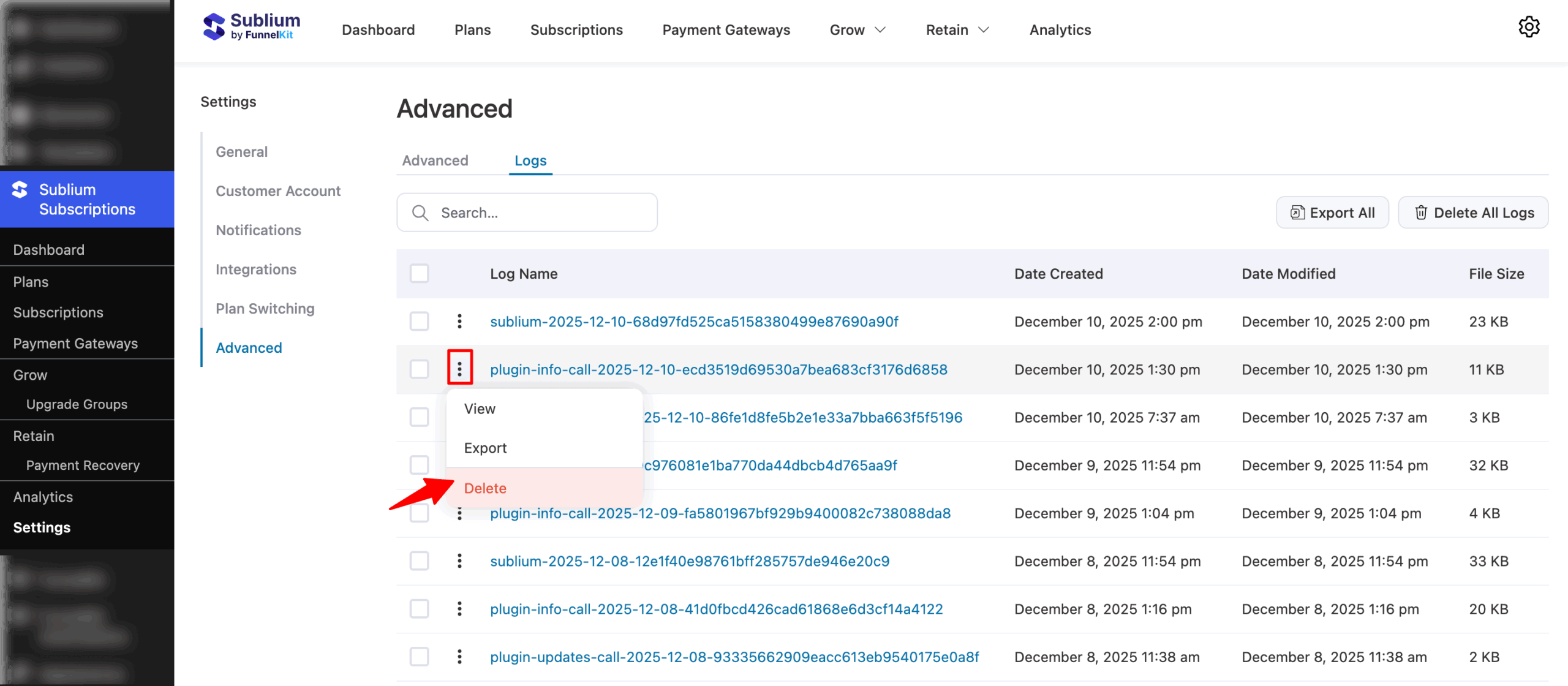
To delete a single log, click the ⋮ next to the log and select Delete. Confirm to complete the action.
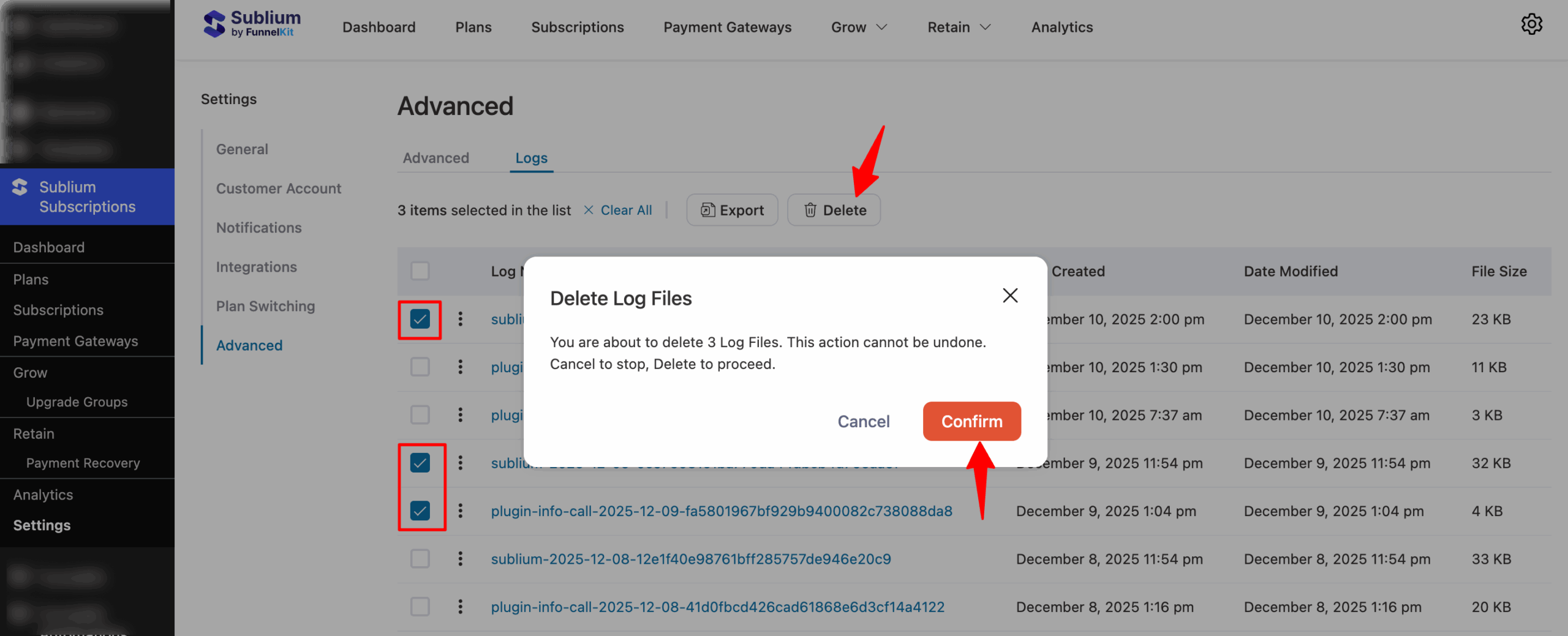
Delete Specific Logs
Select the logs you want to delete, click Delete, and confirm to permanently remove them.
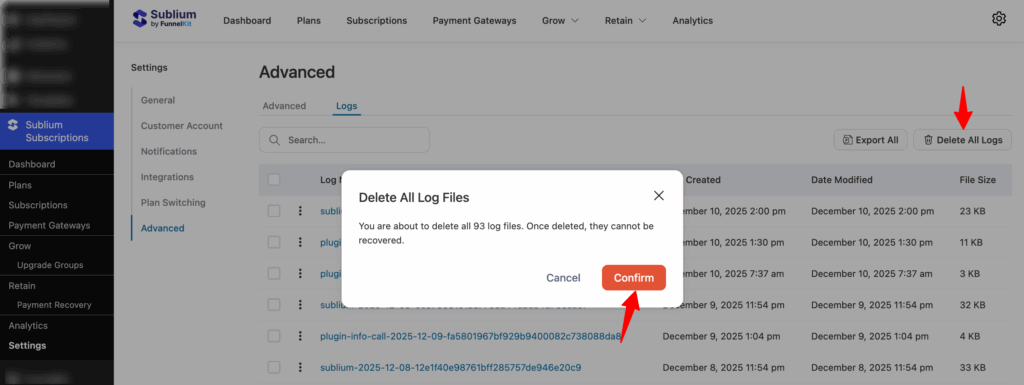
Delete All Logs
Click Delete All and confirm to permanently remove all logs from the system. Use this option with caution, as deleted logs cannot be recovered.
This is how you can manage log in Sublium Subscription.


