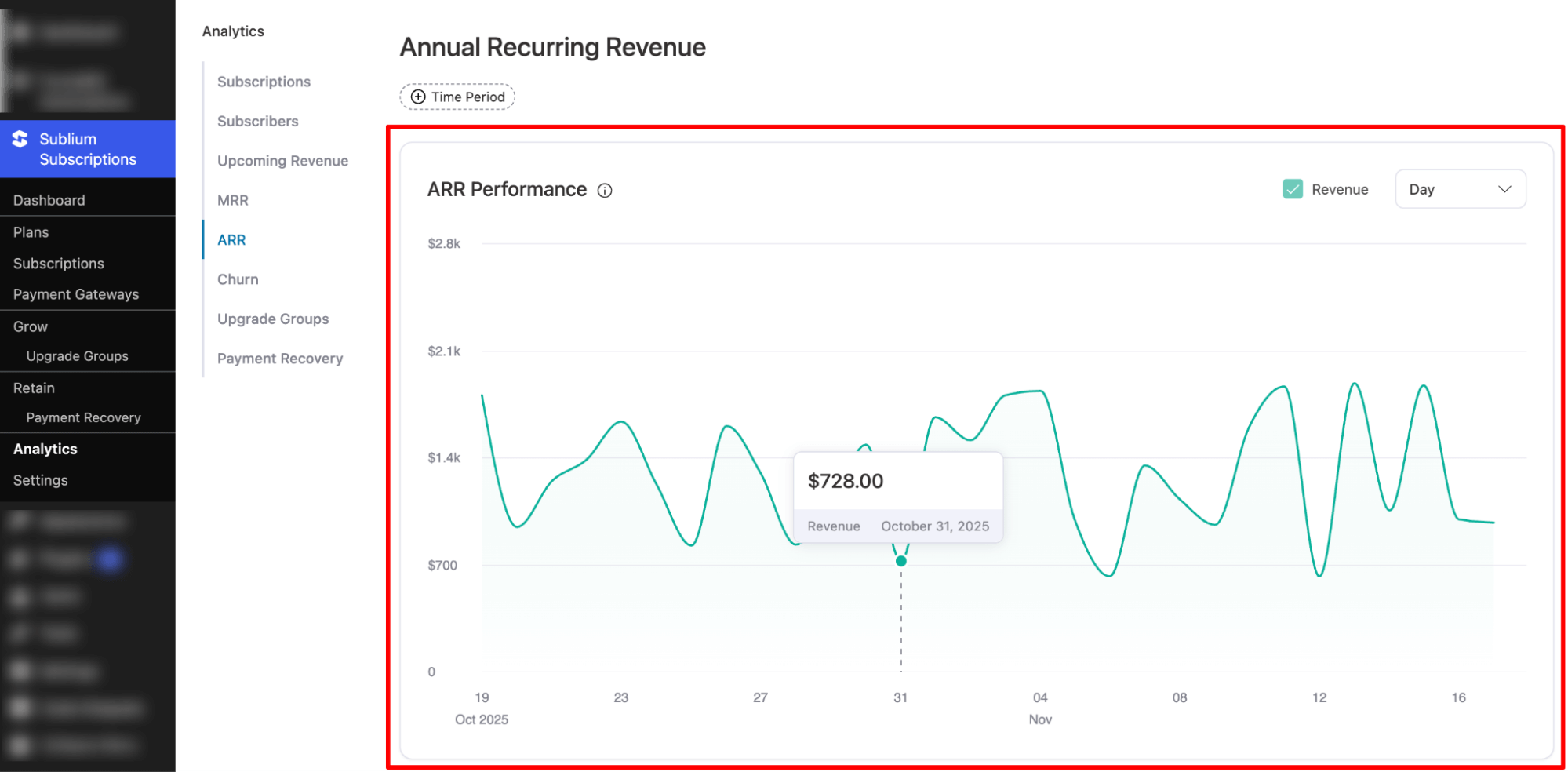
The Annually Recurring Revenue (ARR) dashboard helps you track the predictable yearly revenue generated from active subscriptions.
It provides insights into long-term revenue trends, growth, and subscription stability, enabling better strategic planning and forecasting.
Time Period
You can select a date range to view ARR data for a specific period. Options include:
- Today
- Yesterday
- This Week
- Last Week
- This Month
- Last Month
- Quarter to Date
- Last Quarter
- Year to Date
- Last Year
- On a Specific Date
- Custom Range
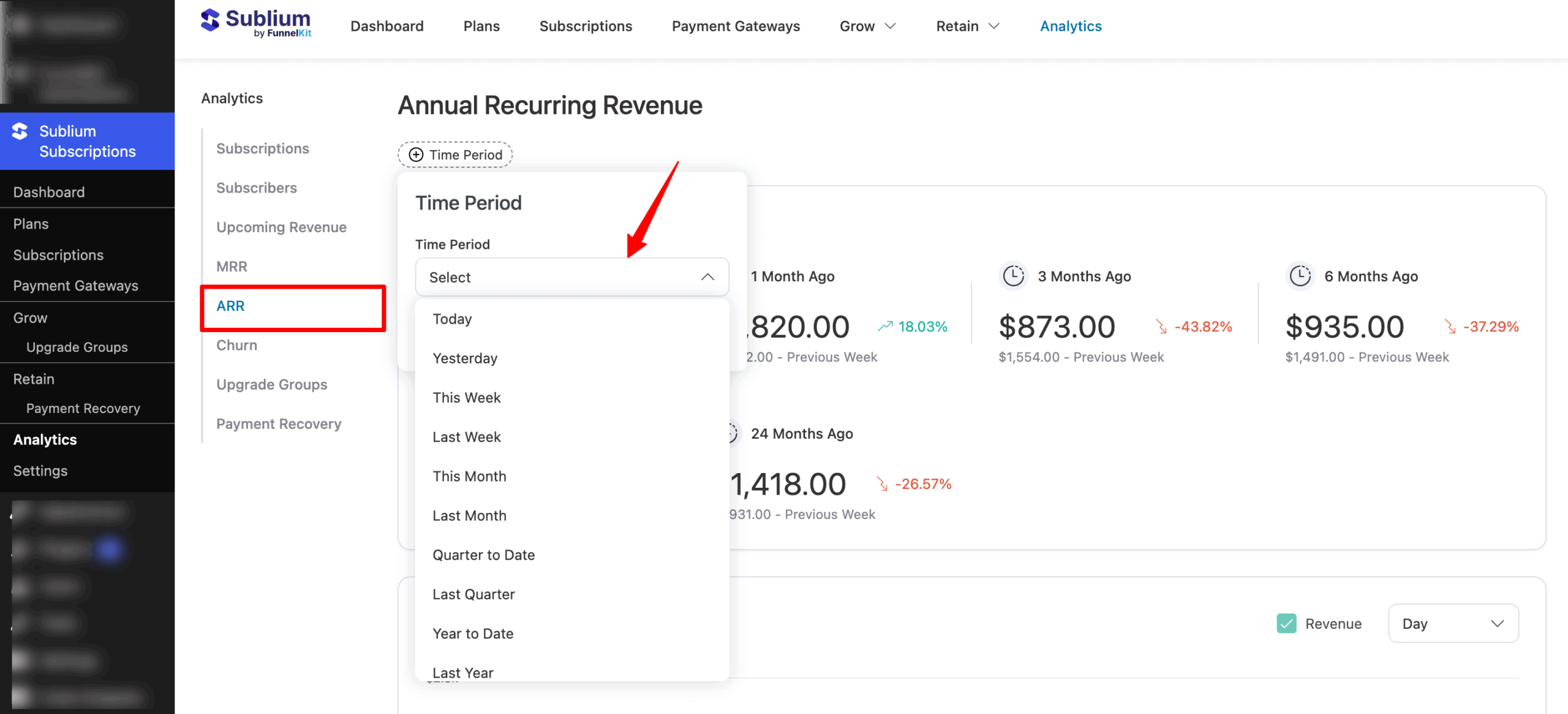
Note: You can compare ARR across different periods to analyze growth trends over time.
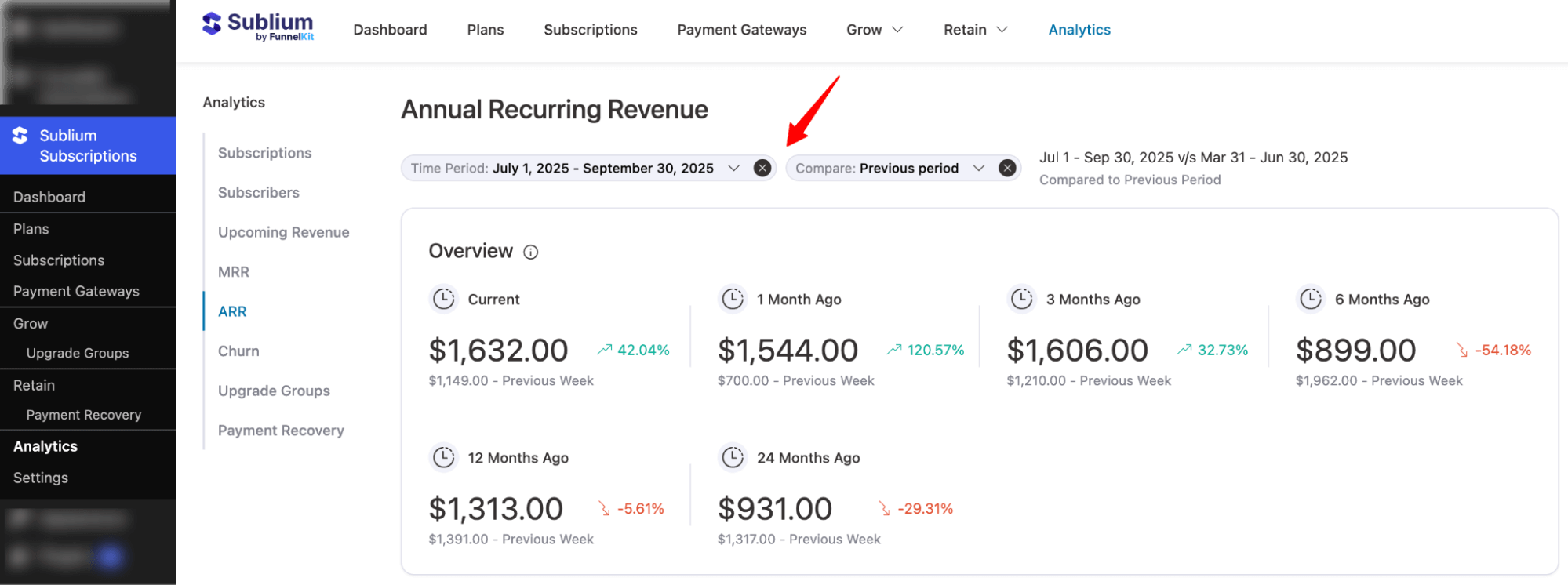
Overview
This section summarizes your ARR performance across key benchmarks:
- Current: Your current annual recurring revenue.
- 1 Month Ago: ARR from one month prior and its percentage change.
- 3 Months Ago: ARR from three months prior and its percentage change.
- 6 Months Ago: ARR from six months prior and its percentage change.
- 12 Months Ago: ARR from twelve months prior and its percentage change.
- 24 Months Ago: ARR from twenty-four months prior and its percentage change.
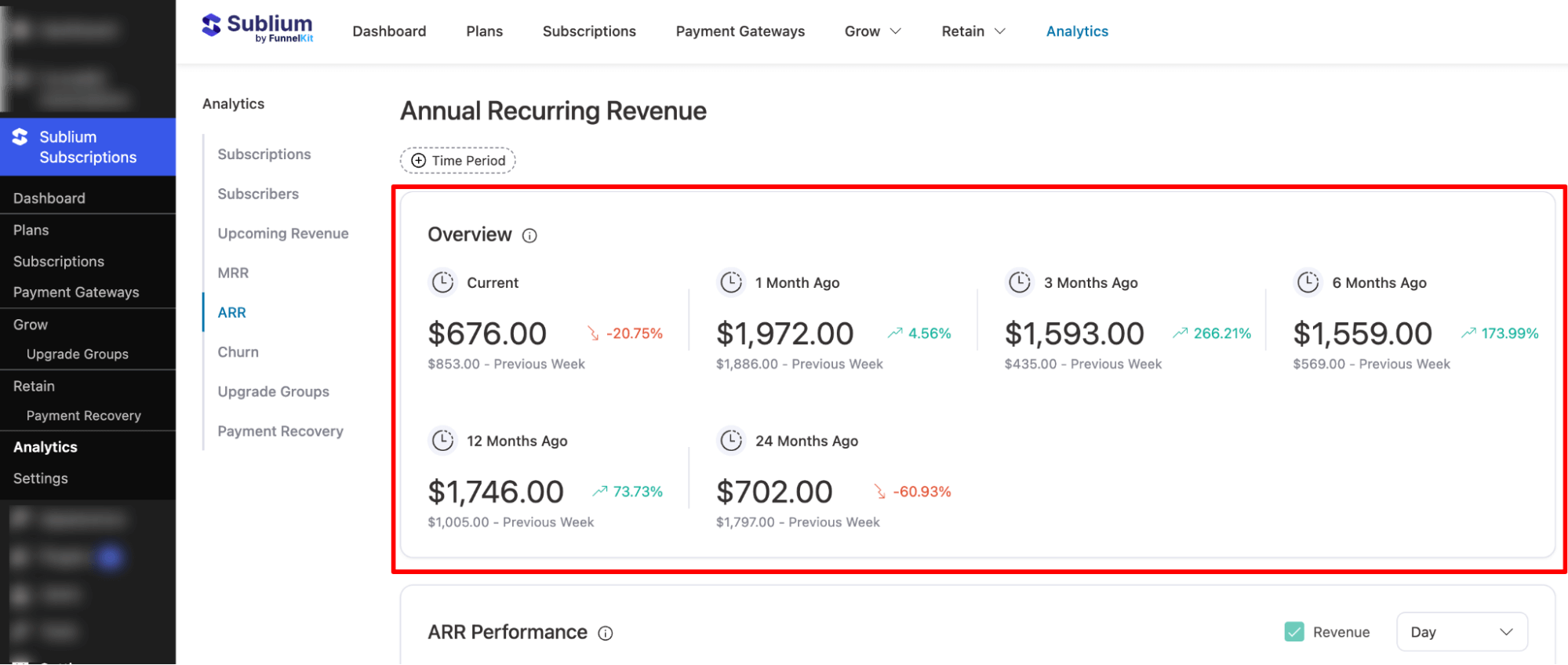
These metrics help you understand yearly revenue growth, long-term stability, and performance compared to previous periods.
ARR Performance
This section provides a visual graph showing annual recurring revenue trends across the selected period. It helps you:
- Identify peak revenue months
- Track ARR growth trajectory
- Observe revenue patterns and seasonality
Note: You can switch the graph view between daily and weekly data.
You can hover over data points to view the exact revenue for each date.