

The Payment Recovery section provides insights into failed payment recoveries and dunning activities. It helps you track revenue that has been successfully recovered, subscriptions in recovery, and overall dunning performance. This is essential for minimizing churn and maximizing recurring revenue.
Time Period
You can select a date range to view payment recovery metrics. Options include:
- Today
- Yesterday
- This Week
- Last Week
- This Month
- Last Month
- Quarter to Date
- Last Quarter
- Year to Date
- Last Year
- On Specific Date
- Custom Date Range
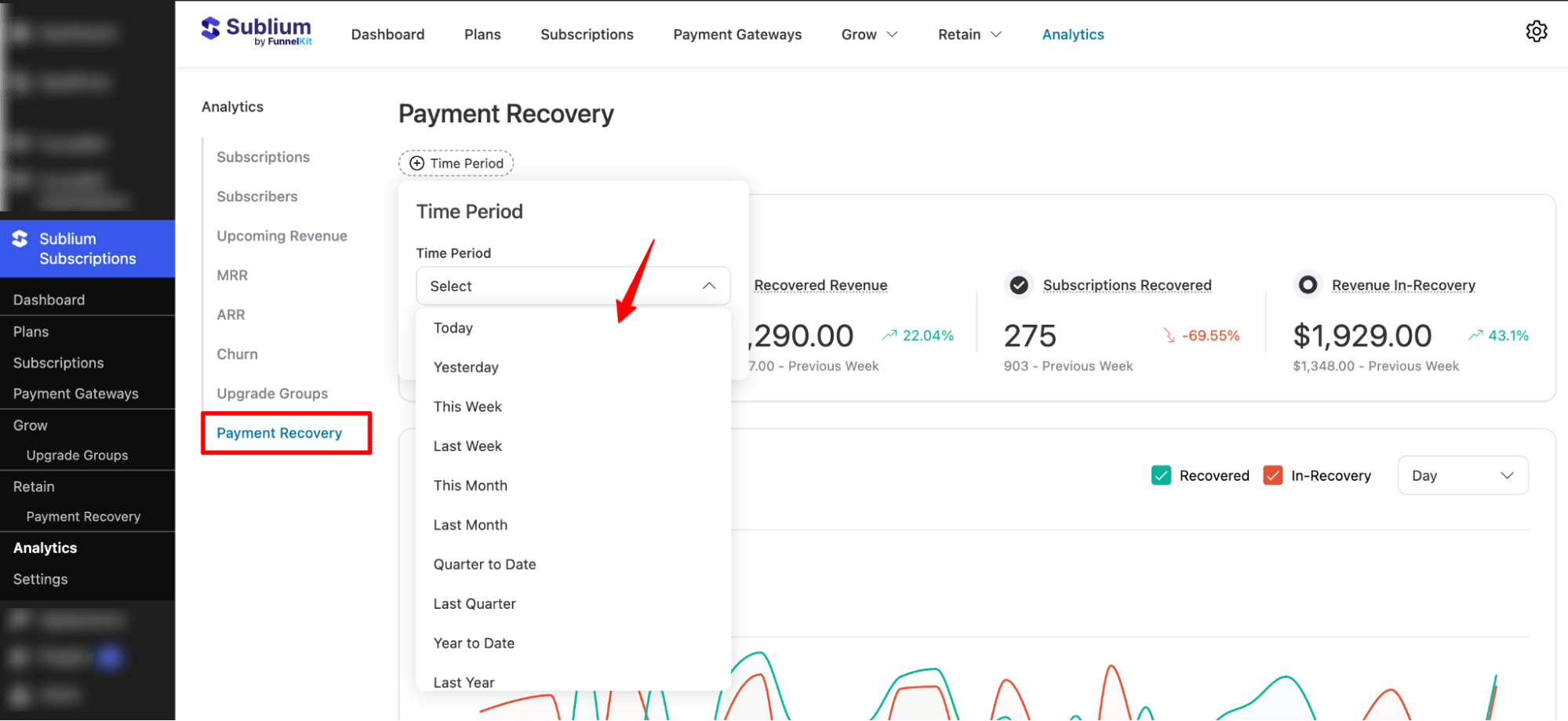
Note: You can also compare payment recovery metrics across periods to evaluate the effectiveness of your dunning strategies.
Overview
This section summarizes key payment recovery metrics within the selected period:
- Payment Recovery Revenue: Total revenue expected to be recovered from failed payments.
- Recovered Revenue: Revenue that has been successfully recovered.
- Subscriptions Recovered: Number of subscriptions where payment was successfully recovered.
- Revenue In-Recovery: Revenue currently in the dunning process (payments still being retried).
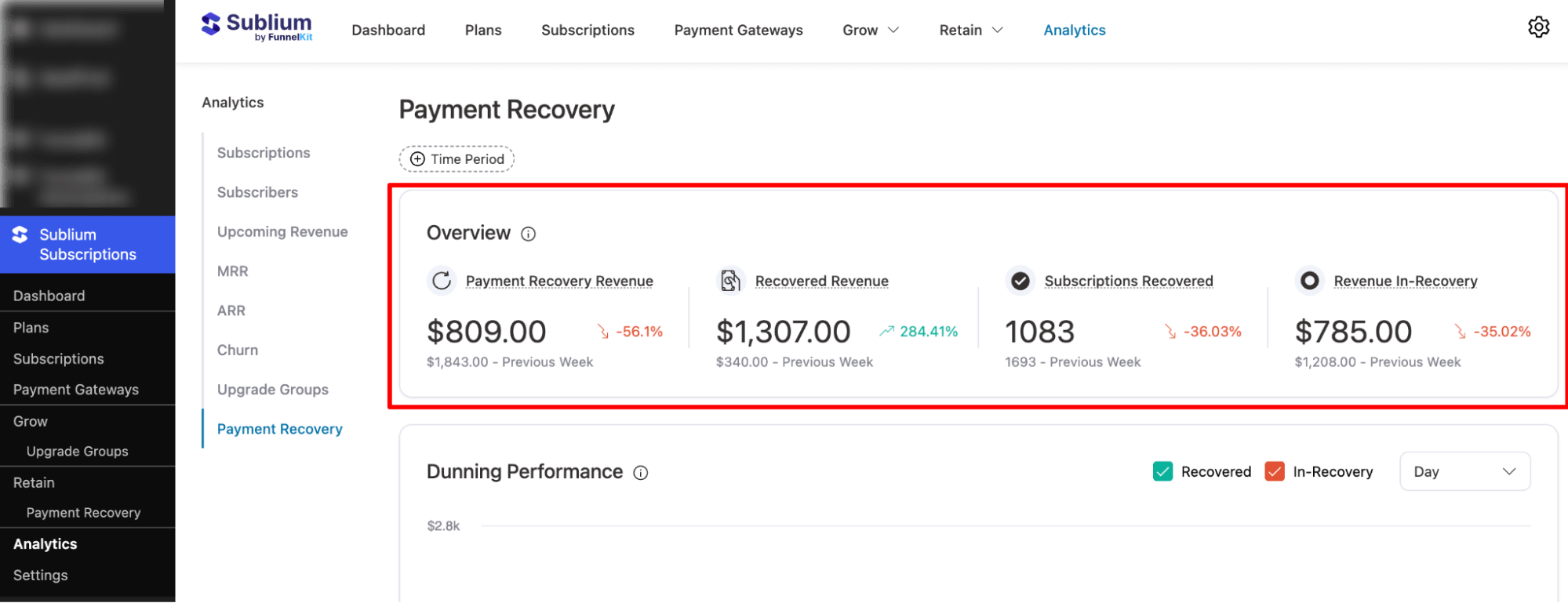
These metrics provide a clear snapshot of how well your recovery efforts are performing and highlight areas for improvement.
Dunning Performance
This section provides visual graphs showing trends over time for recovered and in-recovery subscriptions. You can filter the data by daily or weekly intervals.
- Recovered Graph: Shows subscriptions and revenue that have been successfully recovered.
- In-Recovery Graph: Displays subscriptions and revenue currently undergoing the recovery process.
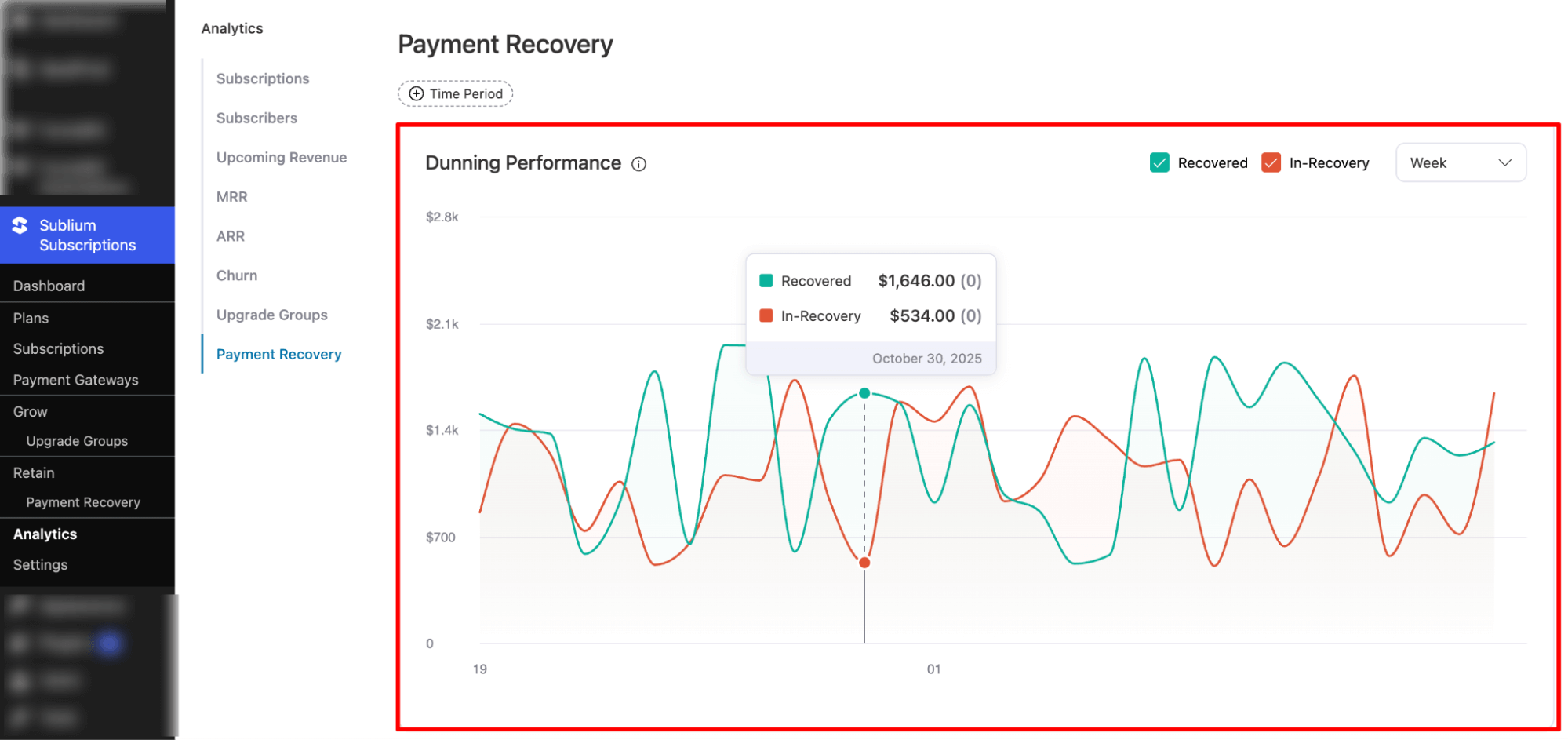
Hover over data points to view exact values, helping you identify patterns, high- or low-performing recovery days, and overall effectiveness of dunning efforts.
Subscriptions
The Subscriptions section displays detailed information about individual subscriptions involved in the payment recovery process. It provides two tables:
- Recovered Subscriptions: subscriptions where payment has been successfully recovered.
- In-Progress Subscriptions : subscriptions still undergoing recovery attempts.
You can switch between the two tables to view the relevant data.
For each subscription in either category, the table includes:
- Subscription ID: Unique identifier of the subscription.
- Retry Attempted: Number of recovery attempts made for that subscription.
- Order Revenue: Revenue associated with the subscription.
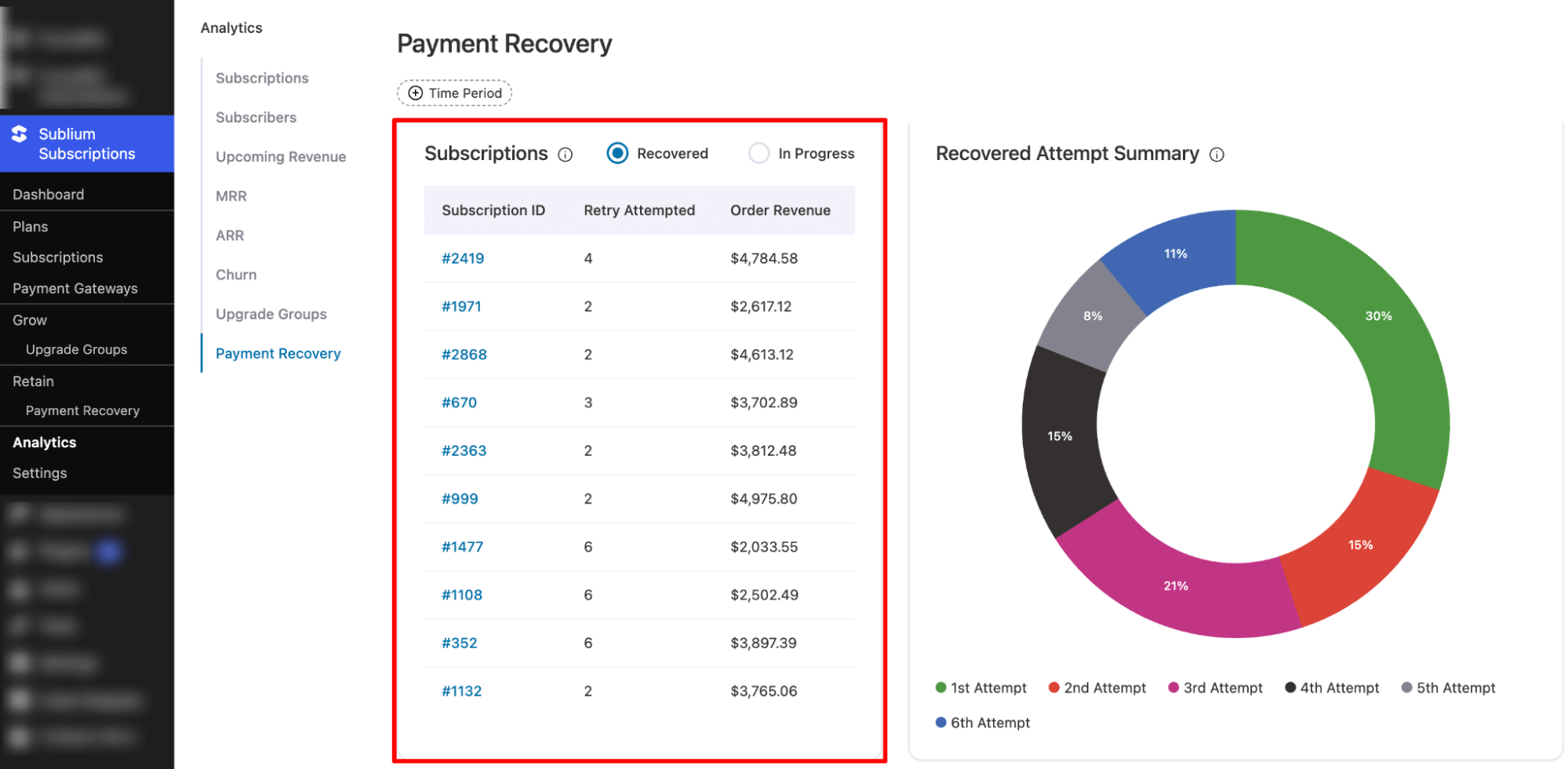
This view allows you to track recovery efficiency, monitor which subscriptions are still pending, and analyze revenue impact at a granular level.
Recovered Attempt Summary
This section provides a pie chart breakdown of recovered attempts to analyze efficiency:
- The chart shows recovery success across attempts: 1st, 2nd, 3rd, 4th, 5th, and 6th attempt.
- Each attempt is represented in a different color.
- Hovering over any attempt displays the number of subscriptions recovered and the revenue generated from that specific attempt.
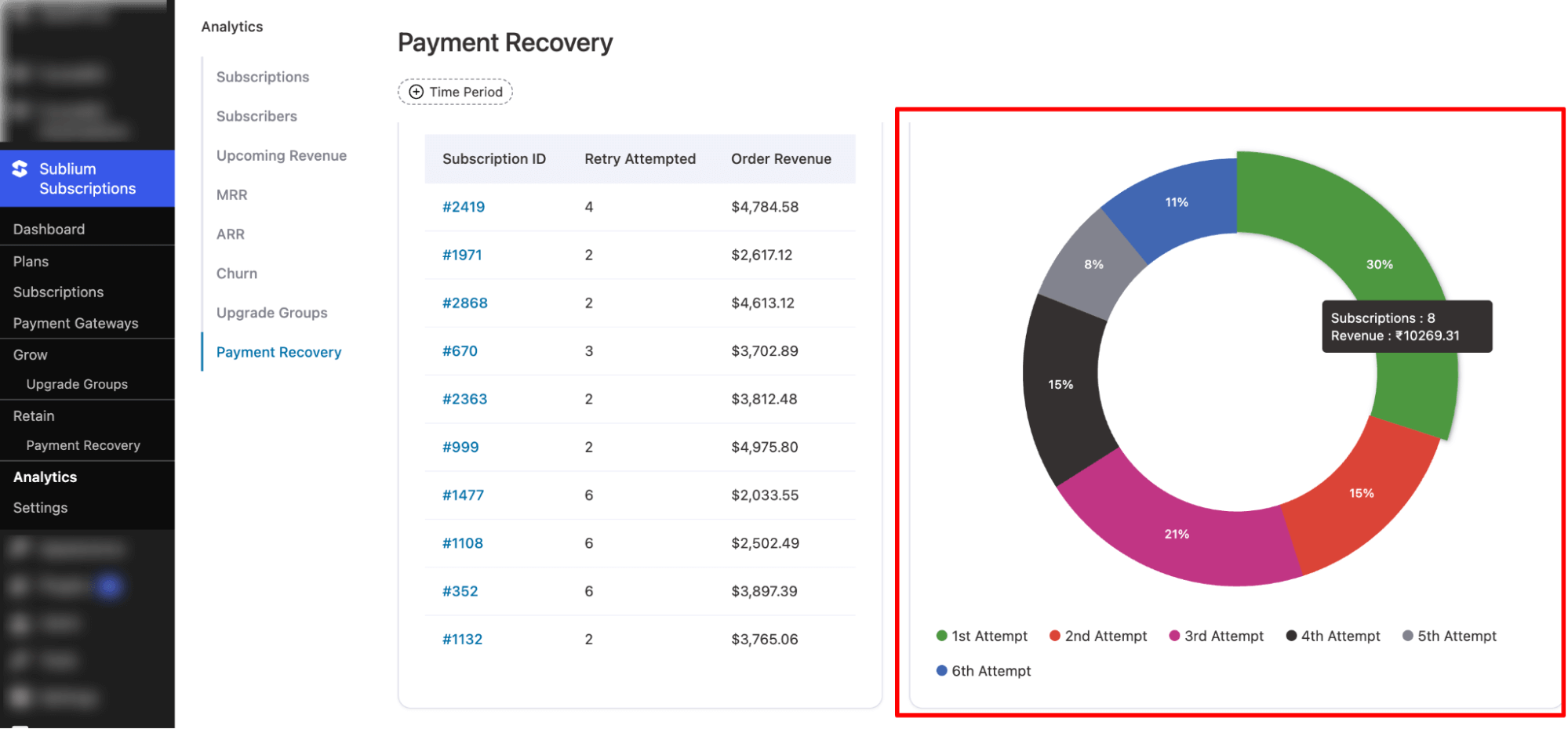
This visualization helps you understand which recovery attempts are most effective and optimize retry strategies for maximum revenue recovery.


