This documentation explains how to delete upgrade groups, all of them at once, or specific ones.

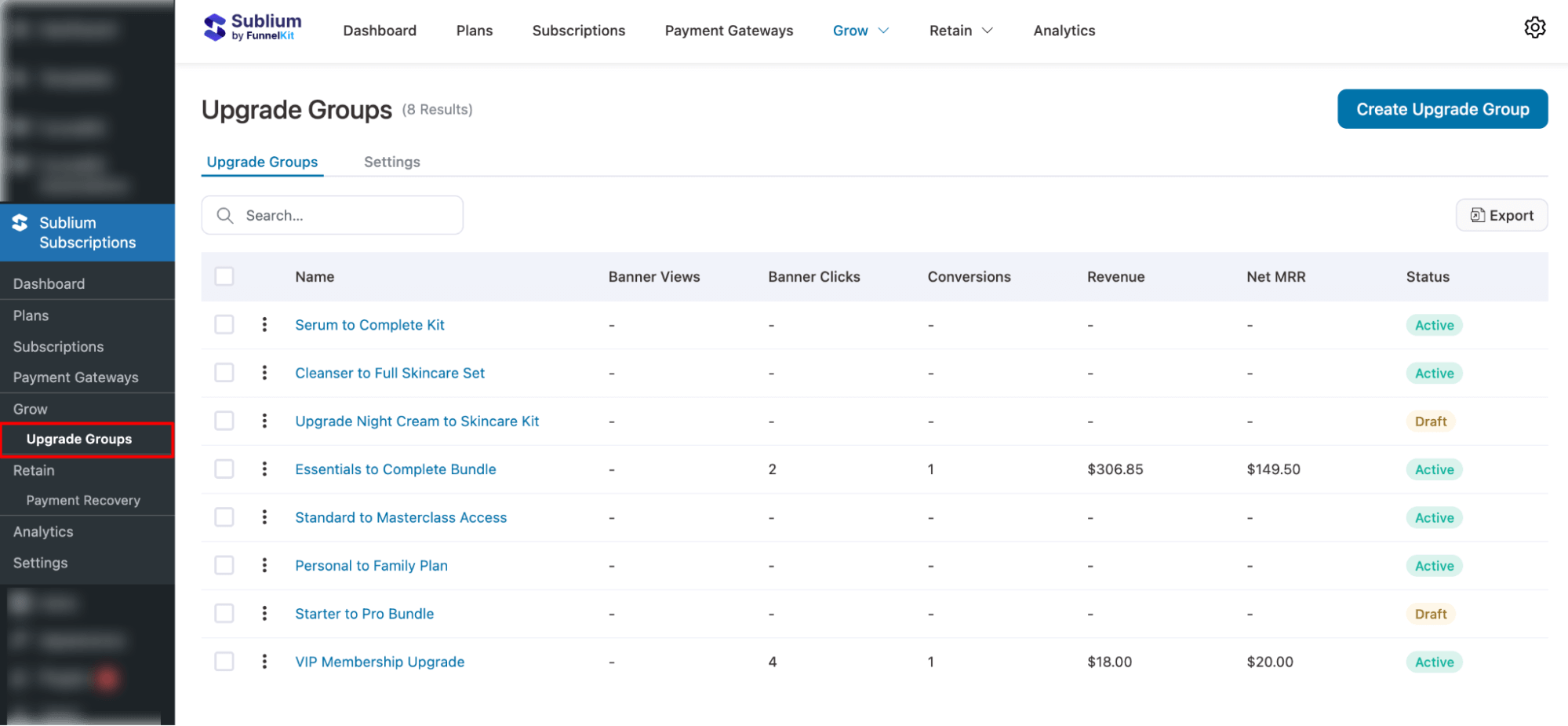
To delete any of the upgrade groups, first, navigate to Sublium Subscriptions ⇒ Grow ⇒ Upgrade Groups.
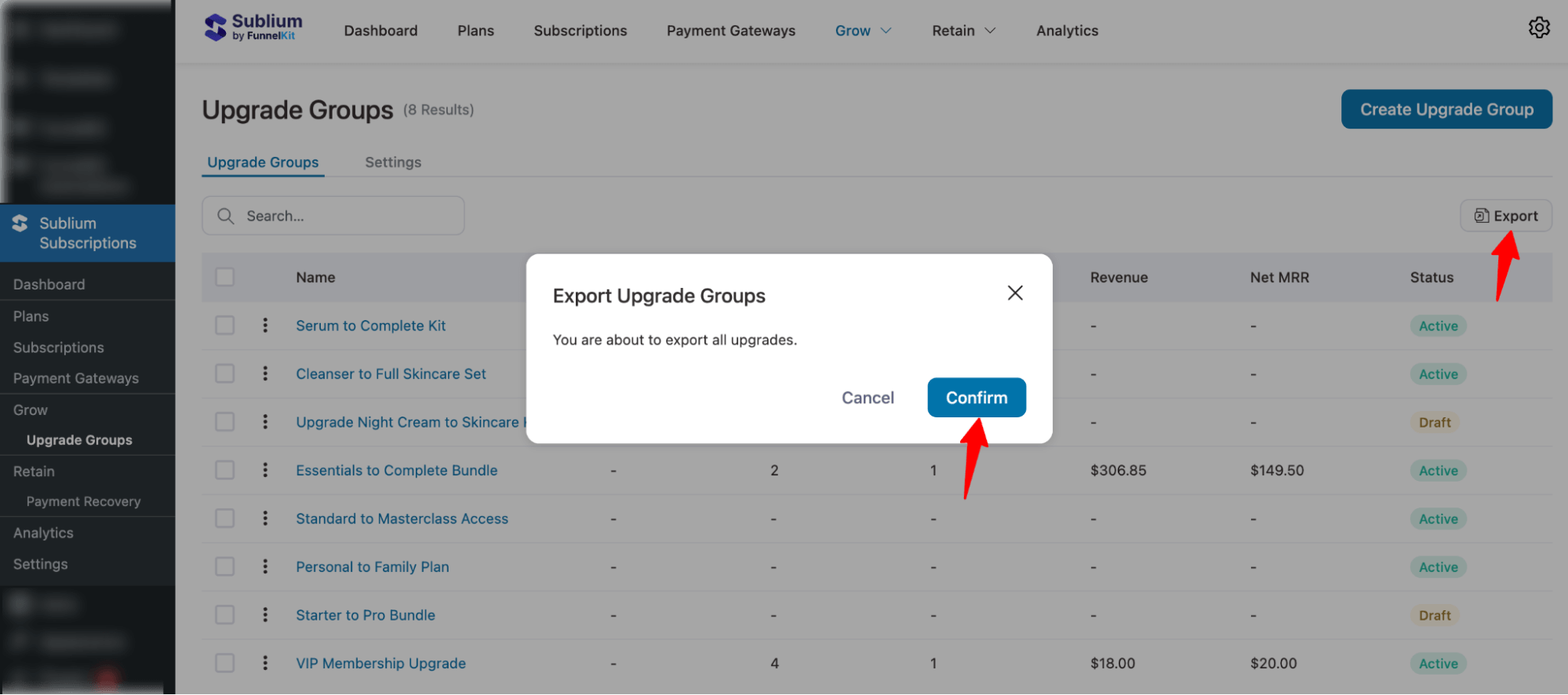
Export All Upgrade Groups
To export all the data, you can hit the “Export” button on the right and “Confirm”.
Export Specific Upgrade Groups
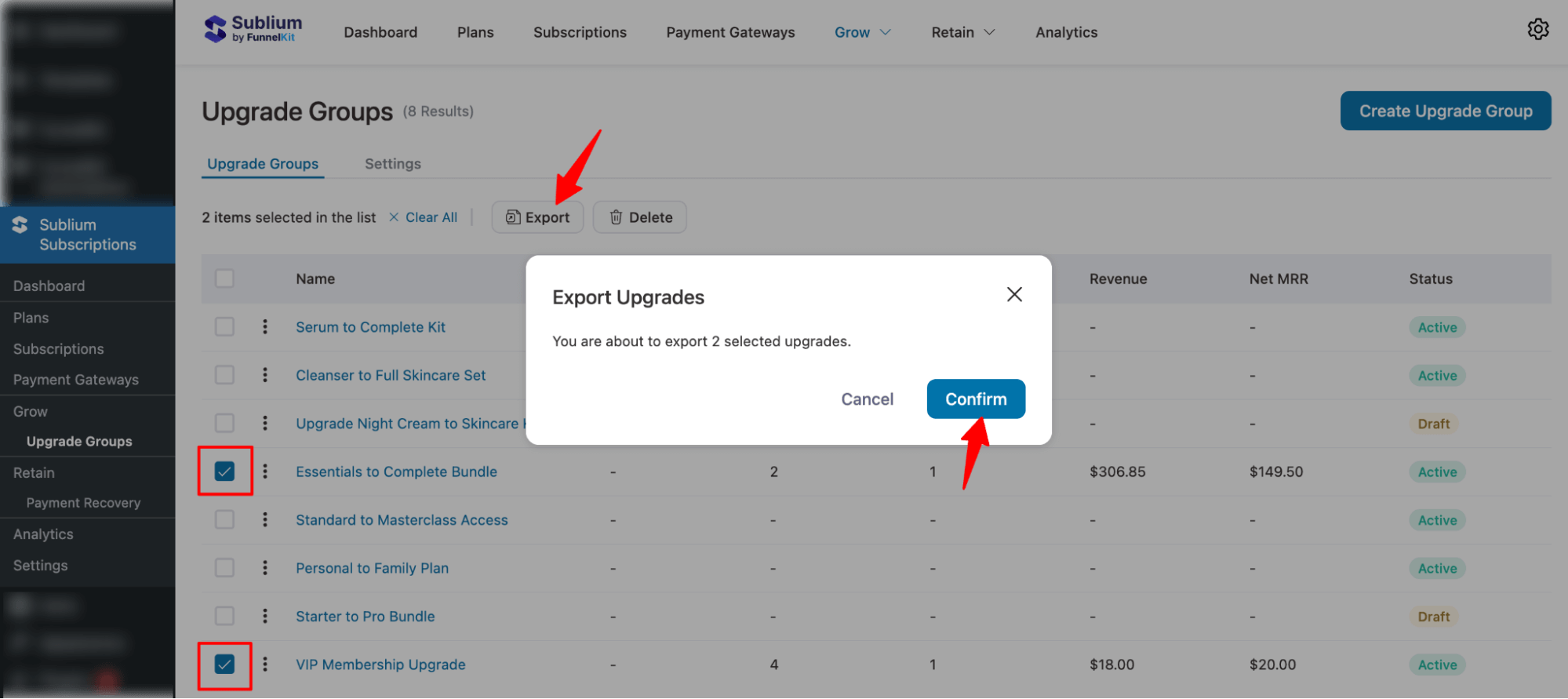
You can export specific Upgrade Groups by selecting their checkboxes, then clicking Export and confirming the action.