

In Sandbox, you can safely test subscriptions and their renewals without affecting live customers or payments.

To access, navigate to Sublium Subscriptions → Settings → Advanced. Next, to enable the toggle of the “Enable Test Mode” option.
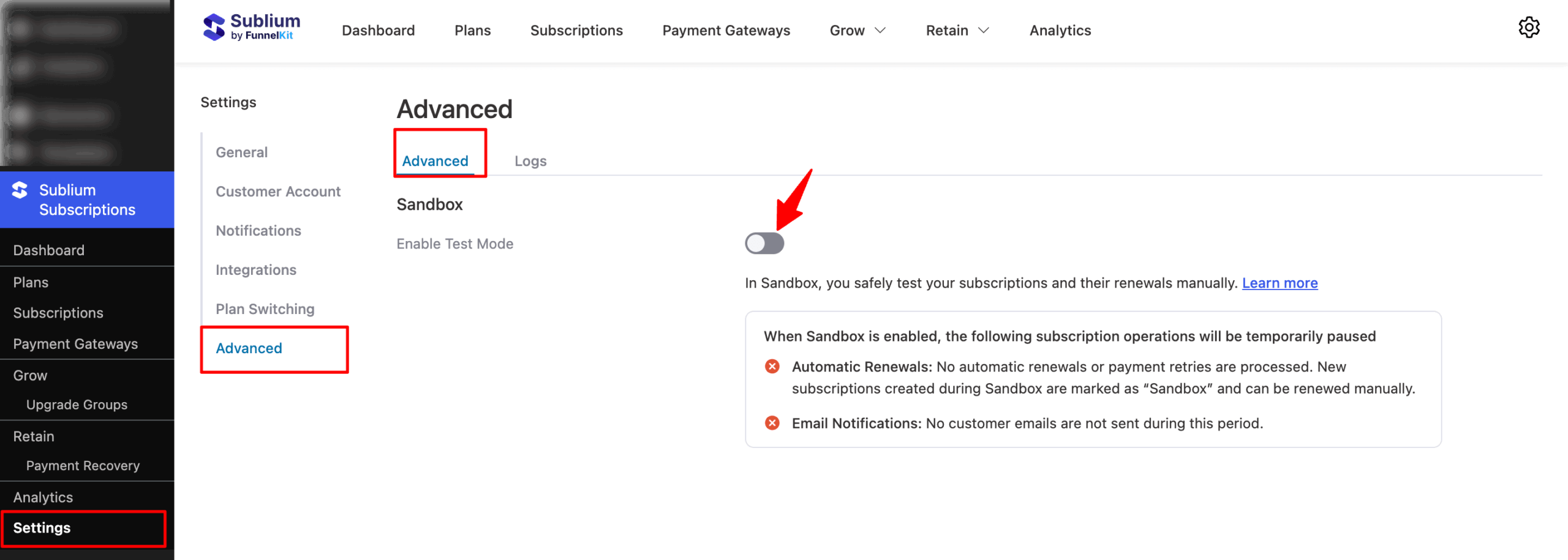
Next, confirm that Sandbox mode is turned on and pause certain subscription operations to test your setup.
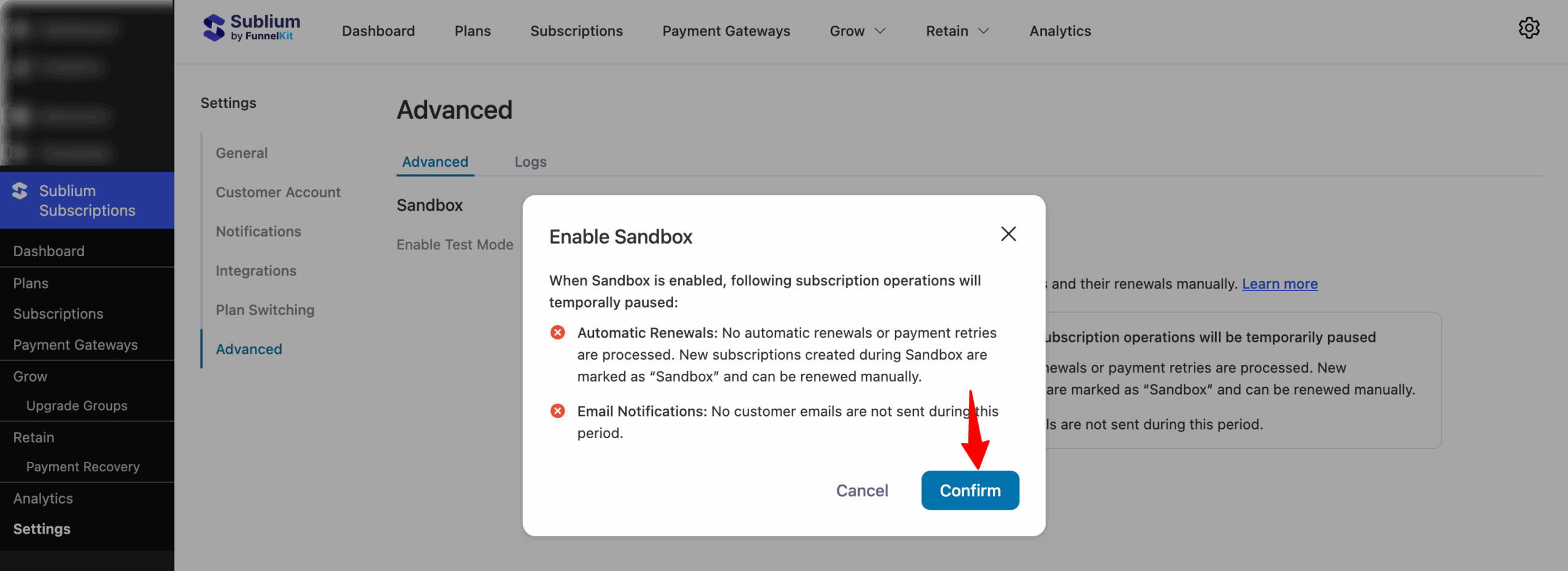
Effects of Sandbox Mode:
- Automatic Renewals: Automatic renewals and payment retries are temporarily paused. New subscriptions created during Sandbox are marked as “Sandbox” and can be renewed manually.
- Email Notifications: Customer emails are not sent while Sandbox is enabled.


