This document contains all the information related to subscription renewal confirmations, email notifications, email customization, and activation.

Overview
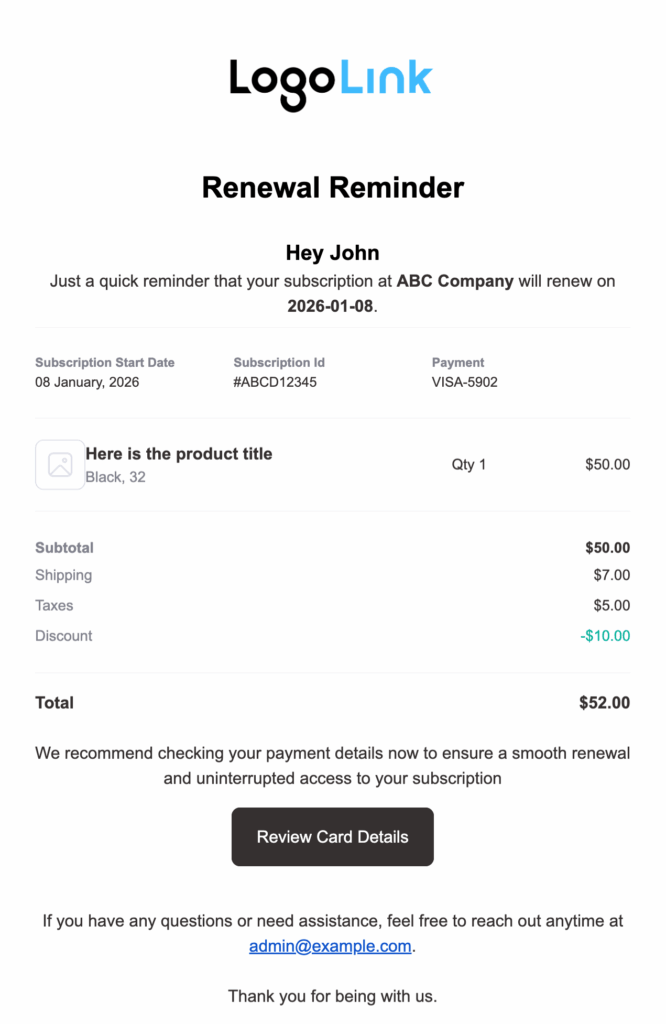
“Renewal Complete” is the email notification sent automatically when a customer’s subscription renewal is successfully processed.
This notification confirms the renewal and provides all the updated subscription and payment details so customers stay informed and confident about their ongoing subscription.
The email includes:
- Plan name
- Next billing date
- Subscription start date
- Subscription ID
- Payment method
- Product details (title, variation, quantity, and price)
- Subtotal
- Shipping
- Taxes
- Discounts
- Total amount charged
- and a link to the My Account page for managing subscription and payment details
Here is a prebuilt template by Sublium Subscriptions:

When It Is Sent
This email is sent when:
- A renewal payment is processed successfully
- WooCommerce generates a renewal order
Recipient
By default, this email is sent to the customer.
How To Activate “Renewal Complete” Email Notification
Navigate to Sublium Subscriptions ⇒ Settings ⇒ Notifications.
Under the Subscriptions tab, you will find the Renewal Complete email notification.
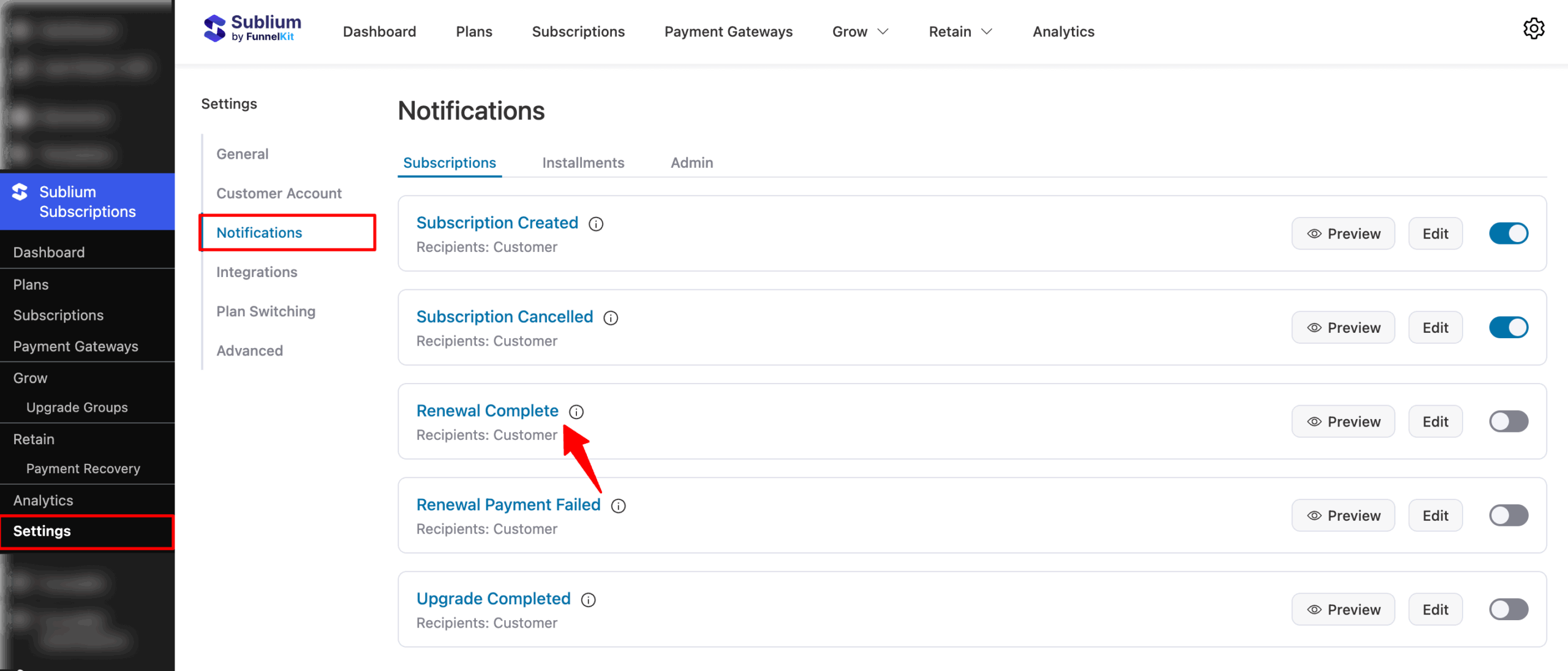
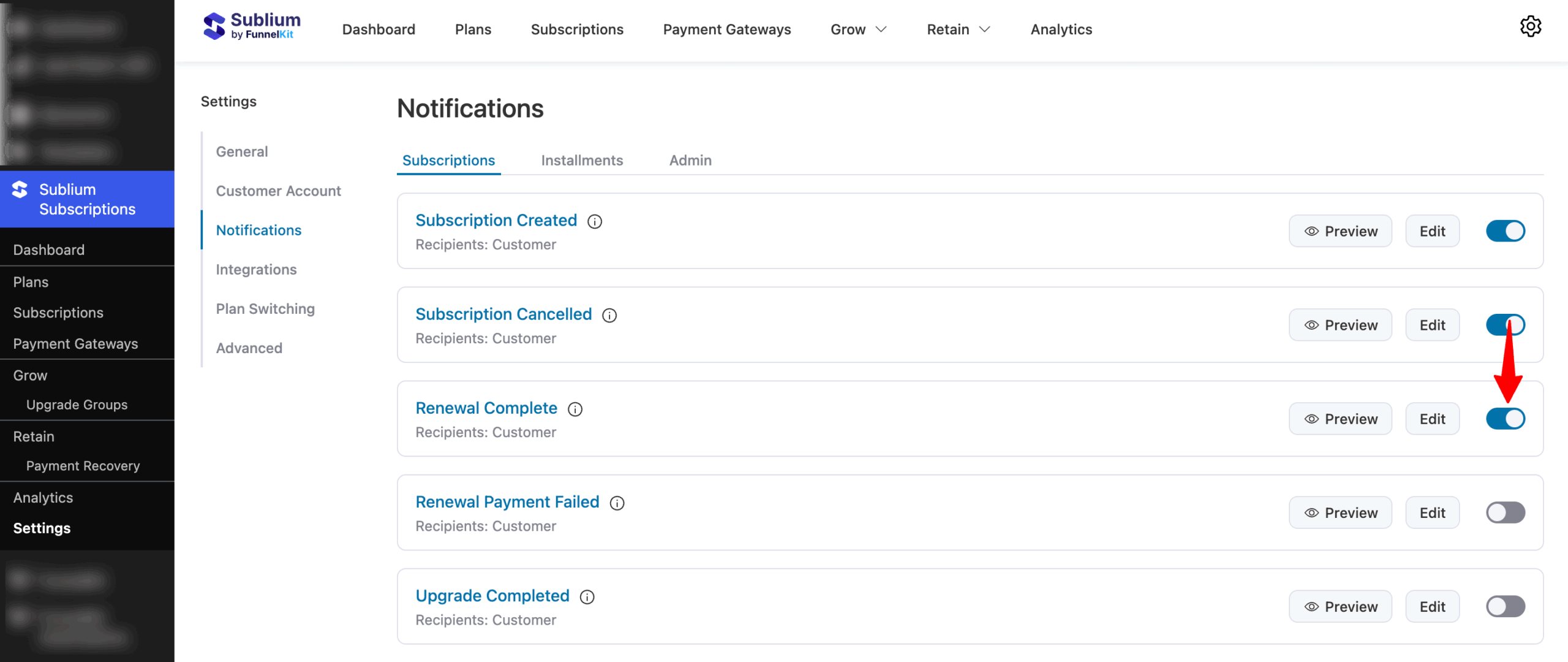
To activate the “Renewal Complete” email, turn ON the toggle next to the notification inside the Sublium Subscriptions settings.
Email Customization
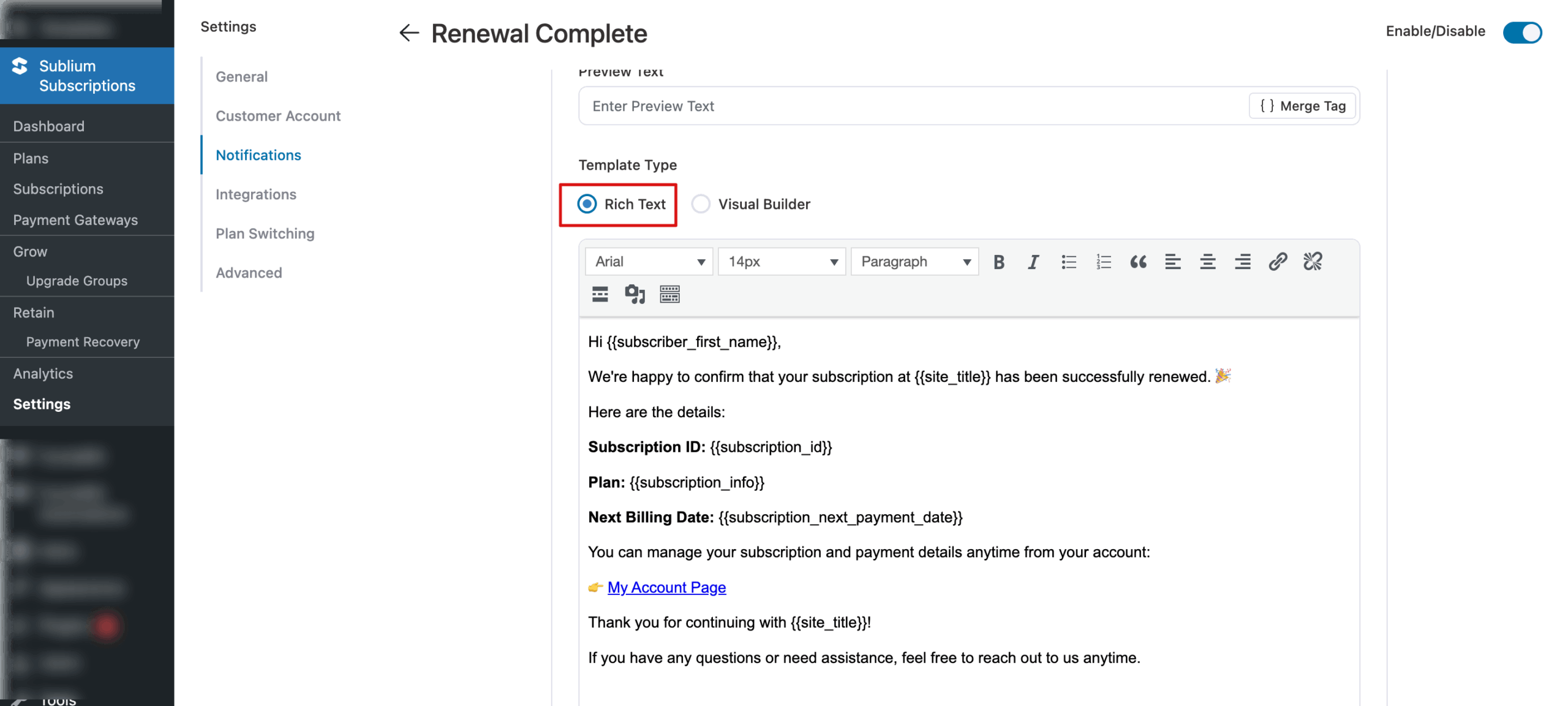
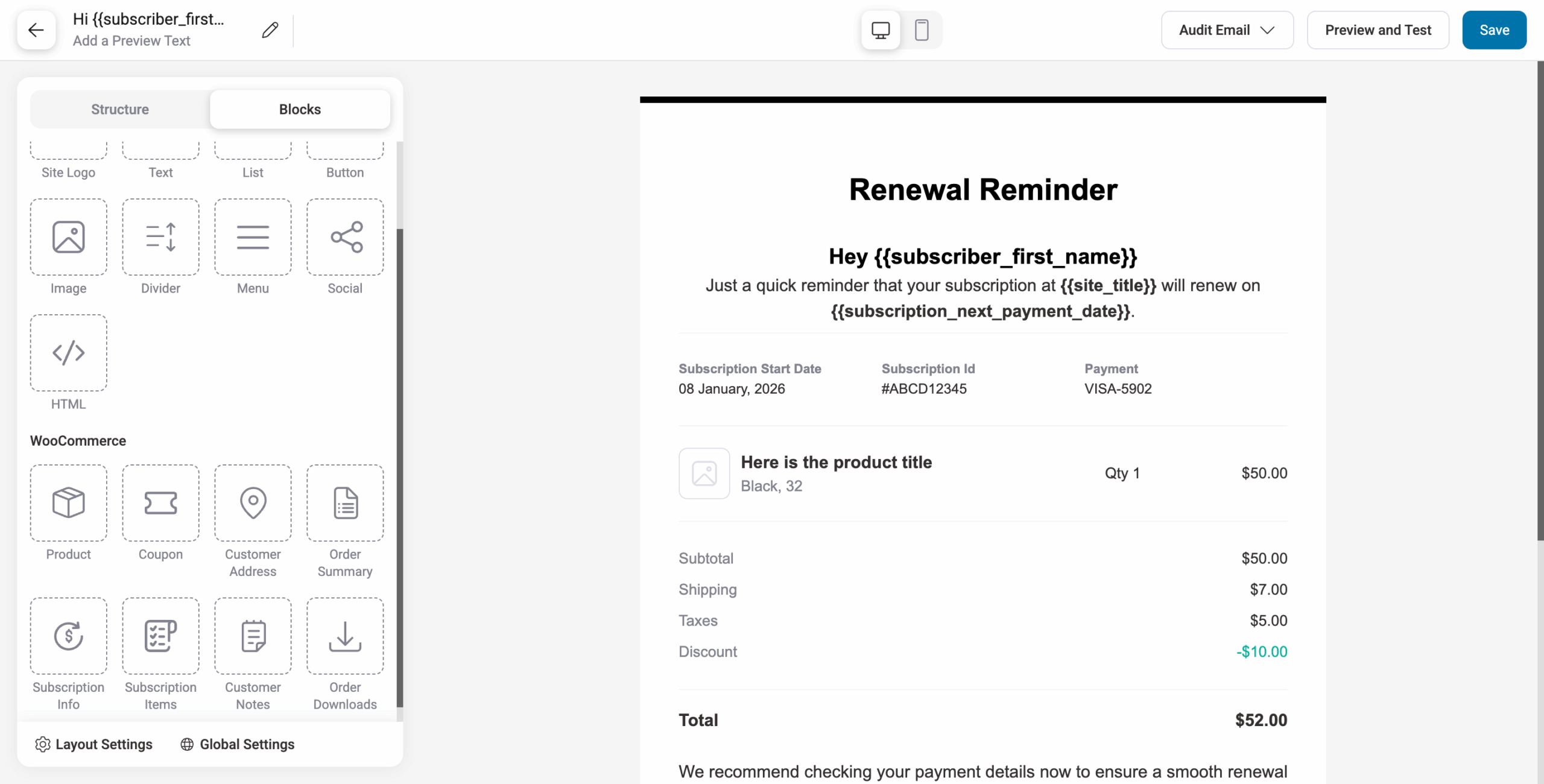
You can customize this notification using two editor types:
- Rich Text
- Visual Editor
A prebuilt “Renewal Complete” template is available in both editors, which you can modify or redesign as needed.
Here is how the Rich Text editor looks:
Here is the Visual Email Builder:
Personalization
Sublium Subscriptions offers merge tags to personalize the subject line, preview text, and email body.
These tags let you dynamically insert customer information. Simply search for the tag, then copy and paste it in the desired place.
Here are the merge tags used in the prebuilt template:
- {{subscriber_first_name}} – Subscriber’s first name
- {{site_title}} – Name of your website/store
- {{subscription_plan}} – Name of the subscription plan
- {{subscription_next_payment_date}} – Next scheduled billing/renewal date
- {{my_account_url}} – Link to the subscriber’s account page
- {{admin_email}} – Admin/support email address
Testing The Email
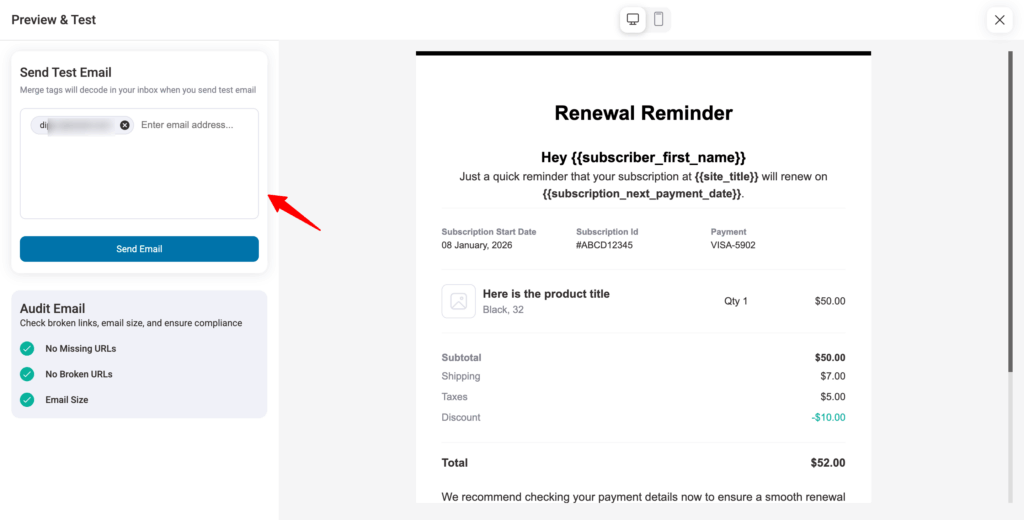
To send a test email, click “Preview & Test”, enter the email address(es), and click Send Email.