

This document explains how automatic payment recovery works, including retry schedules and customer email notifications.
Overview
The Payment Recovery feature automatically retries failed subscription payments and notifies customers at key stages, such as:
- When a renewal payment fails
- When a retry attempt is scheduled
- When the final retry attempt is approaching before cancellation
This helps reduce involuntary churn and maintain subscription continuity.
This helps minimize involuntary churn and ensures subscription continuity.
Access Payment Recovery
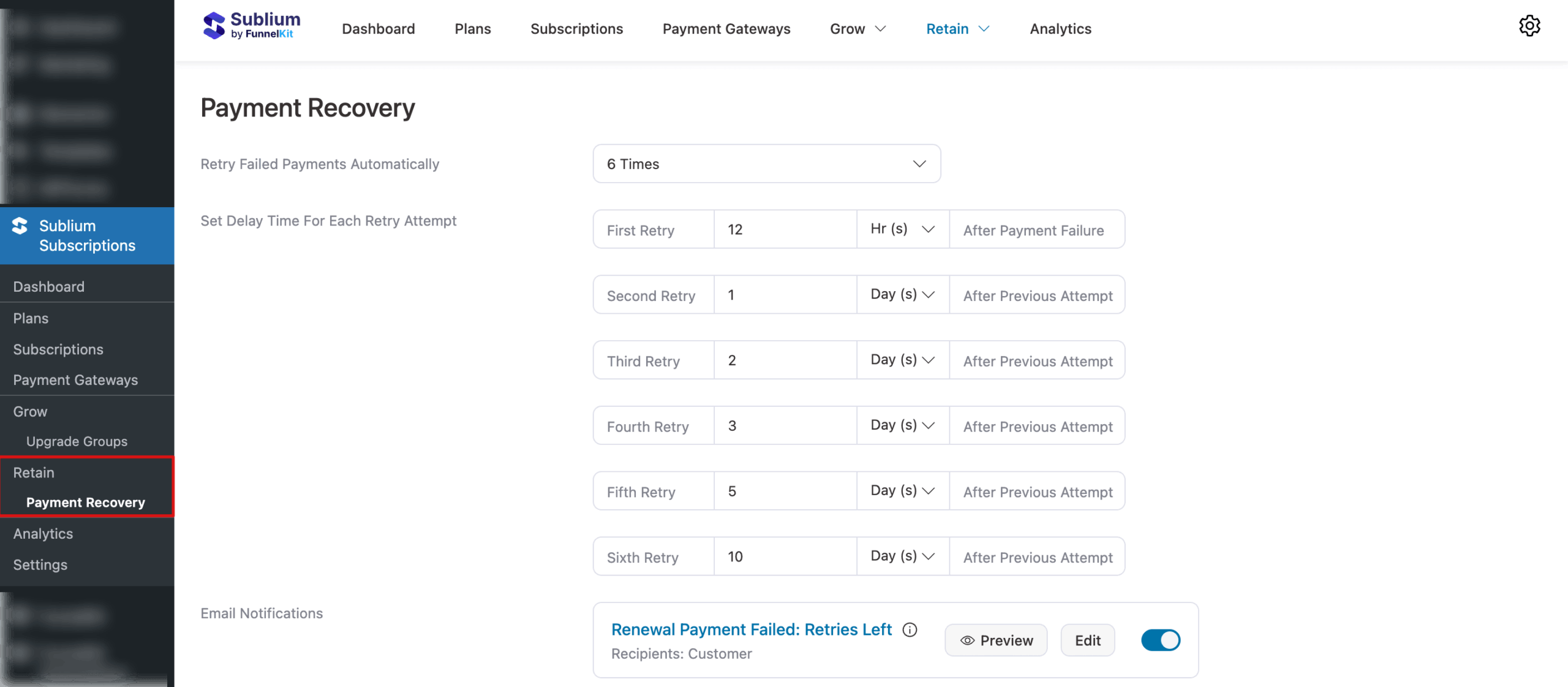
Navigate to Sublium Subscriptions ⇒ Payment Recovery to access all the Payment Recovery settings.
Retry Schedule
You can control how and when failed subscription payments are retried.
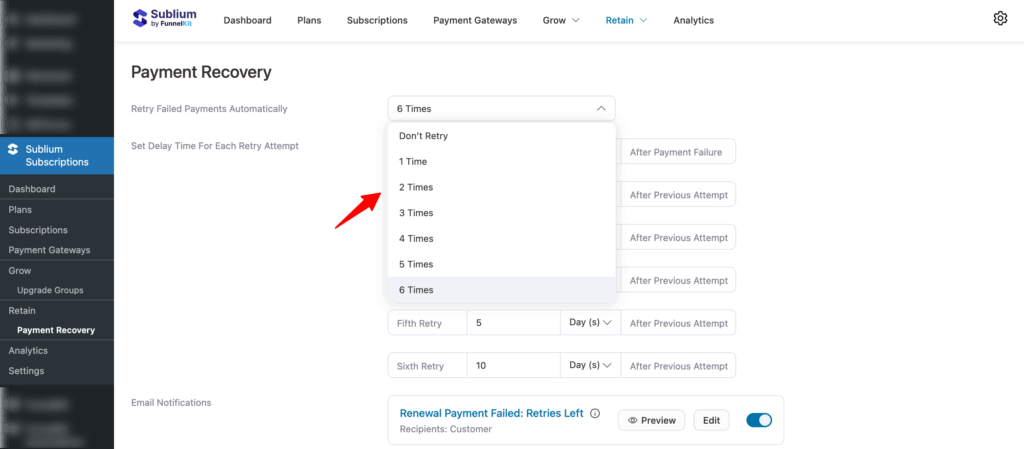
Retry Failed Payments Automatically
- Automatic retries are enabled by default
- By default, 6 retry attempts are configured
- You can reduce or customize the number of retries (minimum 1, maximum 6)
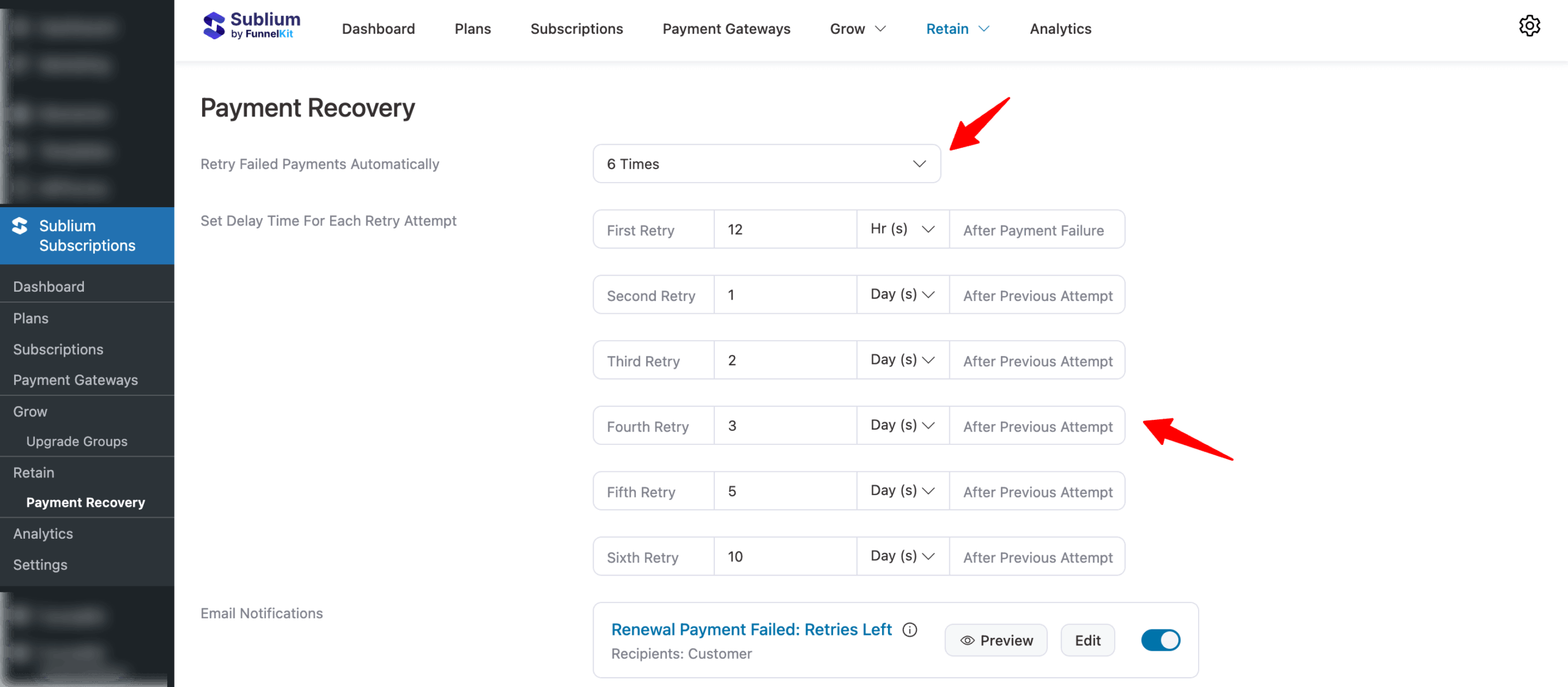
Set the delay time for each retry attempt
Each retry is scheduled automatically based on the following default delays:
- First Retry: 12 hours after payment failure
- Second Retry: 1 day after previous attempt
- Third Retry: 2 days after previous attempt
- Fourth Retry: 3 days after previous attempt
- Fifth Retry: 5 days after previous attempt
- Sixth Retry: 10 days after previous attempt
You can adjust each retry delay using hours (Hr) or days (Day) as needed.
After setting up retry failed payments, you can also customize the email notifications.
This is how you can set up payment recovery for your payment plans.


