The Subscriptions dashboard provides a complete view of your subscription business performance.
It helps you track active subscriptions, recurring revenue, churn trends, renewals, and growth over time.
This documentation explains how to understand subscription metrics, trends, and daily performance logs on this page.
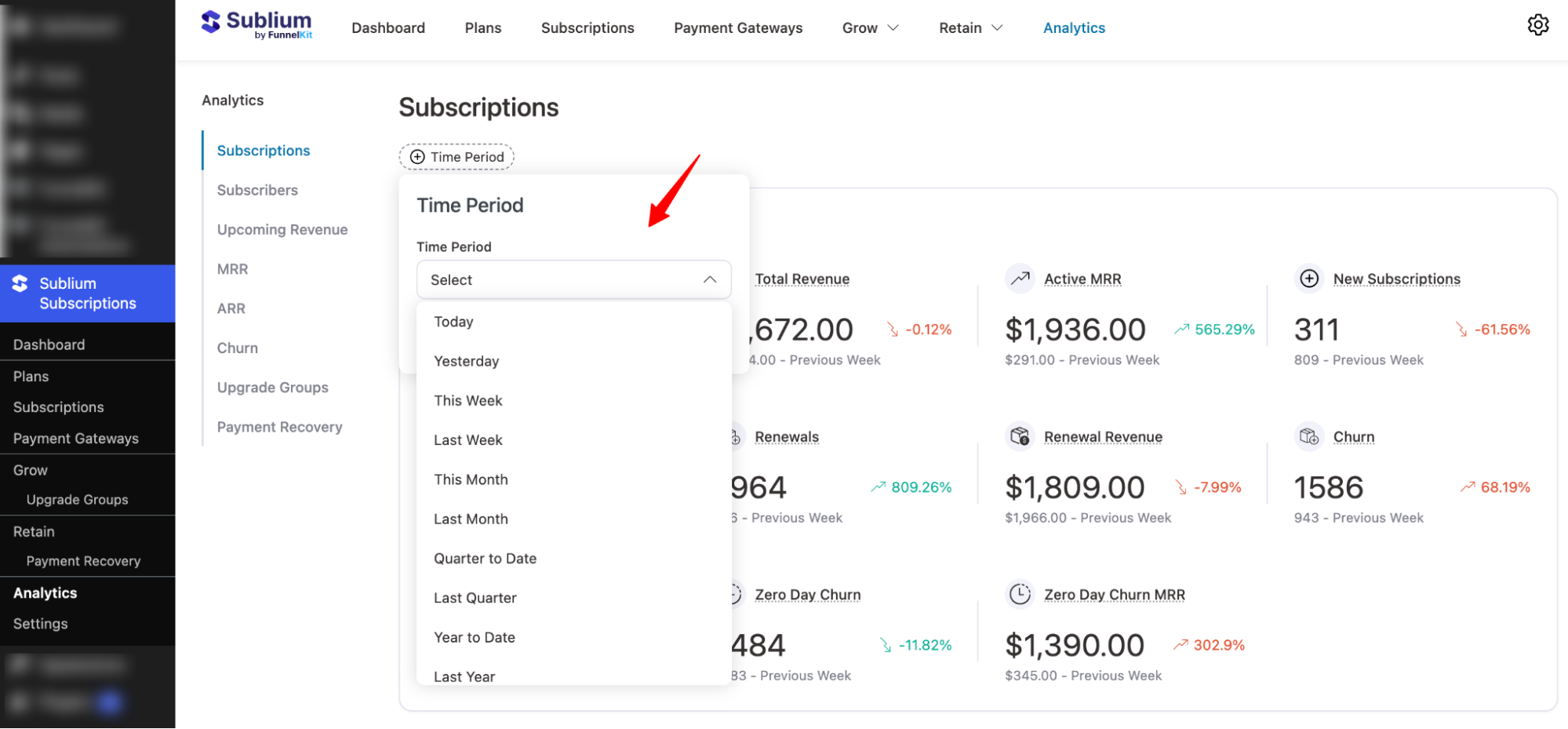
Time Period
You can select the time period for which you want to see subscription data. Options include:
- Today
- Yesterday
- This Week
- Last Week
- This Month
- Last Month
- Quarter to Date
- Last Quarter
- Year to Date
- Last Year
- On a specific date
- Custom range

Overview
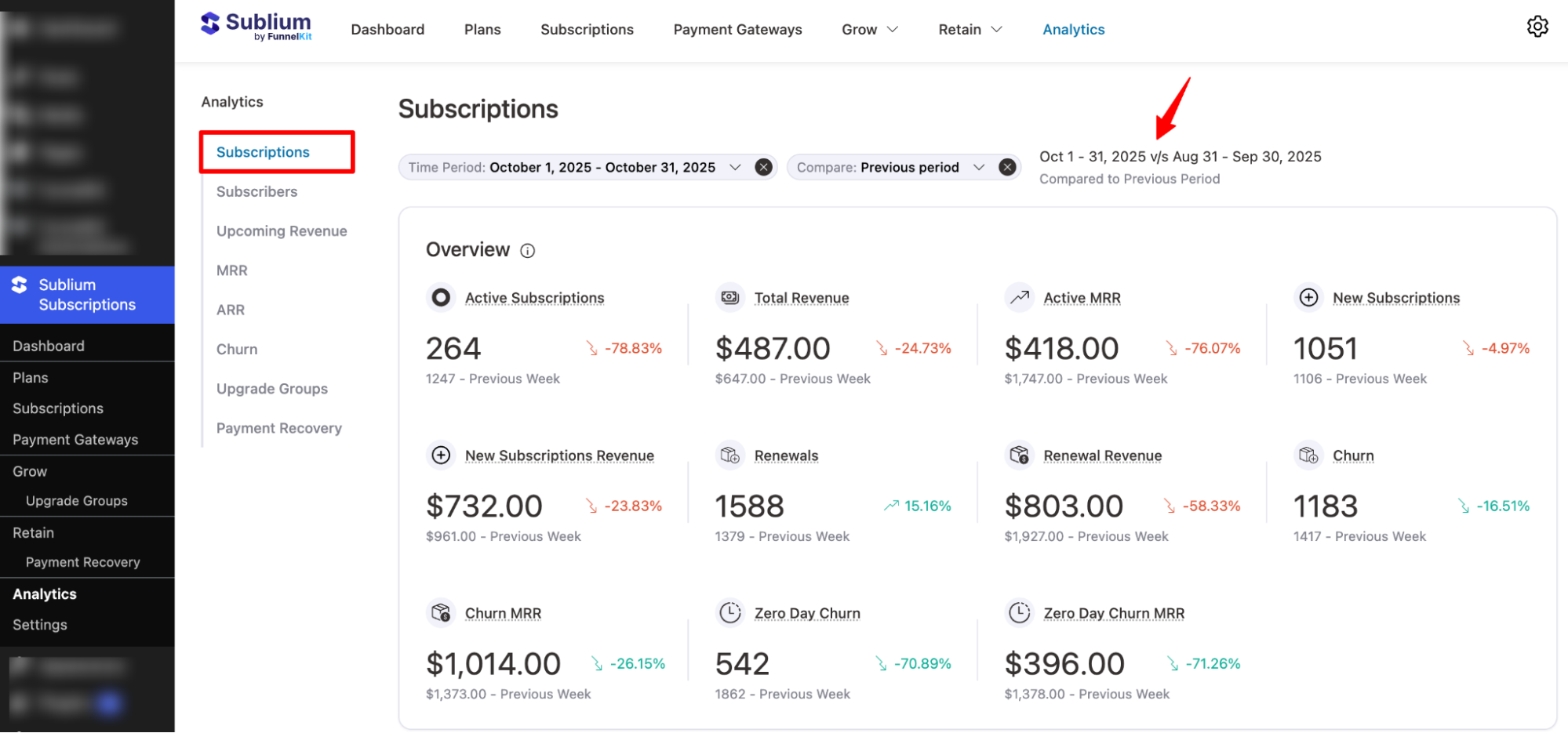
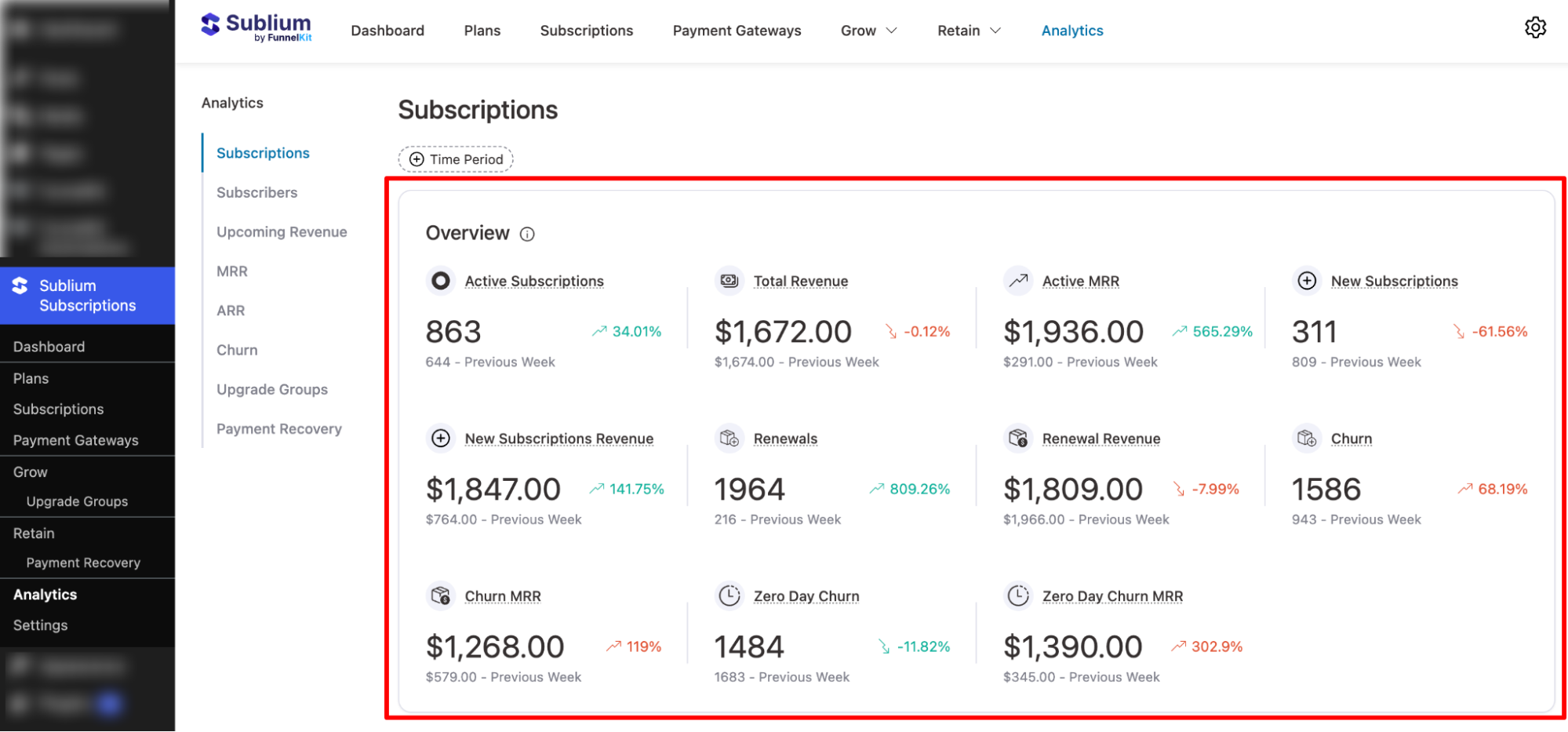
This section summarizes subscription performance within the selected time period:
- Active Subscriptions: Total number of currently active subscriptions.
- Total Revenue: Total revenue generated from subscriptions.
- Active MRR (Monthly Recurring Revenue): Recurring monthly revenue generated from active subscriptions.
- New Subscriptions: Number of newly activated subscriptions.
- New Subscription Revenue: Revenue generated from new subscription signups.
- Renewals: Number of subscriptions renewed during the period.
- Renewal Revenue: Revenue generated from renewals.
- Churn: Number of subscriptions canceled.
- Churn MRR: MRR lost due to subscription cancellations.
- Zero-Day Churn: Subscriptions canceled on the same day they started.
- Zero-Day Churn MRR: MRR lost due to zero-day churn.
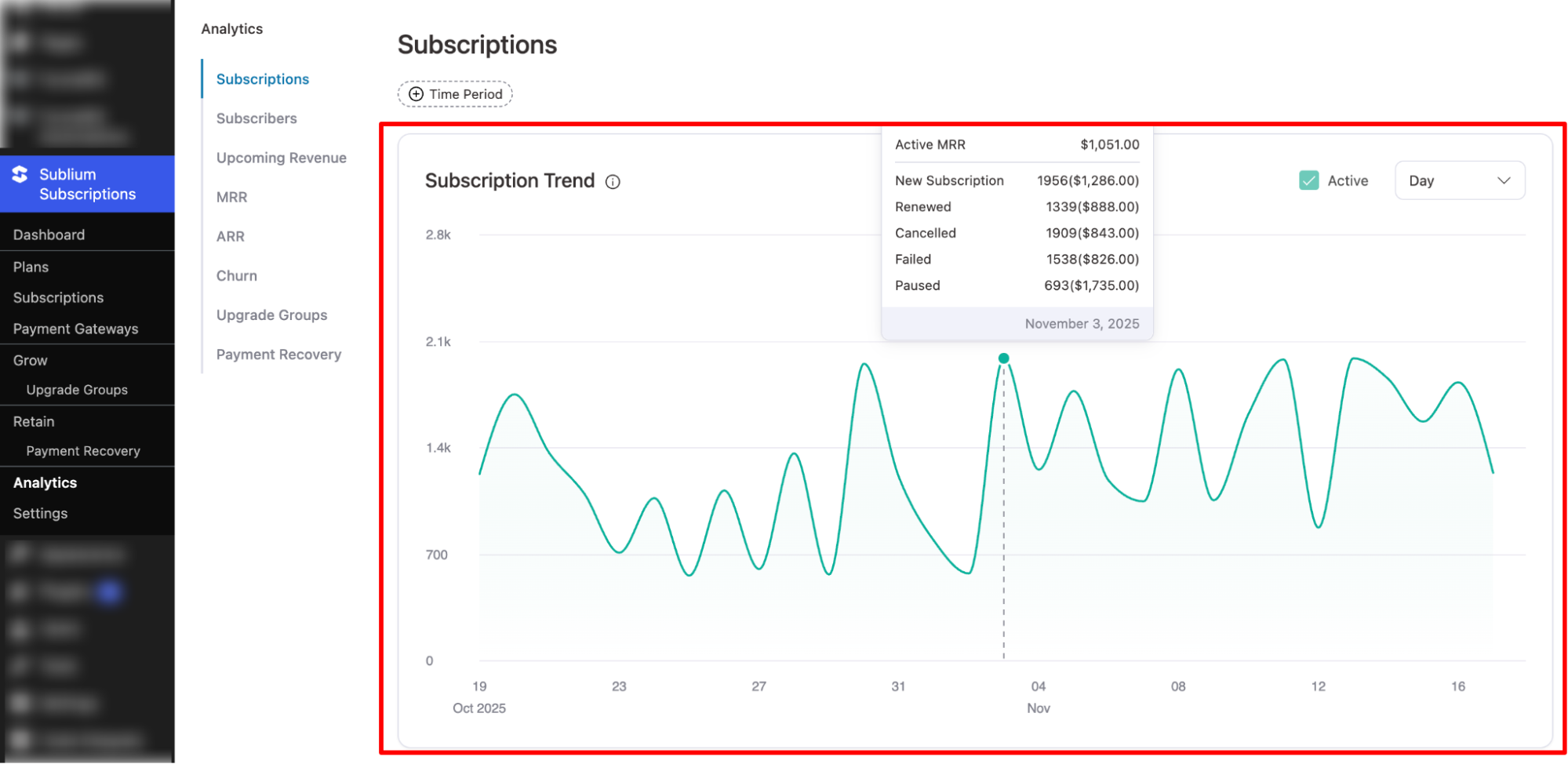
Subscription Trend
This graph visualizes subscription performance over time. It helps you monitor growth patterns by showing changes in subscription counts and revenue across days and weeks.
You can hover over data points to see exact subscription and revenue values for each date.
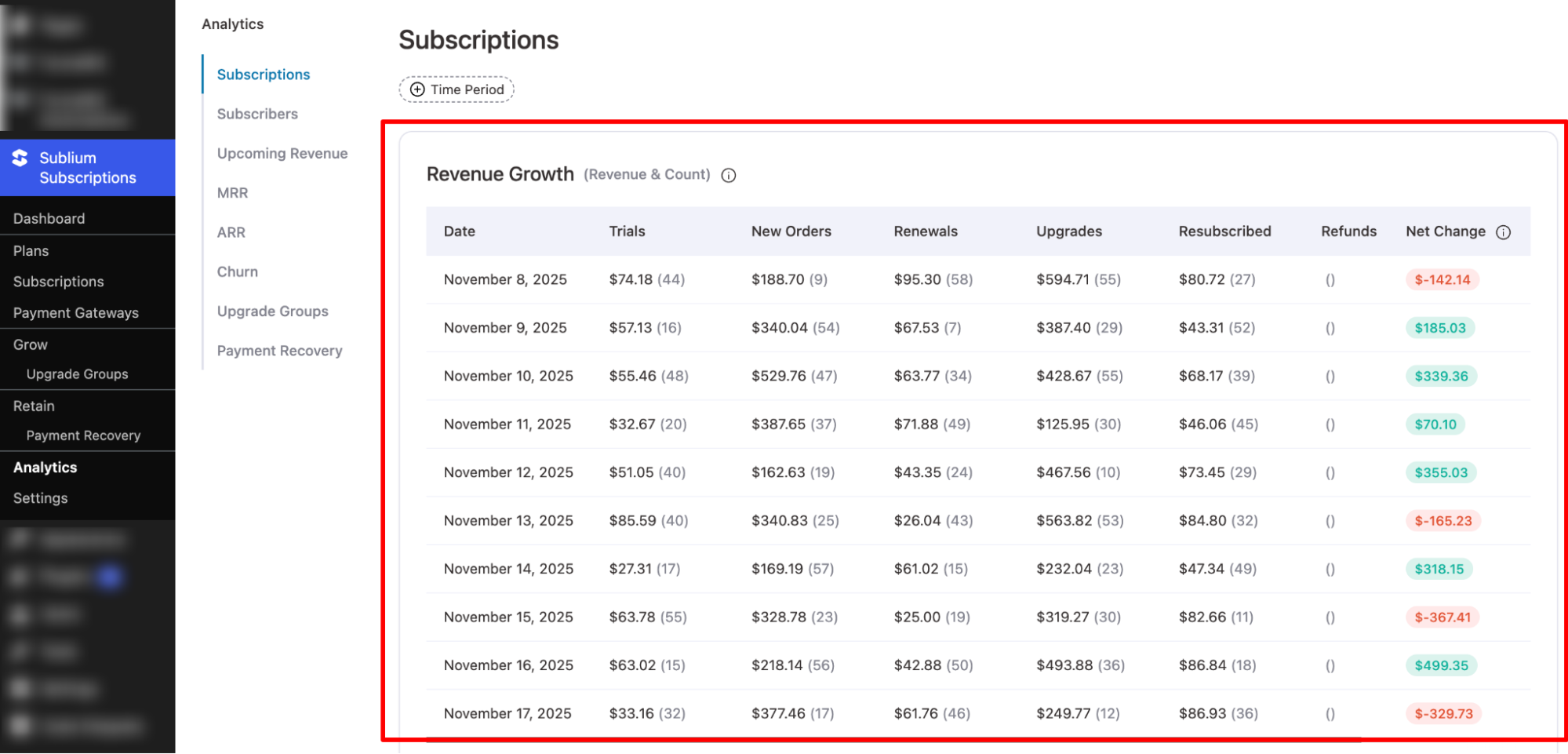
Revenue Growth (Revenue & Count)
This table shows daily breakdowns of subscription activities, including new orders, renewals, upgrades, refunds, disputes, and the net revenue change.
Columns include:
- Date: The specific day being tracked.
- Trials: Trial starts and associated value (if applicable).
- New Orders: New subscriptions and revenue generated.
- Renewals: Renewal count and revenue.
- Upgrades: Customers upgrading plans and increased revenue.
- Resubscribed: Previously churned users who reactivated subscriptions.
- Refunds: Amount refunded and number of refunded transactions.
- Disputes: Chargebacks or disputed transactions.
- Net Change: Final net subscription revenue change for the day.