

This document explains everything related to the Renewal Reminder: Before Y Days notification, including its purpose, email content, customization options, and activation instructions.

Overview
The Renewal Reminder: Before Y Days email is automatically sent to customers a set number of days before their subscription renewal date.
Its purpose is to give customers an early heads-up, ensure their payment methods are up to date, prevent failed renewals, and maintain uninterrupted access to their subscription.
The email includes:
- Customer first name
- Subscription renewal date
- Subscription start date
- Subscription ID
- Payment method
- Product details (title, variation, quantity, price)
- Subtotal, shipping, taxes, discounts, and total amount
- Call-to-action to review or update payment details
Access “Renewal Reminder: Before Y Days” Email Notification
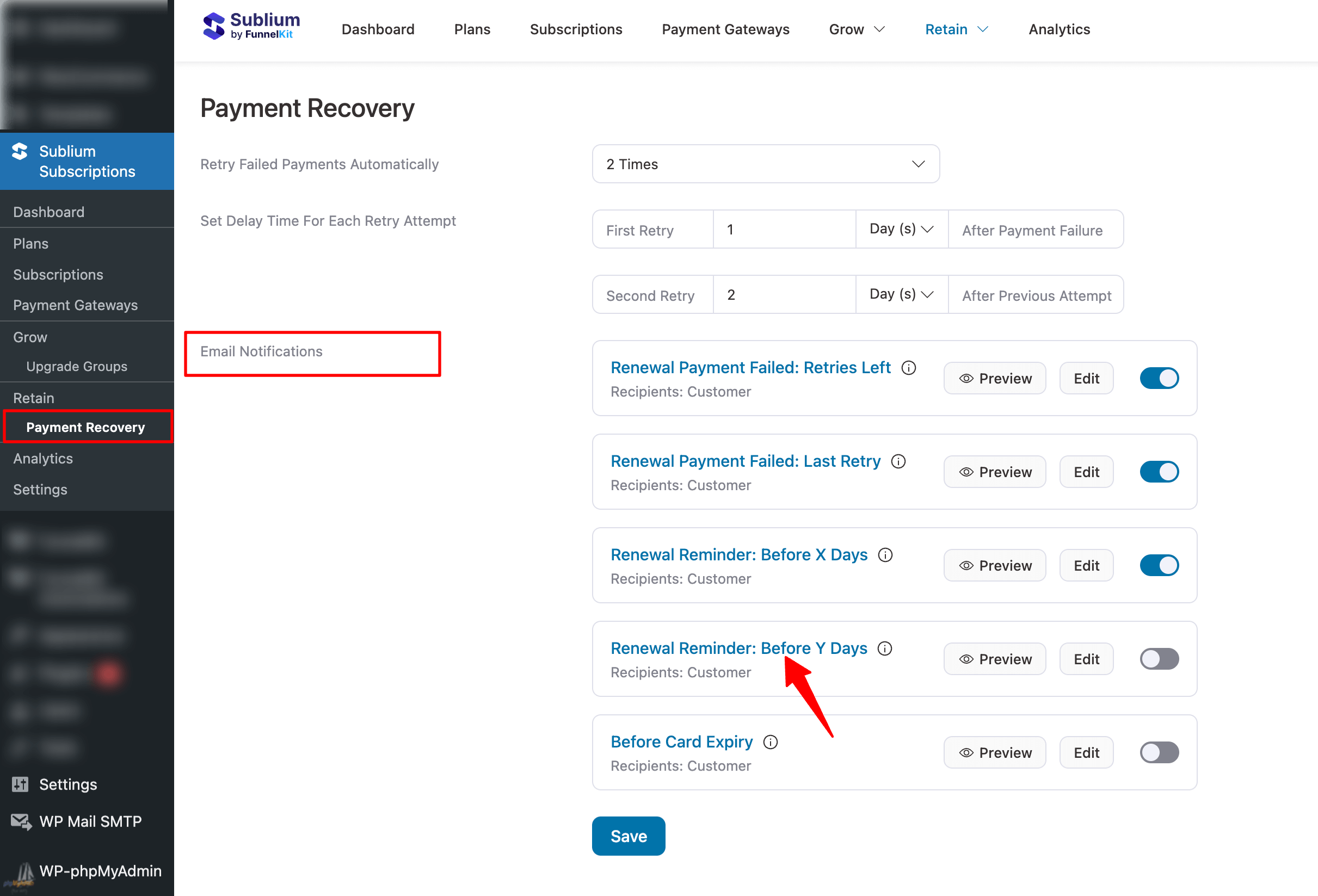
Navigate to: Sublium Subscriptions ⇒ Retain Under the Email Notifications section, locate the Renewal Reminder: Before Y Days email notification.
When It Is Sent
This email is triggered when:
- A customer’s subscription is set to renew soon
- The reminder schedule matches the configured number of days before the renewal date (e.g., 7 days before renewal)
Audience
By default, this email is sent to the customer.

Email Customization
You can customize this email using:
- Rich Text Editor
- Visual Editor
A prebuilt Renewal Reminder: Before Y Days template is available and can be fully customized or rebuilt to match your brand.
Personalization
Sublium Subscriptions offers merge tags to personalize the subject line, preview text, and email body.
Simply copy and paste the tags into your desired section.
Here are the merge tags used in the prebuilt template:
- {(subscriber_first_name}} –Subscriber’s first name
- {{subscription_next_payment_date}} – Next renewal date
- {{subscription_start_date}} – Initial subscription start date
- {{subscription_id}} – Subscription ID
- {{subscription_item}} – Product linked to the subscription
- {{subscription_total}} – Total renewal amount
- {{sublium_my_account_url}} – Customer’s subscription management page
- {{admin_email}} – Store owner’s email
How To Activate
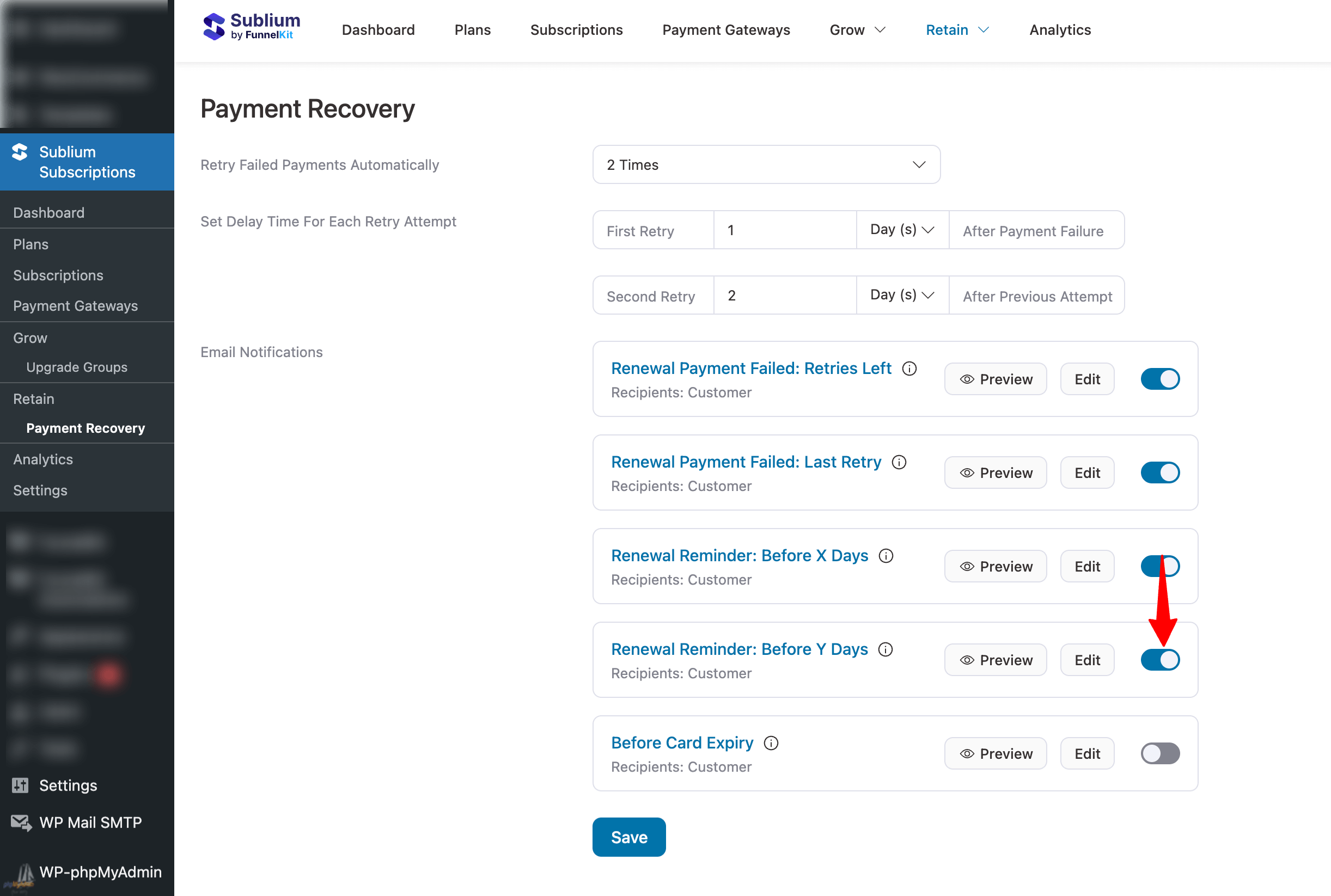
To activate the Renewal Reminder: Before Y Days notification, turn ON the toggle next to the email inside Sublium Subscriptions.
Troubleshooting
Emails not sending
- Confirm your SMTP plugin is configured and sending test emails successfully
- Check your SMTP plugin’s email logs for failed delivery attempts
- Verify the notification toggle is enabled
- Ensure the customer has a valid email address on their order
Merge tags showing as plain text
- Confirm you copied the full merge tag, including the curly braces, e.g., {{subscriber_first_name}}
- Check for extra spaces inside the merge tag
- Use only merge tags from the official list; custom tags won’t work
Email is going to spam
- Configure SPF, DKIM, and DMARC records for your sending domain
- Avoid spam trigger words in your subject line
- Use a reputable transactional email service
Email looks broken or unstyled
- Test across multiple email clients (Gmail, Outlook, Apple Mail)
- Avoid complex CSS, as email clients have limited style support
- Use the Visual Editor’s built-in templates for better compatibility


