

Sublium Subscriptions works seamlessly with the official WooCommerce Product Bundles extension, allowing you to sell structured product bundles with flexible subscription plans.
This integration is ideal when you want to offer curated or customizable bundles while also increasing average order value by shifting to recurring subscriptions rather than one-time purchases.
With this integration, customers can:
- Choose products inside a WooCommerce Product Bundle (based on your configuration)
- Purchase the bundle as a one-time order or subscribe for recurring delivery
How The Integration Works
WooCommerce Product Bundles handles the creation and management of the bundle, including which products are included and how quantities are configured.
Sublium Subscriptions then adds flexible subscription options (such as weekly, monthly or quarterly billing) to that same bundled product.
Pricing is automatically adjusted based on the bundle setup and the products or quantities the customer selects.
In simple terms, customers can purchase a curated or customizable product bundle and choose to receive it on a recurring subscription instead of making a one-time purchase.
Before You Start
Before setting this up, make sure the following plugins are installed and active on your site:
- WooCommerce
- Sublium Subscriptions
- WooCommerce Product Bundles
Also, make sure you have already decided:
- Which products do you want to include in the bundle
- The subscription plans you want to offer, such as monthly or every 2 months, etc
- Whether you want to allow a one-time purchase for the bundled products
How to Integrate WooCommerce Product Bundles with Subscription Plans
Here are the steps you need to follow:
Step 1: Create Product Bundles in WooCommerce
Go to WooCommerce > Products and create a new product.

When setting up the product, set the Product Data type to “Product Bundle”. Then, on the “Bundles Product” tab, select the layout, Form Location, Item Grouping type, minimum and maximum Bundle Size, etc.
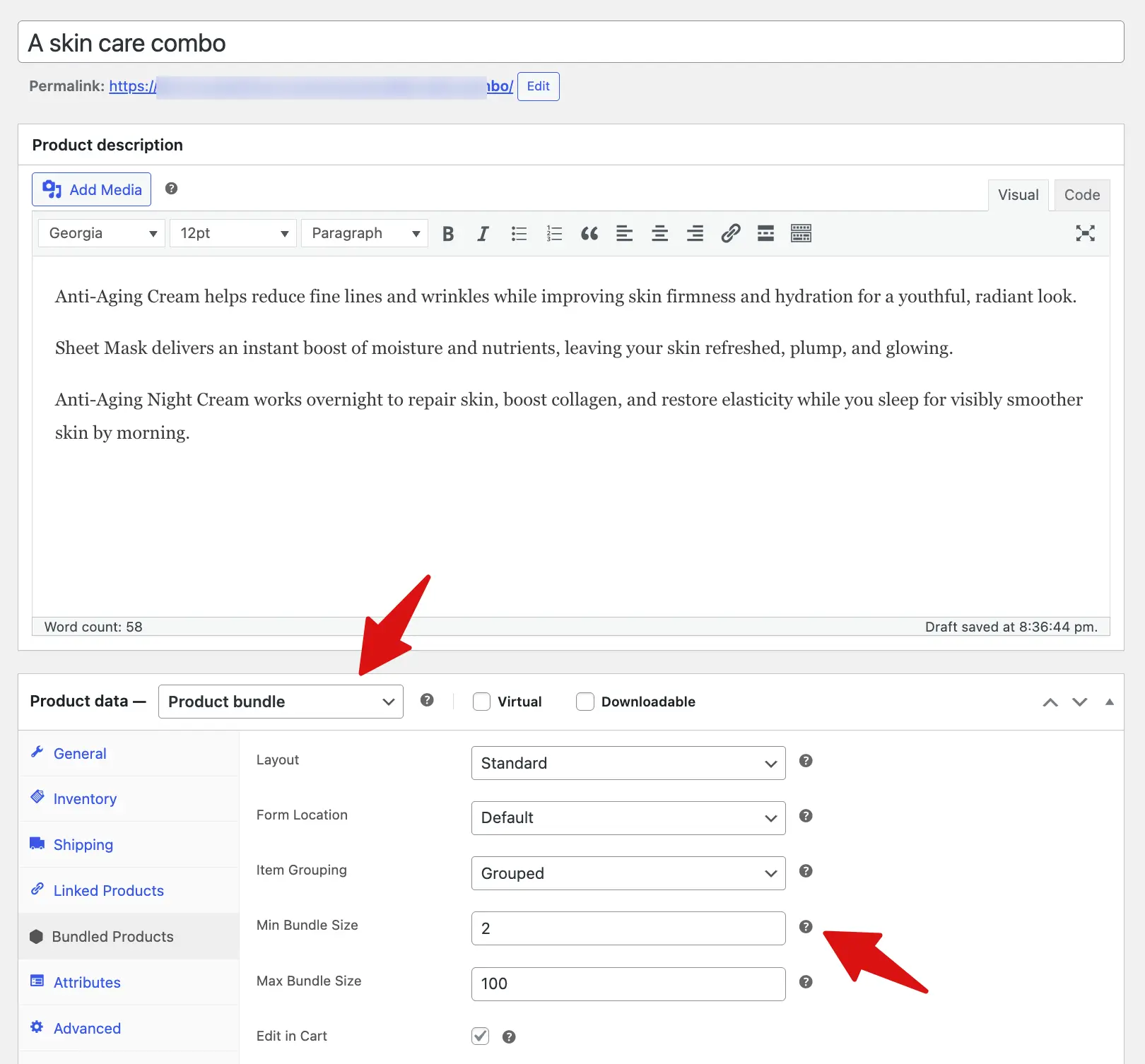
Step 2: Add the products to the bundle
Now scroll down and add the products you want to offer in the bundle. For each product, make sure to set Max Quantity, Default Quantity, and enable Individual Price if you don’t want to use a single bundle price. You can also apply a discount on individual product pricing if needed.
Note: If you want any product to be optional in the bundle, check the “optional” option for that product.
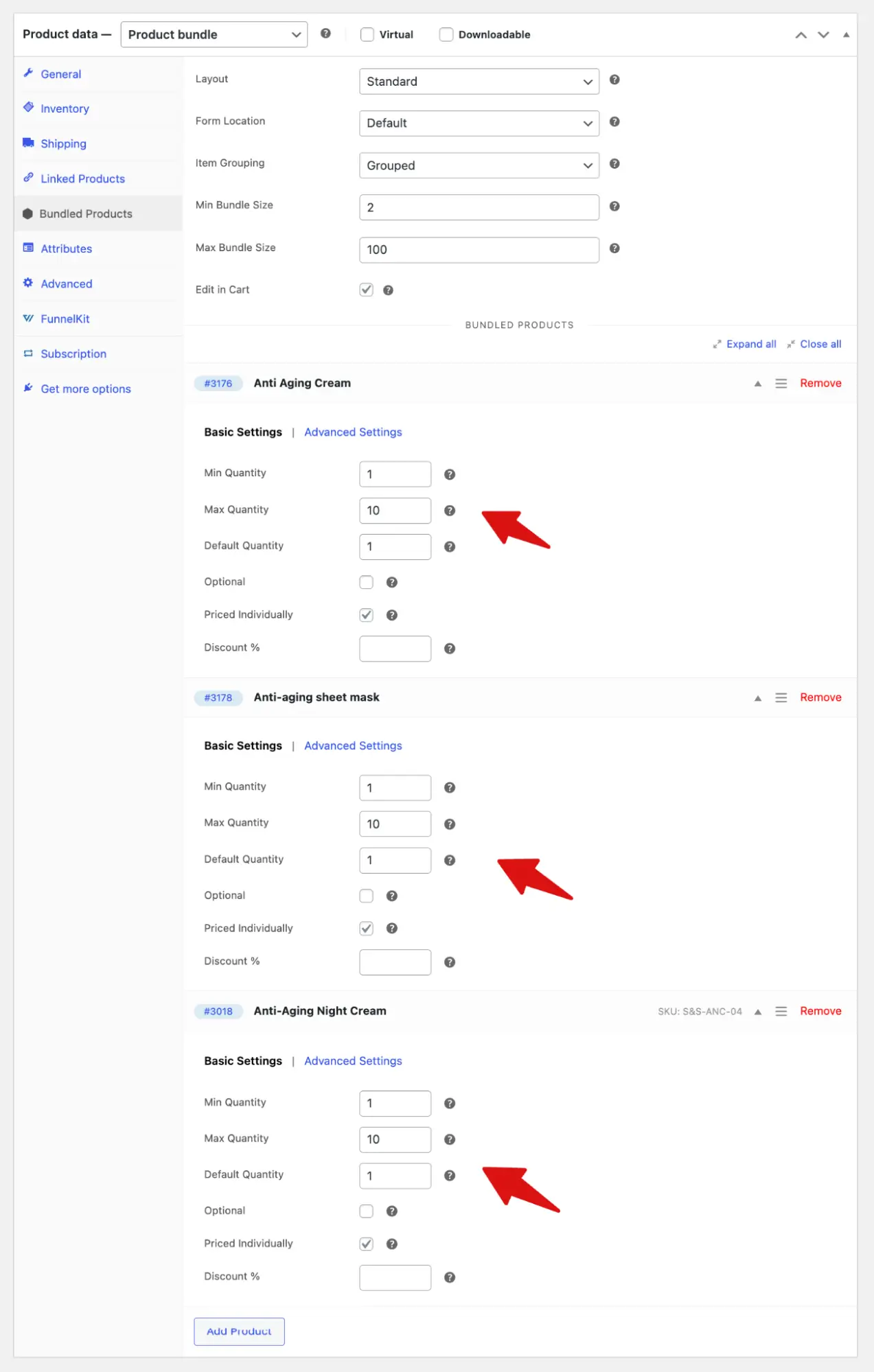
Now you can configure how bundle pricing works and how customers can add bundles to their cart.
Step 3: Create a selling plan in Sublium Subscriptions and assign the bundle product
Now, go to FunnelKit Sublium and create a new plan. Then add different subscription options such as Monthly, 2-monthly, and 3-monthly plans.
After that, assign the bundle product. Here, if you want, you can offer a discount on the plans you created.

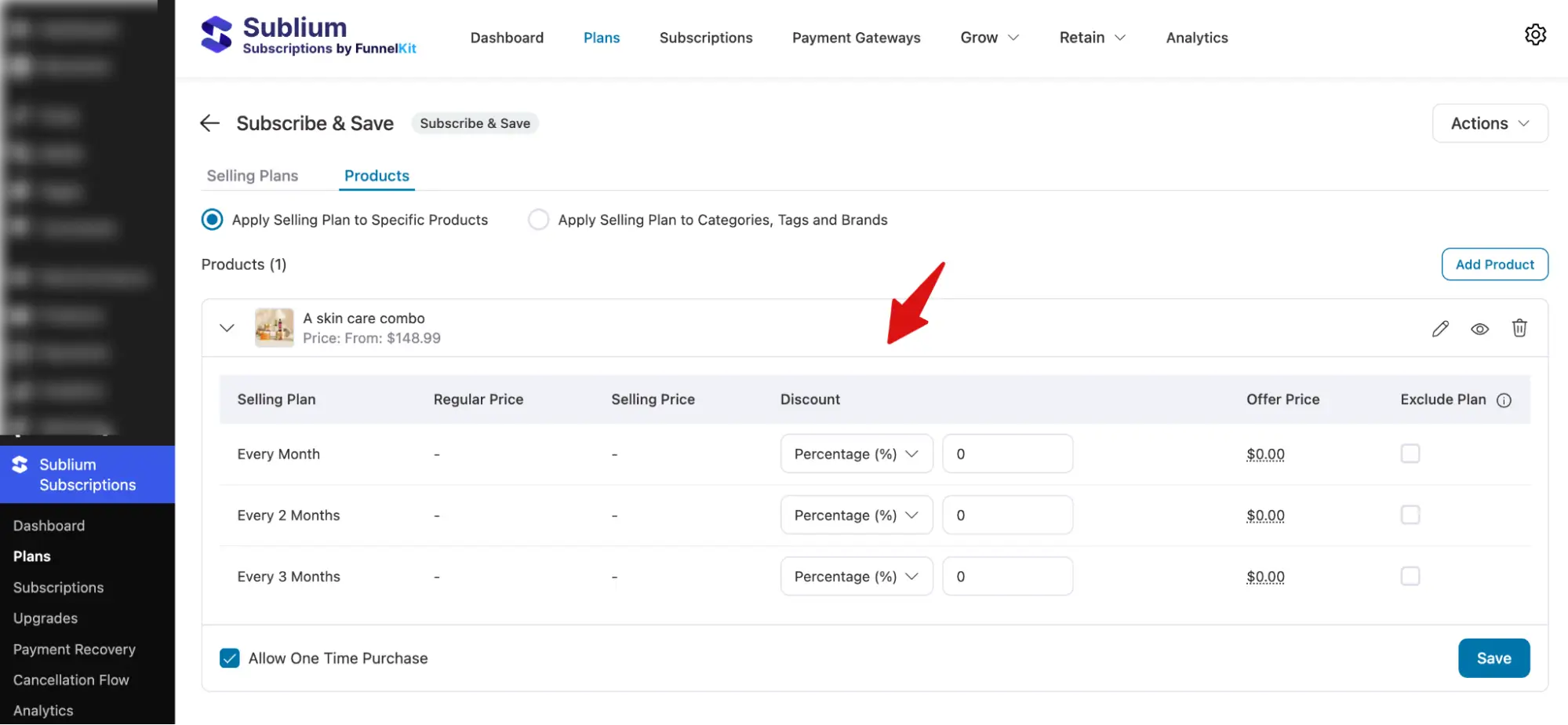
Step 4: Test the bundle product with Sublium Subscription plans
Now, test the setup by placing a sample order using Sublium Subscription plans.
First, shoppers must select the items and meet the configured minimum quantity. They can easily increase or decrease the quantity of each item as needed.
After that, they select a subscription plan and click the “Add to Cart” button.
Sublium Subscriptions works seamlessly with the official WooCommerce Product Bundles extension, allowing you to offer structured product bundles with flexible subscription plans.
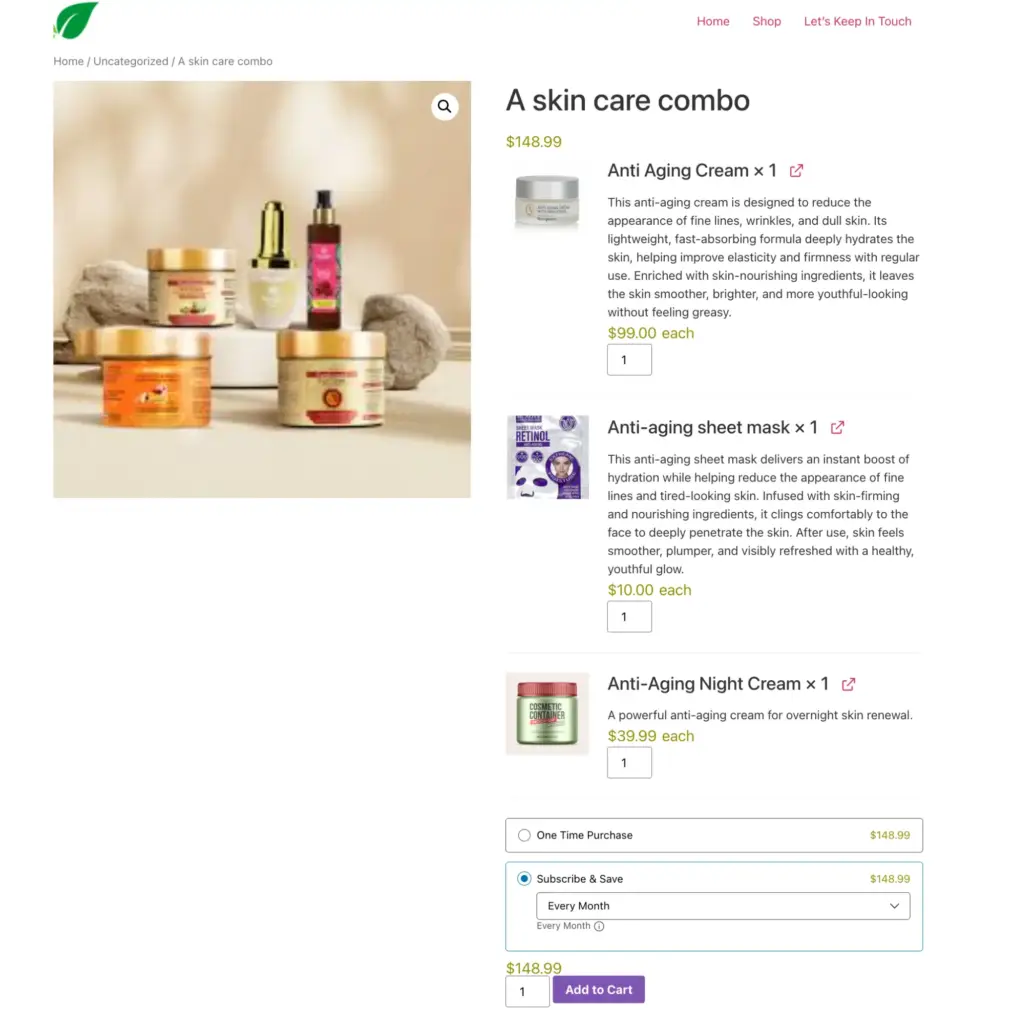
Finally, the product bundle can be purchased successfully through Sublium Subscription plans.


